Different companies need different SAP SuccessFactors setups. This guide maps SAP SF modules to the HR processes they support and explains how to define the right scope of modules.
From recruiting and onboarding to payroll, performance, learning, and workforce planning, SAP SuccessFactors brings almost every major HR process into one cloud suite. Yet every company can decide how much of that suite belongs in its own HR setup.
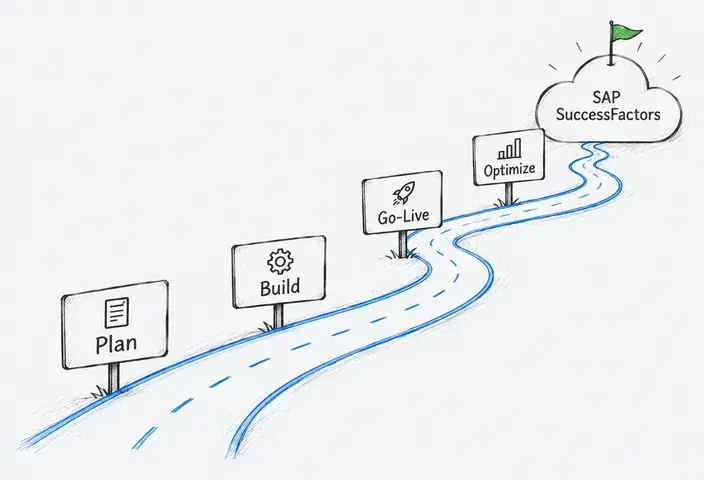
SAP SuccessFactors supports modular, phased deployment. Product prerequisites, data ownership, integrations, licensing and country availability constrain scope and sequence. A company can begin with the solutions that address its current priorities and add others later, subject to product dependencies and commercial packaging.
That freedom matters because each additional solution or enabled capability can expand the work required for configuration, data migration, integration, testing and change management. A focused implementation can therefore take 3–6 months, compared with 12–18+ months for a full-suite rollout. Modules may also introduce data flows and APIs that teams need to build and maintain. Employees and managers need training for each new process, which adds to the cost before and after launch.
That leaves one practical question: which modules solve a real HR problem and justify the work they add? Let’s examine the problems each SuccessFactors module solves and the business needs that make it worth implementing.
SAP SuccessFactors Solutions and Capabilities Explained
The SAP SuccessFactors portfolio has several layers. Commercial solutions provide defined product scope, while capabilities operate within those solutions. Other SAP products can extend the HR landscape with analytics, automation, identity services, and contingent workforce management.
HR, payroll, and time management
|
Solution |
What it does |
Related capabilities |
|
Maintains current, historical, and future-dated employee, employment, job, and organizational data. It also supports global core HR workflows and employee self-service. |
|
|
|
Calculates and processes payroll using employee, compensation, time, and absence data. Local tax and regulatory support depend on the available country localization. |
|
|
|
Captures and validates working time, including attendance, overtime, premiums, and shift-related entries. Employee Central is a prerequisite. |
|
Recruiting and talent management
|
Solution |
What it does |
Related capabilities |
|
SmartRecruiters for SAP SuccessFactors |
Supports candidate sourcing, applicant tracking, recruiting workflows, communication, interviews, and offer management. It is SAP’s next-generation recruiting offering and replaces the legacy SAP SuccessFactors Recruiting module for new deployments. |
|
|
Manages onboarding, cross-boarding, offboarding, rehire, and related employee transitions. |
|
|
|
Manages employee and external-audience learning, including skills development and compliance training. It can operate as a standalone solution. |
|
|
|
Supports goal setting, formal reviews, ongoing feedback, and performance discussions. |
|
|
|
SAP SuccessFactors Career and Talent Development |
Supports career planning, internal mobility, mentoring, succession planning, and skills-based development. |
|
|
SAP SuccessFactors Compensation and SAP SuccessFactors Variable Pay |
Support salary planning, compensation decisions, recognition programs, and incentive calculations. |
|
Analytics, AI, automation, and connected SAP products
|
Offering |
Relationship to SAP SuccessFactors |
|
People Intelligence |
Connects SAP SuccessFactors and other HR data to support workforce analysis and decision-making. Existing customers may also use SAP SuccessFactors Workforce Analytics. |
|
Provides AI capabilities embedded across SAP products. It is a cross-portfolio technology rather than an individual SuccessFactors module. |
|
|
Extends HR processes with custom workflows and task automation. It is an SAP BTP solution that can connect to SAP SuccessFactors. |
|
|
Supports contingent workforce procurement, vendor management, assignment administration, and external-worker oversight. |
Specialized requirements such as apprentice administration and public-sector structures may involve country-specific configurations, industry extensions, or connected products. Their availability, licensing, and prerequisites should be verified during solution design.
Learn More About SAP Human Resource Management Solutions
How to Choose the Right SAP SuccessFactors Modules
Module descriptions show what each tool can do. The seven steps below help determine which capabilities solve a real HR problem and justify the work required to implement them.
Step 1: Define the problem and expected result
Review current HR processes and identify delays, repeated data entry, frequent errors, or missing information. “Give each problem a measurable target, for example, “Reduce time-to-hire from 45 to 30 days.” This target provides a clearer selection criterion than “improve recruiting.”
Important: All stakeholders should agree on the priorities.
Step 2: Decide where core employee data will be stored
Confirm which system will maintain the employee and organizational data that other modules need. Choose Employee Central when the company plans to replace scattered records or standardize core HR workflows.
Important: Companies with a reliable HRIS can keep it and connect selected SuccessFactors solutions.
Step 3: Match each problem to relevant modules
Keep a module on the shortlist only when it supports one of the targets from Step 1. Common matches include:
|
Business need |
Solutions and capabilities to evaluate |
|
Consolidate employee and organizational data |
|
|
Shorten hiring and new-hire setup |
|
|
Improve goals, reviews, and feedback |
|
|
Develop skills and support internal mobility |
|
|
Manage pay, benefits, and recognition |
|
|
Analyze workforce trends and automate recurring work |
|
|
Support specific workforce structures |
|
Important: One business problem may require several modules. Give each one a separate reason for inclusion.
Step 4: Check data, integrations, and local requirements
Test the shortlist against the company’s current data and applications. For each module, document the information it needs, the system that supplies it, and the connections required to exchange it.
Payroll and SAP SuccessFactors Time Tracking rely heavily on accurate employee records, while Analytics needs consistent source data. If payroll remains with a local provider, define that integration during selection. Review access controls, security, and country-specific requirements at the same stage.
Step 5: Compare value with total cost
Score each shortlisted module from 1 to 5 for expected business impact and urgency. Then assess whether the company has suitable data, internal owners, and enough implementation capacity.
The cost estimate should cover the subscription, configuration, integrations, training, and ongoing support. Remove modules whose expected benefit cannot justify that investment.
Step 6: Test real workflows
Ask the implementation partner to demonstrate company-specific scenarios with sample data. Process owners and end users can test activities such as opening a vacancy, approving leave, completing a performance review, or correcting payroll data.
Use SAP best practices and standard configuration wherever they cover the required process. Reserve custom extensions for legal requirements or workflows that deliver clear business value.
Step 7: Plan the rollout around dependencies
Let module dependencies and data readiness determine the sequence. Employee Central may need to precede solutions that rely on its records. Recruiting or Learning can move earlier when the existing HRIS already supplies the required data.
Group the selected modules into releases that leave enough time for testing, user training, and post-launch support. After each launch, compare the results with the targets from Step 1 before expanding the scope.
Five Business Needs and Example SAP SuccessFactors Solution Combinations
The scenarios below connect common HR priorities with practical module combinations. Adjust each one for existing systems, country coverage, integrations, and rollout capacity.
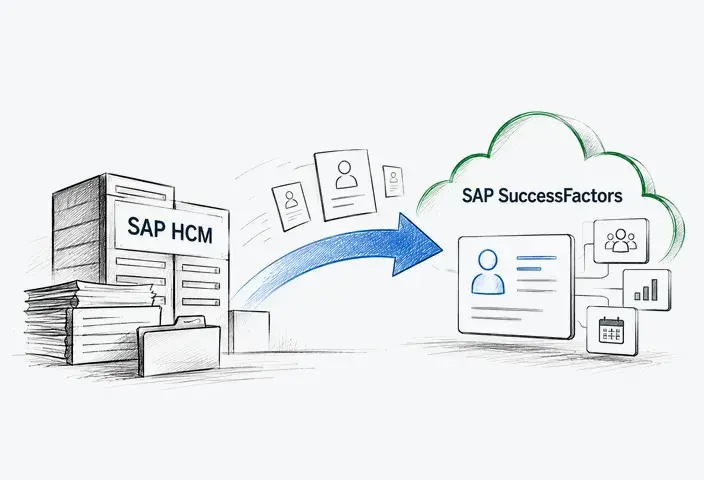
Scenario #1: You need to replace core SAP ERP HCM processes
Recommended combination:
Employee Central + Employee Central Payroll + Time Tracking
What it solves:
This combination establishes a cloud foundation for employee data, time recording, absence management, and payroll. It can replace the corresponding core processes in an SAP ERP HCM landscape.
A complete replacement assessment should also cover organizational management, benefits, recruiting, learning, performance, interfaces, reports, and custom functions currently running in SAP ERP HCM. The required SuccessFactors solutions can then be assigned to the same release or to later phases.
Scenario #2: Your headcount is growing faster than HR capacity
Recommended combination:
Employee Central + SmartRecruiters for SAP SuccessFactors + Onboarding
What it solves:
SmartRecruiters helps HR manage openings, candidate pipelines, interviews, communication, and offers. Onboarding carries successful candidates through preboarding and employee-transition workflows, while Employee Central maintains their core records.
Add Compensation or Performance & Goals when salary planning, objectives, and reviews become difficult to coordinate across growing teams.
Scenario #3: Your workforce spans multiple countries
Architecture options:
- Employee Central + Employee Central Payroll in countries supported by the required payroll localizations
- Employee Central + integrated local or global payroll providers
What it solves:
Employee Central can provide a shared employee and organizational data model across countries. Payroll architecture then depends on localization coverage, existing provider contracts, regulatory requirements, operating capacity, and the company’s standardization goals.
Where Time Tracking is used, it supplies approved working-time data, including overtime and premiums. Employee Central absence management supplies approved absence data. The applicable inputs then move to SAP or external payroll through configured integrations.
Scenario #4: You want to build skills and leadership pipelines
Recommended combination:
Employee Central + Performance & Goals + Learning + Career and Talent Development
What it solves:
Performance & Goals connects objectives, feedback, and formal reviews. Learning delivers structured development, while Career and Talent Development supports career paths, mentoring, internal mobility, and succession planning. Together, these solutions help HR use performance and skills data to create targeted development plans and identify future talent needs.
Scenario #5: Payroll is the first process you need to modernize
Recommended combination:
Employee Central + Employee Central Payroll. If needed, Time Tracking for hourly work, shifts, overtime, or other attendance-based payroll inputs.
What it solves:
Employee Central supplies the required employee and employment data. Employee Central Payroll handles payroll calculations, validation, monitoring, and issue resolution.
The two-solution scope can suit organizations that already have a stable time system and plan to retain it. Include Time Tracking when the current time solution cannot provide accurate payroll inputs or when its integrations are part of the problem.
What Can Go Wrong When Choosing SAP SuccessFactors Modules?
Choosing modules before defining the outcome
Goals such as “modernize HR” or “improve employee experience” are too broad to guide module selection. Almost every product can appear relevant when the target process and expected result remain unclear.
Putting too many modules into the first release
Every added module brings more data preparation, configuration, integrations, testing, and training. An overloaded first phase, in turn, can delay the entire program before users receive a workable solution.
Evaluating each module in isolation
Modules create value through the data and processes they share. In an integrated setup, candidate and new-hire data can move from SmartRecruiters for SAP SuccessFactors through Onboarding into Employee Central. Approved working-time data from SAP SuccessFactors Time Tracking and approved absence data from Employee Central can become inputs for Employee Central Payroll. If these handoffs are missing from the selection process, the organization may inherit duplicate entry, manual reconciliation, and unplanned integration work.
Ignoring the data each module requires
A module can match the business objective and still be a poor first choice if the required data is incomplete. Missing job and skills data will restrict talent processes, while inconsistent employee, compensation, and time records will undermine payroll and reporting.
Assuming a listed feature will fit the real process
A feature comparison confirms that a capability exists. It rarely shows how the module handles approval chains, user permissions, regional rules, or exceptions. A seemingly standard requirement may eventually demand extensive configuration or an additional integration.
Excluding users from the selection process
HR and IT teams may choose a functionally suitable module without seeing how much effort it creates for managers, employees, recruiters, or payroll teams. In this case, usability problems and training needs appear after the scope has already been fixed.
Comparing license prices instead of the full cost
The subscription covers only part of the investment. Data migration, integrations, configuration, testing, learning content, training, administration, and support can change the economics of the choice. The organization may also pay twice for capabilities already available in another system.
From SAP SuccessFactors Modules to One Connected HR System: The Girteka Case
Girteka needed to standardize HR processes for more than 15,000 employees while supporting international operations, complex driver shifts, and integrations with several existing systems. LeverX began with business analysis and translated these requirements into a phased roadmap with a defined scope, budget, timeline, and integration plan.
The initial rollout covered 3,000 employees in Lithuania. Because implementation began in 2021, the names below reflect the products deployed at that time. LeverX implemented:
- SAP SuccessFactors Employee Central Core and Benefits
- SAP SuccessFactors Time Tracking, including shift planning
- SAP SuccessFactors Recruiting Management and Recruiting Marketing
- SAP SuccessFactors Onboarding 2.0
- SAP SuccessFactors Performance and Goals
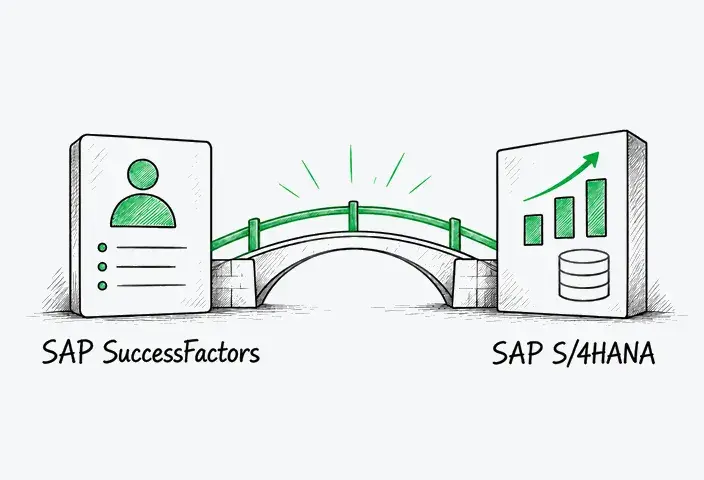
Recruiting and Onboarding moved new-hire data into Employee Central, whose shared employee structure supported benefits, time, and performance processes. The platform also exchanged data with Bonus Payroll, Sodra, Active Directory, and SAP S/4HANA. The broader roadmap also included geographic expansion, Learning Management, and Compensation and Variable Pay.
Result
Girteka gained centralized employee data, self-service, connected recruiting and onboarding, aligned performance processes, and time management suited to its workforce. The case illustrates how solution selection was coordinated with data design, integrations, extensions and phased delivery.
One Partner for the Full SAP SuccessFactors Lifecycle
LeverX supports each stage of an SAP SuccessFactors program, from process analysis and solution design to implementation, integration, go-live, and ongoing optimization.
- Strategy and planning. We assess current HR processes, define measurable objectives, select modules, and prepare the roadmap, budget, and technical scope.
- Solution design and implementation. Our team configures workflows and roles to meet local requirements, then develops extensions for processes that standard functionality cannot cover.
- Data migration and integration. We prepare and transfer legacy data and connect SAP SuccessFactors with SAP and third-party systems, including payroll and identity management platforms.
- Testing and go-live. Our specialists conduct functional, integration, regression, and load testing, train users, confirm system readiness, and manage the production launch.
- Support and expansion. We monitor the live solution, resolve issues, optimize processes, and help clients introduce new modules or extend SAP SuccessFactors to additional countries.
Make Every SuccessFactors Module Earn Its Place
Effective automation requires clear decisions about how the HR process should work. If countries, business units, or managers follow conflicting rules, each new module carries those differences into configuration, permissions, integrations, and support.
The selection stage therefore shapes the future HR operating model. It determines which practices can become company-wide standards, which local variations must remain, and who owns unresolved decisions. Clear boundaries allow the system to expand without reopening the same design questions during every rollout.
LeverX helps clients resolve these questions early and carries the agreed model through delivery. With HR process, industry, integration, and SAP expertise in one team, we can shape the operating model, implement it, and support its expansion.
Discuss your SAP SuccessFactors roadmap with LeverX.
FAQ
How useful was this article?
Thanks for your feedback!