A practical guide to SAP SuccessFactors implementation, covering scope, HR data, integrations, testing, deployment, change management, and post-go-live support.
Organizations often frame SAP SuccessFactors initiatives as technology projects, although many of the decisions that shape delivery sit outside configuration. A stronger approach defines the future HR operating model first, then uses it to guide solution design.
For an enterprise implementation, trying to settle all of this during configuration creates unnecessary rework. This SAP SuccessFactors implementation guide covers the decisions that matter from early planning through go-live and addresses the operating practices needed after go-live.
Why SAP SuccessFactors Projects Succeed or Fail Before Implementation Begins
An SAP SuccessFactors project can meet its technical milestones while still producing a weak business result. Employees may continue to rely on HR service teams for routine requests. Managers may avoid the new workflows. Regional teams may create workarounds because the global process misses a local requirement.
Early project planning should give the organization a clear reason for changing the current HR environment. A company replacing fragmented HR systems might target one authoritative employee record plus standardized lifecycle processes. Another organization may care more about recruiting speed, global performance management, or moving payroll-dependent HR administration out of a legacy SAP HCM environment.
Each objective leads to a different scope. The executive sponsor also needs enough authority to resolve cross-functional decisions. HR cannot settle every question alone. Finance may own cost center structures. IT controls identity architecture. Payroll teams have their own cutover restrictions. Legal teams or works councils can influence employee data processing in certain countries. Process ownership deserves the same attention. Before configuration begins, each major process should have a named business owner who can approve design decisions. When decision ownership is unclear, workshops can leave requirements unresolved and delay design decisions.
SAP Activate provides a useful framework here. Its cloud implementation approach moves through Discover, Prepare, Explore, Realize, Deploy, and then Run. The Explore phase uses fit-to-standard workshops to compare business requirements with the available SAP processes before configuration expands.
That fit-to-standard discussion matters. A legacy process may exist because the previous HR system required it. Recreating every old rule in SAP SuccessFactors can preserve the very complexity the project was meant to remove. The project team should document genuine exceptions instead. A statutory country requirement has a clear reason to survive. An approval chain inherited from a ten-year-old HR policy deserves a closer look.
Define the Right Scope Before Selecting Modules
SuccessFactors implementations can cover core HR, recruiting, onboarding, time management, learning, performance, compensation, succession, payroll-related processes, or a combination of those areas. The first release does not need to cover everything. Start with the capabilities tied to the business objective. Then assess dependencies between them.
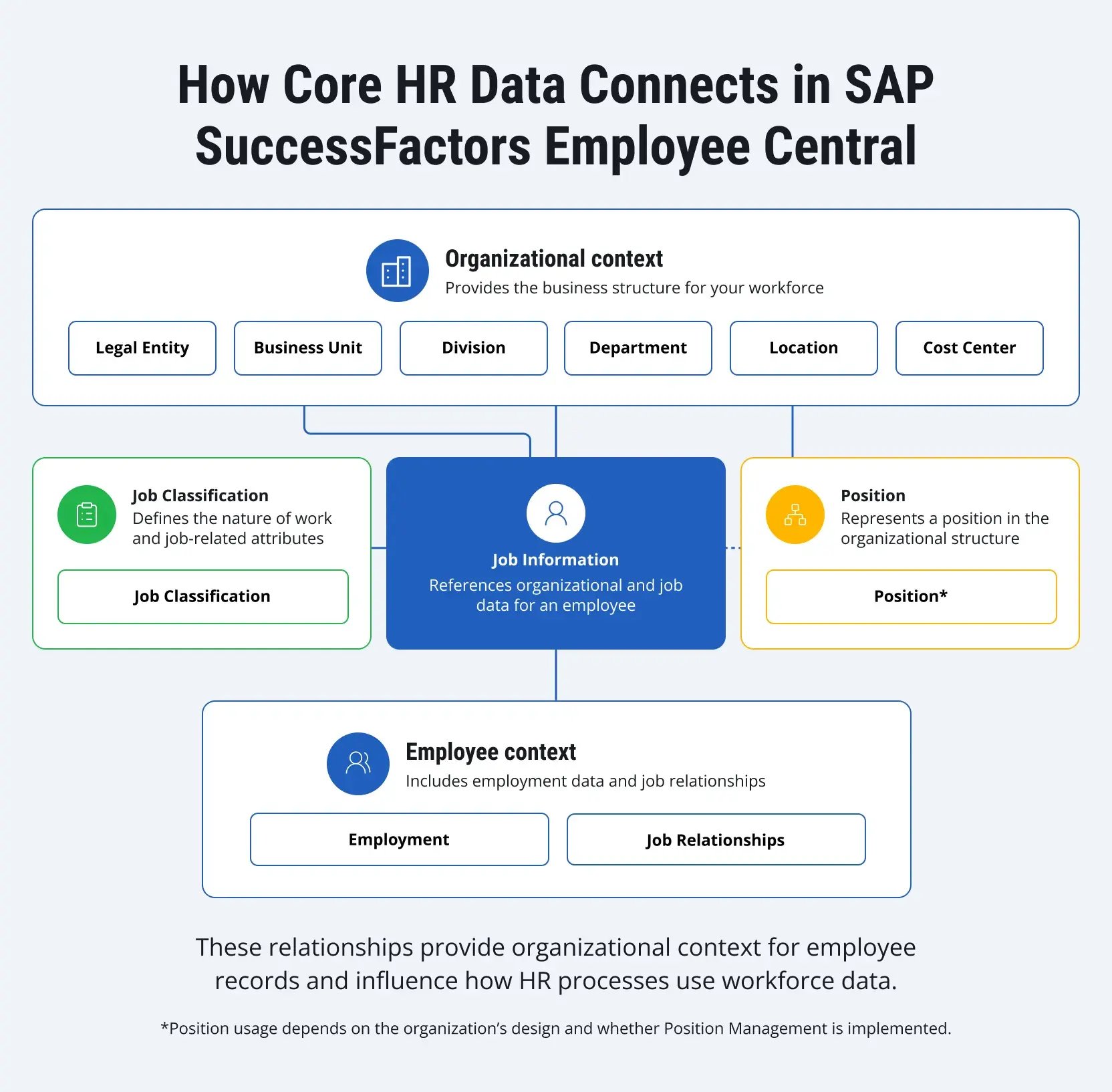
SAP SuccessFactors Employee Central often provides the foundation for broader HCM transformations because it holds company structures, employee information, job data, pay-related information, and other core records used across the suite. SAP itself describes Employee Central as the basis for many other SAP SuccessFactors modules.
That does not mean SAP Employee Central must always go first. A company replacing only its learning platform may implement SAP SuccessFactors Learning without launching a full core HR transformation. A recruiting program may also have a different sequence. For a multi-module transformation, however, the project team should settle the future source of employee and organizational data early. Scope decisions usually become clearer when each candidate's capability is assessed against several practical factors:
- Business urgency
- Dependencies on other modules
- Current data quality
- Integration effort
- Country-specific requirements
- Availability of HR subject-matter experts
- Organizational readiness for the process change
This assessment often points toward a phased SAP SuccessFactors deployment. For example, an enterprise might establish Employee Central plus foundational integrations first, then introduce talent processes in later releases. Another company may deploy several modules in one country, refine the template there, and extend it to additional legal entities through regional waves.
Neither approach works universally. The right sequence depends on process maturity, data ownership, payroll architecture, geographic reach, and the amount of change the organization can absorb at once. Early scope control also protects the project from a common problem: treating every improvement idea as a day-one requirement. Useful requests can move to a post-go-live backlog when they do not affect regulatory compliance, core process execution, security, or launch readiness.
Preparing Your HR Landscape
Before configuration starts, the implementation team needs an accurate picture of the current environment. That picture should extend beyond the HRIS (Human Resources Information System). Map systems involved in employee administration, payroll, recruiting, time capture, benefits, learning, identity management, finance, reporting, document generation, and employee access. Include regional tools that may have grown outside the central HR architecture.
For every major data domain, establish the current owner plus the intended owner after implementation. Employee data can become especially confusing in hybrid environments. One system may hold personal information while another runs payroll. Cost centers may originate in ERP. A local application may still own time data. Leaving these relationships implicit can create integration problems later.
Review the existing SAP HCM footprint
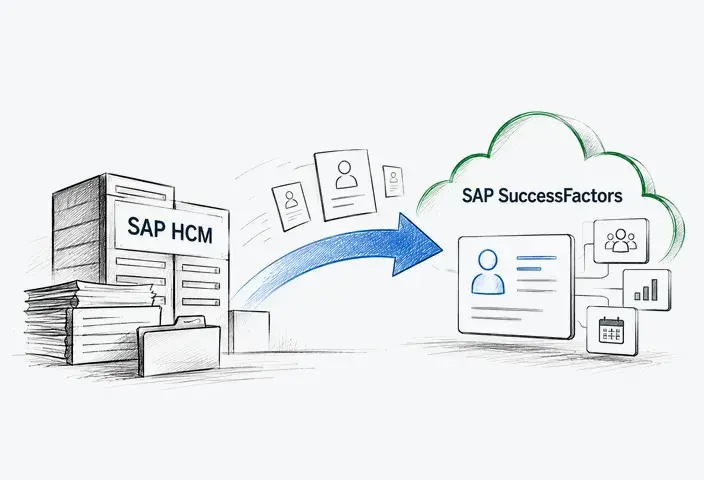
In a Core Hybrid deployment, SAP Employee Central serves as the system of record for employee data and reporting lines, while selected HR processes, such as payroll, time management, or custom HR processes, continue to run in SAP ERP HCM, SAP S/4HANA on-premises, or SAP Cloud ERP Private, depending on the landscape. This makes a staged transformation possible. A business does not have to retire every SAP HCM process before starting its SAP SuccessFactors program.
Assess payroll separately
Payroll tends to impose stricter cutover rules than many talent processes. A missed performance form creates inconvenience. A failed payroll interface can affect thousands of employees. Document the current payroll engines by country. Identify employee master data dependencies, time inputs, cost center flows, payroll posting, bank-related interfaces, downstream finance processes, and reconciliation requirements.
Where SAP SuccessFactors Employee Central Payroll forms part of the target environment, integration with finance also needs explicit design. SAP documents different technical patterns for SAP Cloud ERP, SAP Cloud ERP Private, and SAP S/4HANA on-premises environments.
Examine identity architecture early
Authentication can easily become a late technical task because it appears separate from HR configuration. In practice, it affects access testing, user provisioning, administrator accounts, mobile use, and integration with other SAP applications.
Identity Authentication in SAP Cloud Identity Services is becoming the standard authentication method for SAP SuccessFactors user access. SAP is retiring basic authentication for SAP SuccessFactors UI access, so identity planning should begin well before go-live preparation.
The project should establish how corporate identities reach SAP SuccessFactors, which users require access before production launch, what happens to contingent workers, and how joiner-mover-leaver events affect accounts.
Profile HR data before migration design
Do not wait for a migration rehearsal to discover that legal entity codes differ between systems or that thousands of employee records contain missing values. Data profiling should examine duplicate people, invalid identifiers, obsolete records, organizational relationships, inconsistent picklist values, historical records, effective dates, and country-specific fields.
SAP provides several mechanisms for Employee Central data migrations, including Employee Data Imports plus dedicated integration tooling for SAP HR source systems. The exact approach depends on the source environment and migration scope. Data cleansing belongs with the business teams that understand the records. A technical migration team can identify an invalid value. HR still needs to decide what the correct value should be.
Plan the tenant and configuration strategy
Before the build begins, define the role of each tenant across configuration, integration testing, UAT, release validation, and production. The project also needs a controlled route for moving approved changes between environments.
For supported configuration types, SAP SuccessFactors Configuration Transport Center can move configuration bundles between paired tenants, including test or preview environments and production. Instance refresh serves a different purpose and comes with its own scope and environment restrictions. Document the transport method for each configuration area. Assign approval responsibility before changes move forward. The deployment procedure should also include validation in the target tenant.
The Typical SAP SuccessFactors Project Journey
Most enterprise implementations contain the same broad types of work, even when their duration, staffing model, and module scope differ. SAP Activate gives project teams a useful sequence for organizing themselves.
|
Phase |
Main implementation work |
Business decisions that need attention |
|
Discover |
Define transformation goals, initial scope, value case, and deployment approach |
Which HR problems justify the program? Which capabilities belong in the first release? |
|
Prepare |
Establish governance, project plan, environments, resources, and delivery standards |
Who owns decisions? Which countries participate? What dependencies constrain the timeline? |
|
Explore |
Run fit-to-standard workshops, confirm process design, and identify required gaps |
Which global processes become standard? Which local variations remain? Who owns each data object? |
|
Realize |
Configure the solution, build integrations, migrate test data, and execute test cycles |
Does the configured process work end-to-end? Are permissions, interfaces, reports, and local rules correct? |
|
Deploy |
Complete cutover, final data load, production readiness, training, and communication |
Can the business operate on day one? Are support teams ready? Can remaining defects be accepted? |
|
Run |
Support productive operations, resolve incidents, and manage continuous improvements |
Which issues require immediate correction? Which requests belong in the improvement backlog? |
Discover and Prepare
During early planning, teams often focus on project dates. Dates matter, though they depend on decisions that should come first. Define the implementation scope by module, country, legal entity, and employee population. Confirm the target deployment sequence. Establish project roles. Agree on how design decisions get approved.
The project plan should already account for payroll calendars, year-end HR activity, compensation cycles, recruiting peaks, works council reviews where applicable, and periods when internal experts cannot support testing. A nominally available HR specialist who cannot leave operational work for workshops or UAT creates a real project constraint. Project staffing should reflect the decisions that must be made during delivery. HR process owners need authority to approve design choices. Data owners resolve cleansing issues. Payroll, integration, identity, security, regional HR, testing, and change leads should have defined responsibilities at the points where their input becomes critical. An SAP SuccessFactors implementation partner can guide the work. Business ownership remains with the customer.
Explore
Explore turns broad requirements into a usable process design. During fit-to-standard workshops, the project team reviews standard SuccessFactors processes against the target operating model. Gaps then need classification. Some gaps require configuration. Others point to integration work, data conversion, security design, reporting, or a genuine extension. A few may disappear once the business reviews why the old process existed in the first place.
This phase should also define role-based permissions, data ownership, migration scope, reporting requirements, local process variants, interface direction, and high-level cutover rules. Document decisions as they occur. Waiting until the end of Explore to reconstruct them from meeting notes usually produces contradictions.
Realize
Configuration becomes tangible during Realize. Teams build the agreed processes, prepare integrations, load migration data, configure permissions, create required reports, and then test the complete solution. Business participation remains important here. A configuration can behave exactly as designed, while the design itself proves awkward when a manager tries to complete a real employee transfer or an HR administrator processes a retroactive change.
Testing should use realistic scenarios with realistic data. Where data migration is in scope, plan repeated migration rehearsals. Each rehearsal should measure data quality, load performance, rejected records, reconciliation results, and the amount of manual correction still required.
Deploy
By the Deploy phase, core design decisions should already be closed. The focus shifts to production preparation and cutover execution. The team completes final production preparation, moves the approved configuration, performs the final migration or delta load, validates integrations, assigns production permissions, executes smoke tests, and follows the cutover plan.
A formal go/no-go decision helps here. The project should define its acceptance thresholds beforehand. Some low-priority defects can remain open after launch. A defect affecting employee access, payroll inputs, mandatory data, critical interfaces, or core HR transactions usually requires a different response.
Cutover planning should also cover failure scenarios. Define freeze windows, reconciliation owners, recovery procedures, and access to required legacy data if production validation exposes a critical problem. Payroll- or time-sensitive interfaces deserve explicit checkpoints because unresolved errors can affect the next operational cycle. The cutover plan should state who has the authority to pause deployment and what evidence is required before work resumes.
Run and hypercare
After go-live, the team moves into stabilization and operational support. Hypercare should provide a clear route for reporting incidents, defined severity levels, named owners, response expectations, and regular review of recurring issues. Keep defects separate from enhancement requests. Otherwise, an interesting new dashboard can end up competing with an employee-data error for the same technical capacity. The first weeks also show where training material failed, where permissions were misunderstood, and which processes generate unnecessary HR tickets. That operational evidence should influence the improvement backlog.
Integration Belongs in the Project From the Start
SAP SuccessFactors rarely operates alone inside a large enterprise. SAP Employee Central may exchange information with SAP S/4HANA, SAP ERP HCM, SAP Employee Central Payroll, third-party payroll systems, time solutions, benefit providers, identity platforms, finance applications, recruiting services, learning content providers, or data platforms. Architecture decisions should start with data ownership. For each interface, answer five questions:
- Which system creates the record?
- Which system may change it?
- Which fields need replication?
- How quickly must the receiving system receive the change?
- What happens when processing fails?
Those questions sound basic, but they prevent a surprising amount of confusion. Consider cost centers. If finance owns them in SAP S/4HANA, HR should not independently create conflicting values in SuccessFactors. The integration design needs to preserve that ownership.
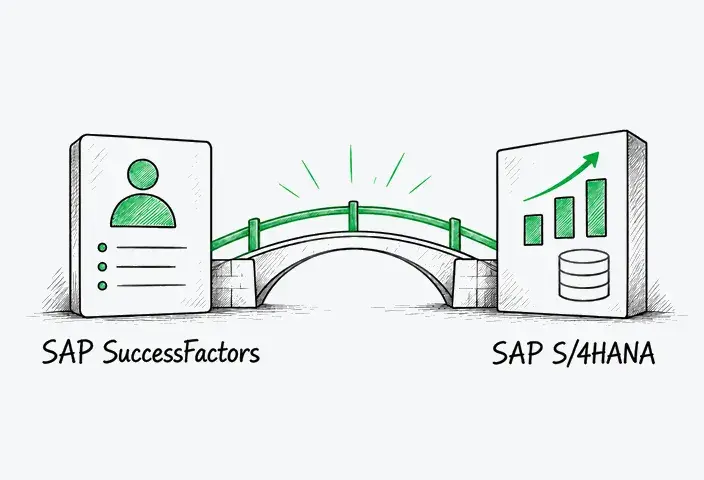
The same principle applies to employee master data flowing toward payroll. SAP supports several integration patterns across its HR and ERP products. Employee Central integration with SAP S/4HANA varies by ERP deployment model. For supported SAP Cloud ERP scenarios, SAP Master Data Integration can replicate worker data from SAP Employee Central to SAP Cloud ERP.
For other requirements, project teams may use SAP Integration Suite, SAP SuccessFactors Integration Center, packaged integration content, APIs, or third-party middleware, depending on the scenario. SAP Integration Center can use templates from the SAP Business Accelerator Hub for supported patterns. The implementation team also needs operational ownership for every interface. Someone must monitor failures after launch, understand the business impact, correct rejected records, and decide when a reprocessing attempt remains safe. An interface without an owner eventually becomes an HR ticket with a mysterious technical error attached to it.
The Biggest Challenges During Implementation
Many implementation problems emerge at the boundaries between systems, data, local requirements, and user behavior.
Data migration
Legacy HR databases usually contain history that accumulated under several process models. Some fields may no longer have a valid business purpose. Organizational structures may have changed. Employee identifiers can differ across payroll and HR applications. Local teams may use values that never entered the global standard.
Moving all of that history automatically can increase migration effort without improving the target solution. Define which historical records need to be entered into the target system for each business purpose, then identify information that only needs to remain accessible elsewhere. Once the migration scope is approved, cleanse the source data before the final load. Migration testing should include reconciliation. Counting records helps, though record counts alone cannot prove that job history, manager relationships, compensation values, or effective dates landed correctly.
Localization
Global HR transformation often aims for common processes. Country requirements set practical limits. Legal fields, employment structures, time rules, payroll dependencies, document requirements, approval practices, and employee representation may differ by jurisdiction. The project needs a controlled method for introducing those variations.
A global design authority can review each requested deviation against a defined criterion. This prevents every country from rebuilding its previous process while still preserving valid legal or operational requirements. SAP SuccessFactors Employee Central provides country- and region-specific implementation content, so the country footprint should already form part of scope and design planning.
Data protection and retention
Employee data needs a retention plan before migration begins. Define how long each relevant data category must remain available based on applicable legal requirements, audit needs, payroll obligations, and company policy. Legal or privacy teams should confirm those rules before configuration.
Data Retention Time Management (DRTM) in SAP SuccessFactors supports configurable retention periods for supported data. Depending on the purge type, DRTM can apply configurable retention times by country/region or legal entity and by user status. The project should also establish ownership for purge policies and recurring purge jobs.
These decisions affect migration scope. Historical records that must be retained but are no longer needed for day-to-day HR processes may belong in an approved archive or controlled legacy-data environment rather than the productive SAP SuccessFactors system. Records with no valid business or retention requirement should be excluded from migration and handled according to the organization’s approved data deletion policy.
Change management and adoption
A technically correct workflow creates little value when managers avoid using it. SAP SuccessFactors can shift work that previously sat with HR administrators toward managers or employees. That changes responsibilities. Training needs to reflect the new operating model.
Generic system tours have limited use. Train people around the tasks they will actually perform: hire approval, personal-data updates, goal setting, absence requests, compensation review, or whichever processes apply to the implementation. HR service teams need preparation, too. Their workload often changes after launch. Some transactional work decreases. Questions about data, workflow behavior, permissions, and employee support can increase temporarily.
Testing
Testing frequently gets compressed when earlier project activities run late. That trade-off carries obvious risk. An SAP SuccessFactors test strategy should cover configuration, integrations, permissions, migrated data, reports, notifications, mobile access where relevant, and end-to-end business scenarios.
For integrated processes, test across system boundaries. A hire may start in Recruiting, continue through Onboarding, create an Employee Central record, trigger identity provisioning, feed payroll, then provide cost information downstream. Testing one component at a time cannot prove that this sequence works. Permission testing deserves its own attention. HR data contains information that should remain visible only to specific roles. Positive tests confirm that users can perform their tasks. Negative tests confirm they cannot access data outside those responsibilities.
Reporting and analytics
Reporting requirements often arrive late because project teams assume reports can be built after the transactional processes work. That assumption can expose missing fields, inconsistent definitions, or insufficient permissions shortly before launch. Identify essential operational, compliance, management, and reconciliation reports during Explore. Decide where each report will run. Confirm its data source plus access rules. The project should also establish baseline measures before go-live if the organization expects to evaluate the implementation later. Without a starting point, claims about faster processes or better adoption become difficult to prove.
Governance
Implementation governance needs to survive after the project team leaves. Someone should own global HR process standards. Someone needs authority over local deviations. Integration changes require review. Permission changes need control. New configuration requests should enter a managed backlog. Without this structure, a standardized system can accumulate regional exceptions surprisingly quickly.
What Determines Long-Term Success After Go-Live
The first production release establishes a starting configuration that will continue to evolve. HR policies change over time, companies acquire businesses, legal entities open or close, and new integrations enter the landscape. SAP product updates introduce another source of change.
Release management needs a permanent place in the operating model. SAP SuccessFactors uses 1H and 2H cycles for major feature releases. Preview environments give teams time to assess relevant changes before they reach production. Release management should include an impact review, targeted regression testing, ownership for required configuration updates, and changes to training or support materials where necessary.
Post-go-live improvement also needs evidence from users. Support tickets can expose confusing workflow steps. HR operations may identify fields that create unnecessary manual work. Managers can point out approvals that slow common transactions. Adoption data may show that an expensive capability receives little use.
Review those signals against business priorities before adding configuration. Useful operational measures can include interface failures, rejected data changes, HR service-ticket volumes, process completion times, training completion, self-service usage, payroll-related defects, or the amount of manual correction required after transactions. The metrics should match the original business case. Measuring everything creates reports. Measuring the original problem shows whether the project changed it.
Our Expertise in SAP SuccessFactors Implementations
Companies evaluating SAP SuccessFactors implementation services should look beyond module configuration experience. A partner should understand process design, data migration, integration architecture, localization, security, testing, and cutover. Post-go-live support also matters, particularly when the HR landscape will continue to expand across countries or business units.
LeverX provides SAP SuccessFactors consulting across implementation planning, rollout, integration, extension, and ongoing optimization. Our work on Girteka's HR digital transformation shows how that experience can support a large, evolving HR landscape.
The initial implementation covered 3,000 employees in Lithuania and included SAP SuccessFactors Employee Central, Benefits, Time Management, Recruiting Management, Recruiting Marketing, Onboarding, and Performance & Goals. The landscape also connected SuccessFactors with the company's payroll system, Lithuania's social insurance system, Active Directory, and SAP S/4HANA. The roadmap also included geographic expansion of selected capabilities to additional Girteka offices in Europe.
The project also had to accommodate the needs of a large transportation workforce. LeverX developed a mass-input solution for shift-related processes, supporting expansion of the time management approach across 13,000 drivers.
As the environment evolved, Girteka introduced another requirement involving high-volume HR operations. LeverX addressed it through a side-by-side SAP BTP extension for SAP SuccessFactors. The extension was designed to simplify mass task processing for HR teams while integrating with the existing SAP SuccessFactors landscape.
These projects reflect the broader scope of LeverX's expertise in SAP SuccessFactors. We support new implementations as well as established environments, helping companies expand functionality, scale HR solutions across regions, solve integration challenges, and adapt the platform to specific business requirements. Our experience covers the full project lifecycle, from initial planning through implementation, rollout, and ongoing optimization.
Planning Your SAP SuccessFactors Roadmap
A credible roadmap should connect business priorities to specific implementation decisions. Start with the processes the organization wants to change. Define who owns them. Decide which data needs a single source of truth. Map the systems that will remain after go-live. Only then turn those decisions into modules, integrations, migration work, rollout waves, and dates. A practical roadmap should make several things visible before the implementation moves into full configuration:
|
Decision area |
Roadmap output |
|
Business objectives |
Specific outcomes plus measures that can be checked after launch |
|
Process scope |
Included processes, deferred capabilities, and approved local variations |
|
Solution scope |
SAP SuccessFactors modules plus supporting SAP or third-party systems |
|
Data |
Source systems, ownership, migration history, cleansing responsibilities |
|
Integration |
Interface inventory, system-of-record rules, middleware, monitoring ownership |
|
Security |
Identity model, permission design, administrator responsibilities |
|
Rollout |
Country or business-unit waves, dependencies, blackout periods |
|
Testing |
Test cycles, business participants, acceptance criteria |
|
Cutover |
Final migration, production validation, go/no-go rules |
|
Support |
Hypercare model, incident ownership, enhancement backlog, release management |
This level of preparation gives the project team something more useful than an aspirational transformation plan. It creates a sequence of decisions that can be assigned, tested, and approved. An SAP SuccessFactors roadmap should leave room for future change without making the first release unnecessarily complicated. Clear ownership, controlled scope, realistic data preparation, and disciplined testing usually contribute more to a stable launch than a long list of features.