See how SAP SuccessFactors and SAP S/4HANA integration connects HR and finance data, improves cost visibility, and removes manual reconciliation across systems.
A company expands into a new market, but its HR, payroll, and finance applications operate on different schedules and data structures. As hiring accelerates, workforce changes become difficult to reconcile with financial records, complicating cost allocation and reporting.
SAP SuccessFactors integration with SAP S/4HANA connects HR data and processes with enterprise financial and operational systems. It enables the exchange of employee information, organizational assignments, financial reference data, and payroll-related records. The integration architecture depends on which applications own and process each type of data.
This setup does not require organizations to move all HR functions into SAP S/4HANA or transfer payroll processing to SAP SuccessFactors. Both platforms can retain distinct responsibilities within a hybrid landscape.
This guide examines integration architectures, key data flows, available integration methods, and the technical and operational requirements for maintaining reliable connections between HR and finance.
How Do SAP SuccessFactors and SAP S/4HANA Work Together?
SAP SuccessFactors Employee Central typically serves as the system of record for employee and employment data, while SAP S/4HANA manages financial accounting, controlling, and related business operations. Each platform maintains information within its area of responsibility and makes relevant records available to connected applications.
SAP SuccessFactors also includes solutions for recruiting, learning, compensation, and other HR processes. Their involvement in the broader landscape depends on the organization's requirements and selected modules.

Which system owns employee, organizational, and financial data?
A system of record maintains authoritative information, while connected applications consume the data required for their processes. Ownership must be defined for each data domain rather than assumed for the entire landscape.
|
Data domain |
Typical source or owner |
Integration relevance |
|
Employee and employment data |
SAP SuccessFactors Employee Central |
Provides employee details and employment assignments to downstream systems |
|
Organizational structures |
Designated HR system of record |
Supplies positions, departments, and reporting relationships where needed |
|
Cost center master data |
SAP S/4HANA Finance, where designated |
Provides valid financial reference data for employee cost assignments |
|
Payroll results |
Designated payroll system |
Supplies accounting-relevant results for financial posting |
|
Financial postings |
SAP S/4HANA Finance |
Records payroll expenses and associated accounting transactions |
These responsibilities may differ by employee population, country, deployment model, or process scope. For example, an organization may use Employee Central as its global HR system while maintaining payroll in different applications across countries.
Which SAP SuccessFactors and SAP S/4HANA Integration Architectures Are Available?
The available integration scenarios depend on the SAP S/4HANA deployment model and where HR and payroll processes run. SAP S/4HANA on-premises and SAP Cloud ERP Private can support Core Hybrid scenarios with retained HR components, while SAP Cloud ERP (Public) supports separate integration scenarios for payroll postings and financial master data. Legacy SAP ERP HCM may also remain connected during a phased transformation.
Core Hybrid: Employee Central with SAP-based payroll or time management
SAP's Core Hybrid deployment model supports SAP S/4HANA on-premises and SAP Cloud ERP Private landscapes with the required HR components. Employee Central serves as the HR system of record, while supported payroll or time management processes remain in the ERP environment. The available functions depend on the installed components and product release.
For new Core Hybrid integrations involving SAP Human Capital Management for SAP S/4HANA, SAP recommends the ECS4HCM integration add-on. The supported setup also depends on the SAP S/4HANA release and the availability of the required SAP Human Capital Management (SAP HCM) components.
In this setup, Employee Central supplies the employee and organizational information required by retained SAP HCM processes. The integration scope depends on which payroll and time management functions remain active. SAP documents the supported configurations in its Core Hybrid integration guidance.
Cloud HR with ERP financial integration
In SAP Cloud ERP, organizations can integrate SAP SuccessFactors Employee Central Payroll with ERP financial accounting without running SAP HCM payroll components inside the ERP system. This architecture supports two distinct integration flows:
- Payroll posting: Employee Central Payroll sends payroll posting documents to SAP Cloud ERP (Public) through supported web services. The ERP system records the corresponding payroll expenses and liabilities.
- Cost center replication: SAP Cloud ERP (Public) provides cost center master data to Employee Central Payroll through SAP Master Data Integration, allowing payroll processing to use the relevant financial structures.
These flows are documented in SAP's integration overview for Employee Central Payroll and SAP S/4HANA Finance.
SAP S/4HANA on-premises and SAP Cloud ERP Private support ALE-based payroll posting, with connectivity requirements that vary by deployment model. Their configurations should be assessed separately from the Public Edition scenario.
Transitional landscapes with legacy SAP HCM
During phased HR transformation, organizations may operate Employee Central alongside SAP ERP HCM, retaining payroll or other country-specific processes in the legacy environment.
During coexistence, integration teams must account for interfaces that still depend on SAP ERP HCM, even after Employee Central becomes the source of employee data for the migrated population. These dependencies determine which connections must remain operational during the transition.
What Data Flows Between SAP SuccessFactors and SAP S/4HANA?
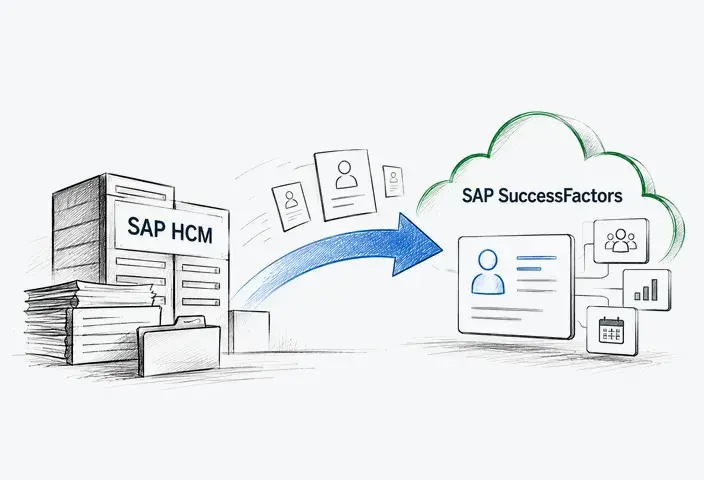
Data flows between SAP SuccessFactors and SAP S/4HANA differ in direction, integration mechanism, and synchronization requirements. The table below summarizes common scenarios; their availability depends on the SAP products, deployment models, and releases involved.
|
Source → Target |
Data exchanged |
Typical mechanism |
Synchronization |
|
Employee Central → SAP S/4HANA HR |
Employee records and organizational assignments |
SAP standard replication content via Cloud Integration |
Initial load and subsequent updates |
|
Employee Central → SAP Cloud ERP |
Worker master data and work assignments |
SAP Master Data Integration |
Initial replication and ongoing updates |
|
SAP S/4HANA Finance → Employee Central |
Cost center master data |
SAP Master Data Integration in supported landscapes |
Initial and ongoing master data replication |
|
SuccessFactors Time Management → SAP payroll |
Approved absences and payroll-relevant time data |
Supported time replication interface |
According to the configured time/payroll scenario |
|
Employee Central Payroll → SAP S/4HANA Finance |
Payroll posting documents |
Supported posting interface; web services for Public Edition |
After payroll calculation, and according to posting cycles |
Employee master data and organizational assignments
SAP SuccessFactors Employee Central can replicate employee master data and organizational assignments to supported SAP S/4HANA HR environments. These records provide the information required for downstream processes, including payroll.
In SAP Cloud ERP, SAP SuccessFactors Employee Central can also provide workforce master data, including worker information and work assignments, through SAP Master Data Integration. This integration supports ERP processes that require workforce records without running SAP HCM payroll components in the public cloud system.
Consider an employee transferring from one legal entity to another effective July 1. The receiving system must recognize the new company assignment from that date while preserving the previous assignment for earlier periods. Incorrect effective dates can cause payroll to use outdated employment information.
Cost centers and financial master data
Cost centers commonly originate in SAP S/4HANA Finance and are replicated to Employee Central, where they become available for employee assignments. SAP recommends SAP Master Data Integration for new cost center integrations in supported SAP S/4HANA landscapes, while the applicable replication mechanism depends on the system release and existing integration setup.
The distinction between cost center master data and employee cost assignments matters. Finance typically maintains the valid cost centers, while HR maintains the assignments connecting employees to them.
If an employee is assigned to an inactive or incorrectly mapped cost center, the receiving system may reject the assignment, or subsequent financial processing may fail. SAP describes the cost center replication scenario in its documentation.
Time information and payroll integration
Approved absences, attendance information, and other payroll-relevant time records may be transferred from SuccessFactors Time Management to a supported SAP payroll system. The exact objects and replication mechanisms depend on the configured time and payroll solutions.
For example, an approved absence may trigger replication to payroll, where it influences the relevant payroll calculations. Missing or incorrectly mapped time records can result in inaccurate pay.
Payroll posting to financial accounting
Where the payroll solution supports integration with SAP S/4HANA Finance, accounting-relevant payroll results are transferred through the configured posting interface after payroll processing. The resulting accounting documents record payroll expenses, liabilities, and applicable allocations to financial accounts and controlling objects.
For example, a retroactive salary correction may require payroll recalculation and an adjustment to previously recorded expenses. The accounting outcome depends on the posting configuration and relevant financial periods.
How Is SAP SuccessFactors Integrated With SAP S/4HANA?
SAP SuccessFactors integration with SAP S/4HANA can combine standard SAP integration packages, APIs, and middleware rather than treating them as separate alternatives. Many supported scenarios use prepackaged integration flows executed through the Cloud Integration capability of SAP Integration Suite, while certain scenarios support direct connections without middleware. The architecture depends on the integration scenario, product releases, and deployment model.
The main integration components and connectivity patterns include:
Standard SAP integration content and APIs
SAP provides preconfigured integration packages for supported scenarios, including employee master data and organizational assignment replication from Employee Central to SAP S/4HANA.
For employee master data replication, standard integration flows can use the CompoundEmployee API to retrieve records from SAP SuccessFactors Employee Central. Depending on the supported scenario, SAP Cloud Integration processes the data and communicates with the receiving SAP S/4HANA system through the applicable interfaces. Configuration includes field mappings, authentication, filtering, and replication settings.
SAP Integration Suite for integration processing
The Cloud Integration capability of SAP Integration Suite provides a managed environment for executing integration flows between SAP SuccessFactors, SAP S/4HANA, and other connected applications.
Depending on the integration scenario, it supports:
- Message transformation: Converting data formats and mapping fields between source and target systems.
- Routing and connectivity: Directing messages to the appropriate applications through supported communication protocols.
- Integration monitoring: Tracking message processing and identifying failed transmissions.
- Error handling: Supporting troubleshooting and controlled reprocessing of failed messages.
These capabilities help organizations manage integration logic without embedding it directly into every connected application. However, middleware does not replace business-level validation or determine which application owns the underlying data.
SAP Master Data Integration supports a different set of integration requirements, focusing on supported master data objects rather than transactional HR and payroll processes.
Supported point-to-point connections
Direct connections are appropriate where SAP supports them, and additional middleware processing is unnecessary. Certain Employee Central time data replication scenarios, for example, support point-to-point communication.
Direct integration can reduce the number of required components, but the available monitoring, transformation, and recovery capabilities depend on the supported interface. These differences should be evaluated against the specific Employee Central integration scenario.
For example, a company may use SAP SuccessFactors as its global HR system while retaining local payroll applications in several countries. If the integration requires data transformation and centralized monitoring across these systems, the Cloud Integration capability of SAP Integration Suite can help manage the exchange of employee information. Where SAP supports a direct connection that meets the requirements, additional middleware may not be necessary.
What determines the right approach? The decision should follow SAP's supported architecture for each scenario, considering interface complexity, monitoring requirements, expected changes, and operational ownership.

How Can Organizations Maintain Data Consistency Across HR and Finance?
Reliable HR-finance integration requires more than successful data transmission. Organizations need controls that preserve record accuracy, detect synchronization failures, and maintain traceability after information reaches downstream systems.
Data ownership and effective-dated changes
Data ownership should be defined at the field and process levels. Each employee needs reliable identity mapping across connected applications, while changes to organizational assignments must retain their effective dates.
Not every data flow requires the same synchronization frequency. Payroll-critical employment changes may need to reach the receiving system before the next payroll cutoff, while less time-sensitive reference data can follow scheduled replication cycles. Organizations should define acceptable replication delays according to business deadlines and downstream dependencies.
Integration controls should distinguish new records from corrections to previously transmitted information. When a source record changes, the receiving system must process the update according to the supported replication mechanism and preserve the appropriate record history.
Validation, reconciliation, and error recovery
Organizations should establish controls at different stages of the integration lifecycle:
- Pre-replication validation: Check mandatory fields, identifiers, reference values, and effective-date consistency before transmitting records.
- Interface monitoring: Detect rejected messages, incomplete processing, and synchronization delays.
- Controlled reprocessing: Identify messages affected by temporary system outages, check their processing status, and retry failed transmissions using the supported recovery mechanism without creating duplicate records or transactions.
- Reconciliation: Compare source and target records and investigate differences against defined acceptance criteria.
Data validation confirms that records meet technical and business rules. Financial reconciliation serves a separate purpose: verifying that payroll-related amounts have been posted completely and accurately to the appropriate accounts and controlling objects.
Security and access controls
Employee and payroll integrations handle sensitive personal and financial information. Access should follow the principle of least privilege, with permissions restricted to the data and operations each user or technical account requires.
SAP SuccessFactors supports role-based permissions to control access to employee records. Its Audit Trail capabilities include Change Audit for tracking data modifications, Read Audit for monitoring access to sensitive personal data, and General Audit for recording supported system activities.
Integration teams should also limit the personal data transferred, protect credentials, and define appropriate log retention policies.
Workforce Planning and Financial Reporting With Integrated HR Data
Integrating SAP SuccessFactors with SAP S/4HANA gives HR and finance teams a foundation for evaluating workforce decisions alongside their financial implications. When employee information, payroll expenses, and financial structures can be analyzed together, organizations can move beyond separate HR and accounting reports.
One practical application is budget-to-actual workforce cost analysis. Finance teams can compare planned labor spending with actual payroll expenses, identify variances, and determine whether they result from hiring, compensation changes, or other factors.
The same data supports labor cost analysis across business units and locations. For example, a company operating in several countries can examine workforce expenses by cost center, compare spending patterns, and identify departments exceeding their budgets.
Integration also supports scenario-based workforce planning. Consider a manufacturer planning to hire 80 employees across three facilities. By combining current workforce data with salary assumptions, expected start dates, and location-specific costs, planners can estimate the financial impact before approving the expansion.
However, integration alone does not provide these capabilities automatically. Organizations still need appropriate data models, reporting and planning tools, defined refresh schedules, and consistent calculation rules. SAP Analytics Cloud, for example, can support workforce-related financial planning when the necessary data and planning models are available.
Common SAP SuccessFactors Integration Challenges
Even when SAP SuccessFactors and SAP S/4HANA use supported integration mechanisms, differences in data models, payroll requirements, and existing system dependencies can complicate implementation. The most significant challenges arise when standard integration scenarios encounter company-specific processes or configurations.
|
Challenge |
Potential Impact |
How to Address It |
|
Different organizational and financial data models |
A single HR organizational unit may span multiple company codes or financial responsibility areas, preventing straightforward one-to-one mapping. |
Define mapping rules for complex organizational relationships and validate them against the target structure. |
|
Country-specific payroll requirements |
Local wage types, statutory rules, and payroll configurations may not fit a global integration template. |
Validate country-specific requirements against supported SAP scenarios and configure local extensions where necessary. |
|
Retroactive and out-of-sequence changes |
Late employee updates may reach downstream systems after dependent transactions have been processed, potentially requiring recalculation or correction. |
Test effective-date handling, processing sequences, and recovery procedures for delayed or failed replication. |
|
Custom interfaces and legacy dependencies |
Custom fields, payroll enhancements, and third-party connections may require adaptations beyond standard integration content. |
Identify dependencies early, assess compatibility with standard packages, and limit custom development to documented gaps. |
How to Plan and Implement SAP SuccessFactors Integration With SAP S/4HANA
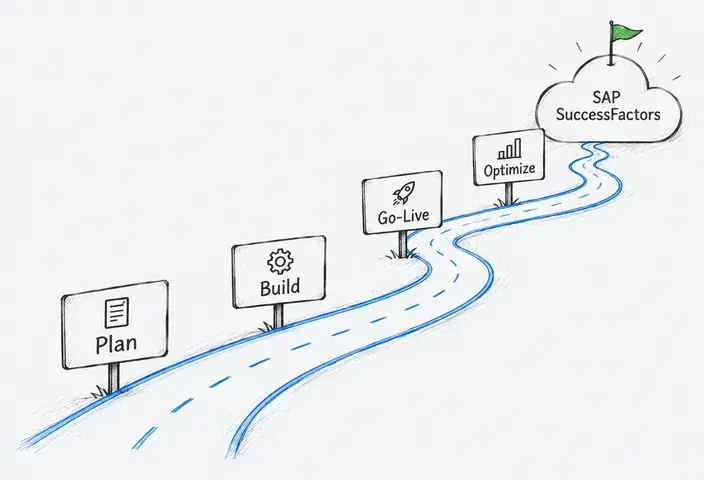
An SAP SuccessFactors and SAP S/4HANA integration project should follow five integration-specific activities, from establishing interface requirements to verifying production readiness.
1. Define integration scope and data ownership
Identify the applications involved, employee populations covered, and business processes that depend on integration. Establish which system maintains each data object and which applications consume it.
Document integration boundaries early, particularly when payroll or time management remains outside SAP SuccessFactors.
2. Map data objects and dependencies
Identify the employee identifiers, organizational assignments, financial reference data, and payroll-related fields exchanged between systems.
Document dependencies between these objects, including effective dates, mandatory values, and country-specific requirements. The resulting mapping specification should identify source and target fields, transformation rules, and conditions that may prevent successful processing.
3. Configure and verify integration interfaces
Configure the selected integration components according to the approved architecture and mapping specifications. Verify authentication, connectivity, data transformation, and interface behavior in the target environment.
Document deviations from standard integration content and confirm that any extensions remain compatible with the supported deployment scenario.
4. Validate end-to-end business scenarios
Test complete processes, including hiring, transfers, terminations, cost center changes, and retroactive payroll adjustments.
Technical success does not always mean business success. An employee termination may be transmitted successfully, but a downstream application might not complete the expected deactivation process. End-to-end testing must confirm that the employee's status is updated correctly across relevant systems, not just that the integration message was delivered.
5. Prepare for cutover and ongoing operations
Establish the sequence for initial data loads, interface activation, and the transition to delta replication. Define cutover acceptance criteria, rollback conditions, and responsibilities for resolving critical issues.
Before go-live, teams should confirm that critical integration scenarios have passed end-to-end testing, payroll and financial reconciliation meet agreed acceptance criteria, and no unresolved high-severity defects remain. After launch, integration performance can be tracked through replication latency, failed-message rates, unresolved exceptions, and reconciliation differences. A controlled handover should establish support responsibilities and escalation procedures for each connected application.
Organizations introducing SuccessFactors for the first time must also coordinate these integration activities with the broader HR implementation program.
How LeverX Supports SAP SuccessFactors and SAP S/4HANA Integration
LeverX helps organizations connect SAP SuccessFactors with SAP S/4HANA and other enterprise applications, from integration architecture design to ongoing technical support. Our approach focuses on aligning HR and financial requirements while accounting for the constraints of existing SAP landscapes.
Architecture and integration design
LeverX develops integration architecture specifications, interface inventories, and data mapping documentation tailored to the organization's SAP landscape. These deliverables establish a technical baseline for implementation and future system changes.
Implementation and validation
Our teams deliver configured integration interfaces, targeted extensions, and documented end-to-end test results. We investigate integration defects and verify fixes against the agreed go-live acceptance criteria.
Operational support and optimization
LeverX investigates post-launch incidents, resolves interface failures, and adapts integrations when connected applications or business requirements change.
Our experience: Girteka's HR transformation
LeverX supported Girteka's HR transformation, beginning with an SAP SuccessFactors implementation for 3,000 employees in Lithuania. The project required integration with SAP S/4HANA, the Bonus Payroll system, Sodra (Lithuania's State Social Insurance Fund Board), and Active Directory.
The broader integration landscape used SAP Cloud Integration (CPI) and OData APIs. LeverX also developed a mass data entry solution for shift-based employees, supporting the project's expansion to Girteka's transportation workforce of 13,000 drivers. Planning an integration project? Explore our SAP SuccessFactors consulting services to discuss your HR and ERP requirements.
Conclusion
A well-defined SAP SuccessFactors and SAP S/4HANA integration scope gives organizations a clearer basis for estimating project effort, assigning responsibilities, and evaluating long-term operating costs.
The next step is to establish which cross-system processes are business-critical, confirm the supported integration scenarios, and agree on the outcomes the implementation must deliver. These decisions help turn integration requirements into an actionable project scope.

-min-2.jpg)