Could your ERP go-live be closer than you think? We look at how RISE with SAP can help shorten the move to cloud ERP and what makes those time savings possible.
ERP transformation used to sound like a plan for the distant future. You could picture the new system; picturing the go-live date took a little more imagination. With software, infrastructure, and support arranged separately, getting everything ready could be a project in itself.
Nowadays, RISE with SAP helps shorten that preparation by bringing those elements under one contract, backed by tools and guidance for the move to cloud ERP. Teams have fewer separate arrangements to work through and a clearer path to implementation. So, could your go-live date be closer than you think? Let’s see how this works in practice.
What Is RISE with SAP?
RISE with SAP is a strategic transformation journey and methodology that helps existing SAP ERP customers move from on-premises systems, such as SAP ECC or SAP S/4HANA, to SAP Cloud ERP Private and progress toward an autonomous enterprise model. It combines transformation tools and expert guidance with cloud software, infrastructure, and managed technical services provided through a subscription tailored to the customer’s needs.
What the offering brings together
Each component should have a clear purpose in the target landscape, an owner, and a confirmed commercial entitlement.
Cloud ERP and managed infrastructure
With RISE with SAP, the subscription covers both SAP Cloud ERP Private and the infrastructure and technical services needed to run it. This gives the company a defined arrangement for operating its cloud ERP, with SAP Enterprise Cloud Services responsible for the agreed managed services.
The system can run on SAP infrastructure or supported hyperscalers such as Amazon Web Services, Microsoft Azure, and Google Cloud. Available options depend on the selected service and location. Hosting is part of defining the subscription. The company also needs to confirm how the system will connect to its other applications and how quickly service can be restored after an outage.
Tools for understanding the existing landscape
RISE with SAP includes tools that help teams assess their existing systems, identify processes that need to change, and plan the implementation:
- SAP Readiness Check helps assess technical changes required for an SAP S/4HANA conversion, including relevant simplification items and areas requiring further analysis.
- SAP Signavio supports process analysis and modeling, helping teams investigate how work currently flows and where changes may be needed.
- SAP LeanIX supports application landscape analysis and architecture planning.
- SAP Cloud ALM, SAP’s application lifecycle management solution, supports project execution using SAP Activate roadmaps and checkpoints.
Together, these tools help turn the initial assessment into a project plan. Teams use the findings from SAP Readiness Check, SAP Signavio, and SAP LeanIX to define technical changes, process improvements, and applications to retain or replace. SAP Cloud ALM then helps organize and track the implementation work.
Important:
The tools available to each team depend on the subscription. Before including them in the project plan, confirm which products and capabilities the agreement covers.
Extensions, integration, and automation
Moving to cloud ERP still leaves companies with requirements beyond the ERP system itself. A business may need to connect a warehouse application, add an approval workflow, or automate data transfers between systems. SAP Business Technology Platform (SAP BTP) provides services for building these connections, extensions, and automations. Access to specific services and their consumption limits depends on the customer's SAP BTP entitlements.
With SAP BTP, developers can build additional functionality outside the ERP core and connect it through supported interfaces. This can reduce the dependencies that make ERP upgrades difficult and support a clean core approach.
Important:
The benefit depends on how the extension is built: developers still need to manage its connections and test it when either system changes.
AI capabilities
AI can support both the move to cloud ERP and the daily work that follows. SAP is rolling out migration and modernization assistants within its agent-led toolchain to support system analysis, custom code adaptation, data preparation, configuration, and testing. These capabilities can reduce manual effort during implementation, while the project team remains responsible for reviewing the output and confirming that the system works as intended.
After go-live, business AI capabilities in the cloud ERP environment can help users find information, generate recommendations, and automate supported tasks. Their usefulness depends on the process and the data available: a recommendation needs relevant business data, while an automated action needs appropriate permissions and rules.
Important
The available AI features depend on the selected ERP environment and subscription, and some require additional activation or integration. This means the AI scope should identify the specific tasks it will support, both during implementation and in daily operations.
SAP support and service-level agreements
SAP provides support for the contracted cloud ERP environment and commits to its availability through service-level agreements (SLAs). The availability commitment covers the full solution stack, from infrastructure and the SAP HANA database to the ERP application. This matters because functioning servers alone do not mean employees can access the ERP system.
If a problem occurs, the customer can raise an incident with SAP. Support terms define response commitments for critical incidents, while the availability SLA specifies how downtime is measured and what service credits apply if SAP misses its commitment. These agreements give the company measurable terms against which to assess the service.
How RISE with SAP Relates to GROW with SAP
Both RISE with SAP and GROW with SAP help companies adopt cloud ERP. The choice depends on whether you’re implementing SAP for the first time or moving an existing SAP ERP system to the cloud.
GROW with SAP is a package for adopting SAP’s public cloud ERP. It includes the ERP software, ready-to-use business processes, and tools and services to support implementation. It is primarily aimed at companies new to SAP.
RISE with SAP is a guided transformation program for companies already using SAP ERP on-premise. It supports both converting an existing SAP ERP system to preserve compatible processes and custom code and implementing a new system when the company wants to redesign its processes.

Roles and Responsibilities in a RISE with SAP Project
A RISE with SAP subscription defines the services SAP will deliver, but it does not cover every task needed to implement and run the ERP system. The project scope must also account for work assigned to the implementation partner and the customer. The table below outlines this division; the exact responsibilities are set out in SAP’s service documents and the agreements with your partner.
|
Area |
Responsibility to establish |
|
Infrastructure and technical operations |
SAP operates the cloud environment within the contracted service scope. |
|
Process design and configuration |
Business teams define requirements; the implementation team configures the system to meet them. |
|
Data preparation and validation |
Business data owners correct and approve the data; the project team handles its technical transfer and validation. |
|
Custom code and integrations |
Internal specialists or the implementation partner adapt, test, and maintain developments and connections. |
|
Business acceptance and training |
The implementation team supports testing and training; business users confirm that the system supports their daily work. |
|
Functional support after go-live |
An internal team or support partner helps users and resolves process and configuration issues. |
Clarifying responsibilities for availability, security, and upgrades
SAP’s availability SLA covers the contracted solution stack, including the ERP application. The customer and its implementation partner complement this commitment by maintaining custom integrations and validating business processes. The operating arrangements therefore need to define both SAP’s service commitments and the work required from the customer and its partners.
Before signing, confirm:
- Availability: Which systems and environments the SLA covers, how downtime is measured, and which maintenance periods are excluded.
- Recovery: How quickly service must be restored after an outage and how much data loss is acceptable.
- Security: Who manages user access and protects extensions and connected systems.
- Technical changes: Who requests, approves, schedules, and executes them.
- Upgrades: Who checks compatibility, tests business processes, and approves the system for use.
The upgrade schedule must allow time for those checks and any necessary fixes before users start working in the updated system.
What Your Business Gains With RISE with SAP
The tools and services included in RISE with SAP have value when they make everyday work easier for the company. Here is how they can help during implementation and after go-live.
Structured migration and shorter timelines
RISE with SAP gives teams a framework for organizing the move, with assessment tools, project phases, and checkpoints. This helps them identify the required work earlier and agree on what must be completed before the next stage begins. Resolving those dependencies early can reduce delays during implementation.
Fewer vendors to coordinate
RISE with SAP brings software, infrastructure, and key technical services under one contract with SAP. This reduces the number of separate agreements the customer needs to negotiate and manage. For issues within that scope, SAP is the contractual point of contact, including when a hyperscaler provides the underlying infrastructure.
Implementation partners remain responsible for their agreed project work, such as configuration and integration. The customer therefore coordinates that work with the partner while managing the contracted cloud services through SAP.
Higher availability and more consistent global operations
When regional ERP systems follow different maintenance and support procedures, coordinating updates and responding to incidents requires extra work across teams. RISE with SAP can help bring these operations under common service standards, giving teams consistent procedures for monitoring systems, escalating issues, and restoring service across locations.
Nestlé’s transformation illustrates the scale of this change. With RISE with SAP and support from SAP Services and Support, including SAP MaxAttention, the company moved its systems to the cloud and closed nine data centers. SAP reports that simplifying this global infrastructure helped Nestlé increase system availability to 99.97%.
Better process visibility and continuous improvement
The move to cloud ERP gives teams an opportunity to examine how existing processes work before carrying them into the new system. SAP Signavio supports that analysis, while SAP Readiness Check identifies technical changes needed for conversion. Together, these findings help distinguish business process changes from technical preparation.
For example, process analysis may reveal that invoices spend most of their processing time waiting for approval. The business can then adjust approval rules or responsibilities and track whether waiting times fall. Continuing this analysis after go-live helps teams choose further improvements based on actual process performance.

Can RISE with SAP Actually Shorten an ERP Transformation?
The Bertrandt case gives us a concrete starting point: the company moved its existing SAP applications to the private cloud in less than five months. Its SAP S/4HANA implementation was planned as a later step, so that timeline covers one stage of the transformation. Could your project follow a similar schedule? That depends on how much work your planned go-live includes.
To assess what is realistic for your project, look at:
- Preparation already completed: System assessments and data cleanup take time. If they are still outstanding, the schedule must include them and the work needed to address their findings.
- What goes live first: Each additional location, process, and interface adds configuration and testing. Defining the first release allows the team to estimate that workload.
- Changes to the system: Custom code and integrations that need adapting must also be tested with the new setup. The plan needs time for those changes and any fixes that testing reveals.
- People’s availability: Business specialists approve processes, validate data, and test the solution. If they cannot make time for these tasks, the work that depends on their approval has to wait.
- What the deadline covers: The first go-live may be followed by further rollouts and stabilization. Agreeing on the endpoint keeps those activities visible in the overall schedule.
How To Prepare a RISE with SAP Project
Before the team can estimate the project, it needs to understand what the business wants to change and what the existing system can support. Working through those questions first makes it easier to choose a transition approach, budget for the required work, and agree on a realistic schedule.
#1 Define the business goal and the first go-live
Since the goal defines a project scope, start with the reason for the transition. For this purpose, you should first agree on the following questions:
- What must be ready at the first go-live: the locations, processes, and capabilities included.
- How the business will confirm success: for example, which units must be able to complete purchasing through an agreed common process.
- What can follow later: improvements that are useful but do not need to delay the initial launch.
This gives the team a clear boundary for the first release, so it can estimate the work without including every possible future improvement.
#2 Check what the existing system needs
Once the first go-live scope is agreed, the team needs to identify what must change in the existing system to deliver it. Assess custom developments, add-ons, data, and interfaces to find compatibility issues, cleanup needs, and connections that must keep working after the move.
Process owners help determine how to address those findings. For example, if an interface is incompatible with the target system, warehouse staff can explain whether it still carries orders needed for daily operations. If it does, the team must plan to adapt or replace it and test the connection before go-live. If the process no longer uses it, the interface may be retired.
These decisions show how much of the current setup can be reused and give the team a basis for choosing a transition approach that fits the required changes.
#3 Choose how to move to the new system
The transition approach should fit both the business goal and the assessment findings. For SAP Cloud ERP Private, the main options are:
|
Approach |
What it involves |
When to consider it |
|
System conversion (Brownfield) |
Convert the existing SAP ERP system, retain compatible processes and data, and complete the required changes. |
Most of the current setup still meets business needs. |
|
New implementation (Greenfield) |
Configure a new system and migrate the data it needs. |
The business needs substantial process redesign or a fresh configuration. |
|
Selective data transition (Bluefield) |
Transfer selected configuration and data, with changes defined by the project. |
Some parts of the existing setup should remain, while others need redesign or consolidation. |
The choice affects how much configuration, data preparation, and testing the team must complete. Establishing it before committing to a deadline makes the estimate more reliable.
#4 Match the proposal to the planned work
Once the approach is clear, compare the project’s requirements with the SAP subscription and partner proposal. This shows whether the budget covers everything needed to deliver the first release.
Check two connected areas:
- The environment and services: system capacity, software and tool access, recovery arrangements, and support coverage.
- The implementation work: data cleanup, configuration, integrations, testing, training, the switch to production, and support immediately afterward.
Assign an owner and budget to any work left outside the proposals. For example, if business teams must clean the data, their time needs to be included in the plan even when no supplier charges for that activity.
#5 Agree on what each project phase must deliver
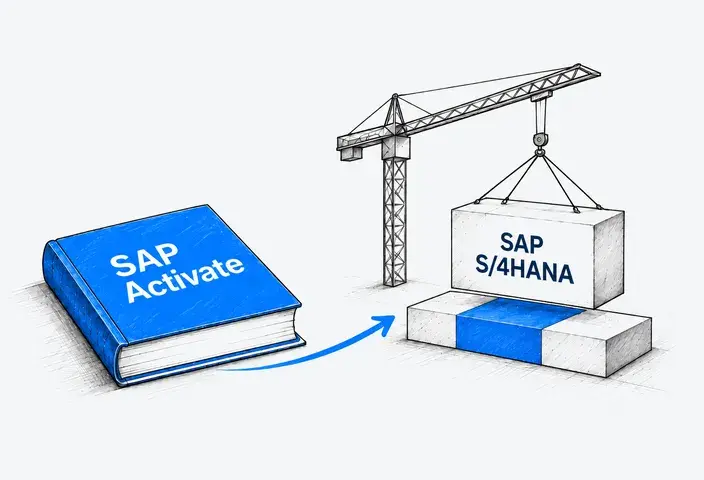
RISE with SAP Methodology builds on SAP Activate and combines its six implementation phases:
- Discover
- Prepare
- Explore
- Realize
- Deploy
- Run
To use these phases in the project plan, agree on what each must deliver, who approves the result, and what must be completed before the next phase begins.
For example, the Explore phase should leave the team with an agreed process design and documented requirements. Define which process owners must approve them and how unresolved questions will be handled. This gives the team a clear way to judge whether it has enough detail to begin configuration and development in Realize.
Apply the same approach to each phase so that progress is measured against agreed deliverables and approvals. If something is missing, the project manager can identify the work needed and assess its effect on the next stage.
#6 Prepare the team that will support the live system
Before go-live, the teams taking over support need to understand the system and their responsibilities. Use the handover to settle these questions:
- Where will users report problems, and who will decide when to involve SAP or a support partner?
- Who will maintain integrations and extensions and prepare for upgrades?
- Who will complete improvements deferred from the first release, and when?
- How will process owners track business results and address problems that remain?
Record the agreed responsibilities and give each team the documentation, access, and training it needs before the implementation team steps back.
From Planning to Go-Live With LeverX
RISE with SAP provides the cloud foundation. Making it work for your business requires expertise across ERP processes, custom code, and connected applications. LeverX brings SAP S/4HANA, SAP BTP, and integration specialists into one delivery team, helping you address these requirements together.
LeverX can help you with:
-
Adapting existing custom code
-
Developing extensions using SAP BTP
Talk to LeverX about your RISE with SAP project to discuss your requirements and the expertise you need to move forward.