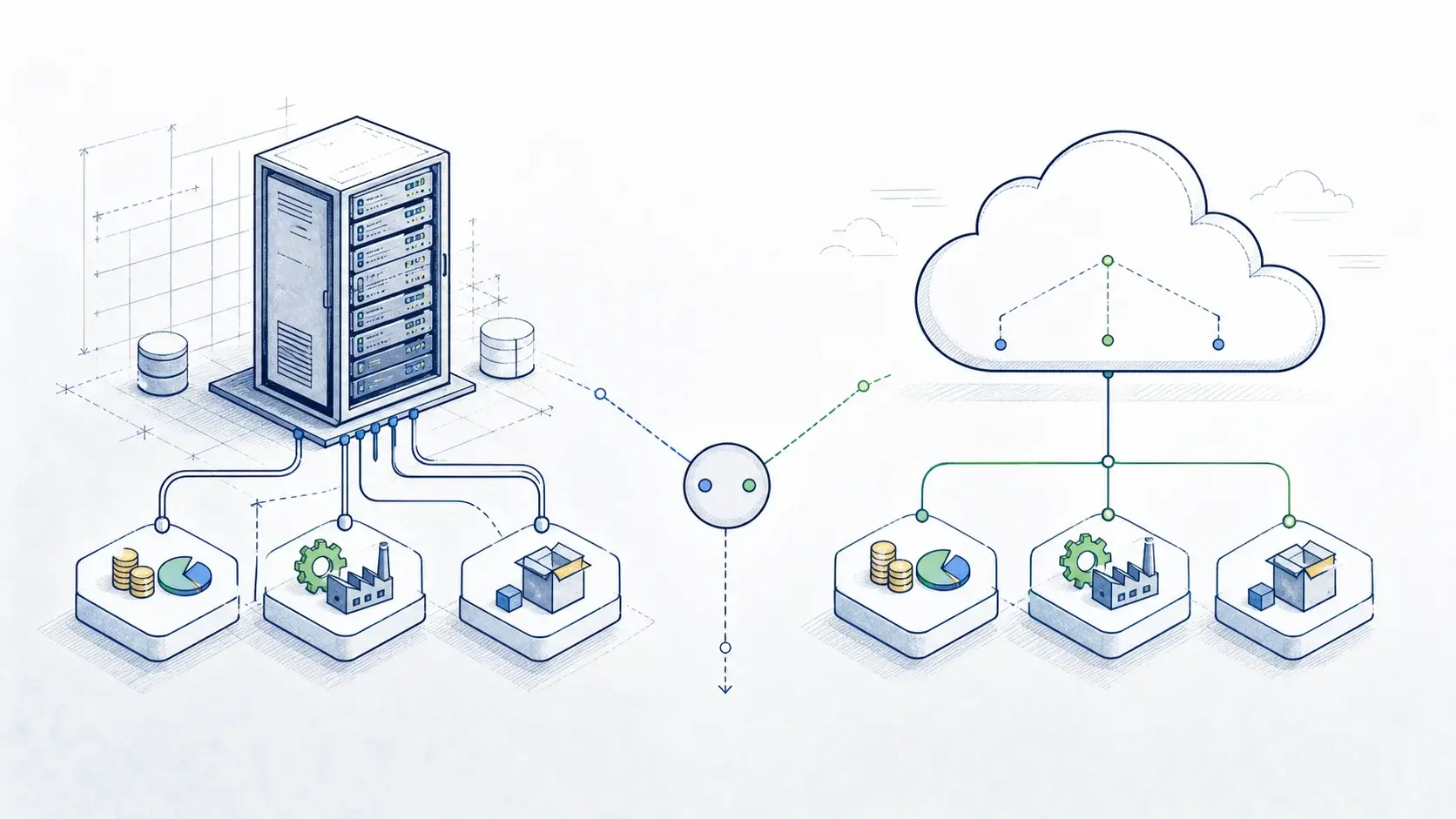
Learn how to integrate SAP S/4HANA with Shopify to connect ecommerce and ERP processes, synchronise product and inventory data, automate order processing, improve fulfilment visibility, and support a scalable commerce architecture.
Shopify manages the customer-facing ecommerce experience, including storefronts, product discovery, carts, checkout, and online orders. SAP S/4HANA supports core business processes such as product and inventory management, sales orders, fulfilment, delivery, billing, and finance.
When these systems operate independently, businesses may need to maintain data across multiple platforms, reconcile inventory manually, re-enter orders, or rely on spreadsheets and other workarounds. These processes can introduce duplicate data, inconsistent inventory, and delays in order fulfilment.
Integrating Shopify with SAP S/4HANA establishes controlled data flows between commerce and ERP processes.
For example, product and inventory data can flow from SAP S/4HANA to Shopify, while customer, order, cancellation, and return information can flow from Shopify to SAP. Delivery and fulfilment information can then be returned to Shopify to provide accurate order status updates.
A successful Shopify-SAP integration involves more than connecting APIs. It requires decisions about data ownership, business processes, integration architecture, security, error handling, scalability, and ongoing operations.
This guide covers Shopify and SAP S/4HANA integration use cases, architecture options, data flows, implementation considerations, and best practices.
In short: Shopify-SAP S/4HANA integration connects digital commerce with core ERP processes. A well-designed architecture helps organisations synchronise product, inventory, customer, order, and fulfilment data while reducing manual processing and supporting scalable ecommerce operations.
Need help integrating Shopify with SAP S/4HANA?
Why Integrate SAP S/4HANA with Shopify?
The need for integration usually starts with a simple business requirement: information captured in the online storefront needs to support processes in the back office, while information maintained in SAP needs to be reflected accurately in the ecommerce experience.
Shopify can manage:
- online storefronts
- products and product content
- customer accounts
- carts and checkout
- online orders
- promotions
- customer interactions
SAP S/4HANA can manage:
- product and material master data
- inventory
- pricing
- customers and business partners
- sales orders
- deliveries
- billing
- finance
Without integration, teams may need to transfer information manually between the two platforms. This can result in duplicate data, inconsistent inventory, slower order processing, and limited visibility into fulfilment.
Integration connects these processes while allowing each platform to perform its primary role:
Shopify → Commerce and Order Capture
SAP S/4HANA → Inventory, Fulfilment, Billing, and Financial Execution
The objective is not to replicate one platform in the other. Instead, the integration should connect the business processes and data that need to work together.
That leads to the next question: which processes and data should actually be connected?
SAP S/4HANA and Shopify Integration Use Cases
SAP provides integration content for SAP S/4HANA Cloud Public Edition and Shopify through SAP Integration Suite. The standard B2C integration scope includes product information, inventory, prices and discounts, customers, orders, cancellations, returns, and delivery details. The integration package can also be extended to support additional business and industry requirements.
These scenarios cover the main data flows required to connect ecommerce operations with SAP business processes.
Product Synchronisation
Product information is often maintained in SAP S/4HANA and then made available through Shopify for the customer-facing storefront.
Depending on the business scenario, product integration can include:
- product or material IDs
- product names and descriptions
- categories
- variants
- units of measure
- product availability
A typical flow is:
SAP S/4HANA → Integration Layer → Shopify
Clearly defining product ownership helps prevent inconsistent information across sales channels.
Inventory Synchronisation
Once products are connected, inventory becomes another critical integration point.
Integration can synchronise:
- available stock
- stock availability
- location-specific inventory
- inventory changes
A typical flow is:
SAP Inventory → Integration Layer → Shopify
This allows Shopify to display current availability and helps reduce the risk of overselling and stock discrepancies.
Pricing and Discounts
Product availability is only part of the customer experience. The price shown in Shopify must also reflect the relevant business rules.
Pricing can be managed in SAP and synchronised with Shopify. Depending on the business model, this may include:
- product prices
- discounts
- promotional conditions
- customer-specific pricing
Pricing can depend on factors such as customer, quantity, currency, sales organisation, and validity period. Where SAP is responsible for complex pricing calculations, Shopify can receive the resulting price required for the ecommerce transaction.
Customer Synchronisation
The integration also needs to connect the customer journey in Shopify with customer data maintained in SAP S/4HANA.
Customer information captured through Shopify can be transferred to SAP S/4HANA. Depending on the scenario, this can include:
- customer information
- contact details
- billing and shipping addresses
- customer identifiers
Matching and deduplication rules should be defined before automated customer creation is implemented.
Order Processing
Once the customer completes checkout, order data needs to move from Shopify into the relevant SAP business processes.
A typical flow is:
Shopify Order → Validation and Mapping → SAP Sales Order → Fulfilment
The integration can validate customer, product, quantity, price, and other required information before creating the sales order in SAP.
Order Cancellations and Returns
The integration also needs to account for what happens after an order has been placed.
Shopify cancellations and returns can be transferred to SAP S/4HANA to support downstream inventory, fulfilment, and financial processes.
SAP's standard Shopify integration content includes cancellation and return scenarios for SAP S/4HANA Cloud Public Edition.
Delivery and Fulfilment Status
The final part of the order flow is keeping Shopify informed about what happens after the order enters SAP.
Once an order is processed in SAP, relevant delivery and fulfilment information can be sent back to Shopify.
A typical flow is:
SAP Delivery → Integration Layer → Shopify
This gives customer-facing teams and shoppers visibility into fulfilment without exposing the underlying SAP transaction.
Taken together, these flows form the foundation of a Shopify-SAP integration. The next step is to determine how those flows should be connected technically.
SAP S/4HANA and Shopify Integration Architecture
A typical enterprise architecture places an integration layer between Shopify and SAP:
Shopify → Integration Layer → SAP S/4HANA
Rather than creating direct point-to-point connections for every process, the integration layer provides a central place to manage how information moves between systems.
It can handle:
- API communication
- authentication
- data transformation
- mapping
- routing
- error handling
- monitoring
For SAP S/4HANA Cloud Public Edition, SAP provides integration content through SAP Integration Suite, including Shopify connectivity and preconfigured integration flows.
The same integration layer can also connect Shopify and SAP with other enterprise applications, including:
- CRM
- PIM
- marketplaces
- payment platforms
- warehouses
- logistics systems
- analytics platforms
This creates a reusable integration architecture rather than a growing network of point-to-point connections.
With the architecture in place, the next consideration is how Shopify and SAP actually exchange data.
Shopify APIs and SAP APIs
Shopify and SAP S/4HANA provide APIs and integration interfaces for their respective business objects and processes.
Shopify APIs can support ecommerce objects and processes, while SAP S/4HANA provides supported APIs for products, customers, sales orders, deliveries, and other business processes, depending on the deployment model.
The specific API selection and field mapping depend on the business requirements and SAP S/4HANA edition.
An enterprise integration architecture should also consider:
- request limits
- batching
- retries
- asynchronous processing
- authentication
- monitoring
- peak transaction volumes
API connectivity alone, however, does not determine whether an integration will work reliably in production. The underlying data, processing model, and operational requirements also need to be addressed.
SAP S/4HANA and Shopify Integration Challenges
Data Ownership
Define which system is the source of truth for products, inventory, prices, customers, orders, and financial information.
Data Mapping
Shopify and SAP use different data models. Product, customer, order, inventory, and pricing structures need to be mapped before automated synchronisation begins.
Real-Time vs. Batch Processing
Not every integration flow requires real-time processing.
Real-time or near-real-time processing may be more important for:
- inventory
- order creation
- order status
- fulfilment information
Other data can be synchronised on a scheduled basis when business requirements allow.
Error Handling
The integration should account for:
- invalid data
- duplicate records
- failed requests
- unavailable APIs
- mapping errors
- retries and reprocessing
Monitoring and reprocessing mechanisms should be designed as part of the integration rather than added after deployment.
Expert recommendation: Define integration ownership before going live. Assign clear responsibility for monitoring integration flows, investigating failed transactions, reprocessing messages, and maintaining integrations after deployment.
Scalability
Ecommerce transaction volumes can change rapidly. The integration architecture should accommodate traffic peaks without unnecessarily affecting Shopify storefront performance or SAP business processes.
Security
Customer and transaction data require appropriate authentication, authorisation, encryption, and monitoring throughout the integration lifecycle.
These considerations help define the technical requirements. From there, organisations can choose the integration approach that best fits their existing SAP and enterprise landscape.
Which SAP S/4HANA and Shopify Integration Approach Should You Use?
There is no single integration approach that fits every organisation. The right option depends on the SAP deployment model, business processes, transaction volumes, existing middleware, and complexity of the wider application landscape.
SAP Integration Suite
SAP Integration Suite provides an integration layer, and SAP offers standard Shopify integration content for SAP S/4HANA Cloud Public Edition. The standard package can be extended where additional business or industry requirements exist.
Third-Party iPaaS
An existing enterprise iPaaS may be appropriate when an organisation already uses the platform to connect multiple applications.
Custom Integration
Custom development may be appropriate for highly specific requirements. However, it also increases responsibility for development, testing, monitoring, security, maintenance, and future changes.
The integration approach should therefore be selected as part of the broader enterprise architecture rather than based on Shopify requirements alone.
Once the integration approach is selected, the SAP deployment model becomes another important consideration.
How Much Does SAP S/4HANA and Shopify Integration Cost?
The cost of integrating Shopify with SAP S/4HANA depends on the integration scope, SAP deployment model, number of business processes, data volumes, customisation requirements, and existing integration infrastructure.
As an indicative range, a Shopify-SAP S/4HANA integration project in the US may cost approximately:
- $25,000–$50,000 for a relatively straightforward integration covering a limited number of business processes and using standard integration capabilities
- $50,000–$100,000 for a broader integration covering products, inventory, pricing, customers, orders, fulfilment, returns, and related processes
- $100,000+ for complex enterprise integrations involving multiple systems, extensive customisation, advanced data mapping, high transaction volumes, or complex B2B requirements
These figures are indicative rather than fixed project prices. Actual costs vary depending on the existing SAP and Shopify landscape, implementation scope, and technical requirements.
Key factors that influence the cost include:
- SAP S/4HANA edition and deployment model
- number of integration flows and business processes
- complexity of product, customer, pricing, and order data
- existing SAP Integration Suite or middleware
- custom API and integration requirements
- data migration and cleansing requirements
- security and compliance requirements
- testing and deployment scope
- monitoring and ongoing support requirements
Using standard SAP integration content where appropriate can help reduce development effort, while extensive customisation, additional enterprise systems, and complex business rules can increase the overall project cost.
For an accurate estimate, organisations should first assess the existing landscape, define the required integration scope, and identify the business processes that need to be automated.
How Long Does SAP S/4HANA and Shopify Integration Take?
The timeline for a Shopify-SAP S/4HANA integration depends on the number of business processes, data complexity, customisation requirements, existing integration infrastructure, and testing scope.
As an indicative range:
- 8–12 weeks for a relatively straightforward integration with a limited scope and standard integration capabilities
- 12–20 weeks for a broader integration covering multiple business processes, data flows, and more extensive testing
- 20+ weeks for complex enterprise scenarios involving multiple systems, extensive customisation, complex B2B requirements, or larger testing and deployment scopes
These timelines are indicative rather than fixed. The actual implementation time depends on the existing SAP and Shopify landscape, data readiness, integration requirements, custom development, testing, and deployment complexity.
SAP S/4HANA Cloud and Shopify Integration
SAP S/4HANA Cloud Public Edition
SAP provides Shopify integration content for Public Edition through SAP Integration Suite. The standard package supports product, stock, pricing, customer, order, cancellation, return, and delivery scenarios.
SAP S/4HANA Cloud Private Edition
Private Edition can be integrated with Shopify using the organisation's enterprise integration architecture, existing middleware, APIs, and integration services.
The appropriate design depends on the existing SAP and non-SAP landscape, business requirements, and integration strategy. SAP integration content and partner solutions can also be used where appropriate.
Regardless of the deployment model, a reliable implementation depends on more than the technology selected. The integration should also follow a clear set of design and operational principles.
SAP S/4HANA and Shopify Integration Best Practices
1. Start with Business Processes
Define the end-to-end business process before selecting interfaces.
For ecommerce, this may be:
Product → Inventory → Price → Order → Fulfilment → Delivery → Return
2. Establish a Single Source of Truth
Define system ownership for each major business object before building integrations.
3. Use Standard Integration Content Where Appropriate
Start with available SAP integration content and extend it where additional business or industry requirements exist.
4. Minimise Unnecessary Data Replication
Transfer the data required for each business process rather than creating unnecessary copies of SAP data in Shopify.
5. Design for Exceptions
Build validation, monitoring, retry, and error-reprocessing mechanisms into the architecture from the beginning.
6. Design for Scale
Consider peak order volumes, multiple storefronts, warehouses, regions, and future sales channels when designing the integration layer.
Expert recommendation: Design for future growth. Consider additional Shopify storefronts, sales channels, warehouses, regions, and marketplaces when designing the integration architecture. A reusable integration layer can make it easier to add new channels without creating unnecessary point-to-point connections.
7. Keep the SAP Core Clean
Where custom functionality is required, use supported APIs, integration patterns, and extension approaches that minimise unnecessary customisation of the S/4HANA core.
With these principles established, the implementation can be broken down into a structured sequence of activities.
How to Implement SAP S/4HANA and Shopify Integration
A typical implementation can be structured into six stages.
Step 1: Define the Business Scope
Identify the business processes that require integration and prioritise the highest-value flows.
Step 2: Assess the Existing Landscape
Review:
- SAP S/4HANA edition
- Shopify setup
- existing middleware
- product and customer master data
- warehouses and fulfilment systems
- payment platforms
- CRM and PIM
- existing APIs and integrations
Step 3: Design the Target Architecture
Define the integration layer, APIs, data flows, security model, monitoring, and error-handling approach.
Step 4: Define Data Ownership and Mapping
Establish ownership and mapping rules for products, inventory, customers, pricing, orders, and fulfilment information.
Step 5: Build and Test
Configure or develop the required integration flows and test:
- master data
- orders
- inventory
- cancellations
- returns
- fulfilment
- failure scenarios
Step 6: Deploy and Monitor
Deploy the integration, monitor message processing, validate production transactions, and establish processes for issue resolution and reprocessing.
Why Choose LeverX for SAP S/4HANA and Shopify Integration?
Shopify-SAP integration is rarely limited to connecting two applications. Enterprise ecommerce environments often involve CRM, PIM, warehouses, logistics, payment platforms, analytics, and other business systems.
|
LeverX Capability |
How It Supports Shopify-SAP Integration |
|
20+ Years of SAP Integration Experience |
LeverX has 20+ years of SAP delivery experience and has completed 1,500+ projects for 900+ clients, including global enterprises such as JBS, MAHLE, and FUCHS. This experience supports integration projects across SAP S/4HANA and complex enterprise application landscapes. |
|
SAP Integration Centre of Excellence |
Our SAP Center of Excellence brings together integration architecture, SAP BTP, APIs, data, and enterprise application expertise to support complex integration landscapes. Explore the SAP Integration practice |
|
Proven SAP and Non-SAP Connectivity |
We integrate SAP with CRM, ecommerce, supply chain, finance, warehouse, logistics, Microsoft, and other enterprise systems, supporting real-time and hybrid integration scenarios. This allows Shopify and SAP S/4HANA to connect with the wider enterprise landscape. See what we can integrate |
|
SAP BTP and Integration Suite |
Our integration architectures use SAP BTP and SAP Integration Suite to connect SAP S/4HANA with cloud, on-premise, and third-party applications while supporting Clean Core principles. Explore SAP BTP services |
|
Event-Driven Integration |
We design event-driven architectures for real-time data exchange between SAP and connected systems, supporting processes such as changes to orders, inventory, logistics, and other business events. Explore SAP integration capabilities |
|
Proprietary Data Management Technology |
Our LeverX Data Management Platform supports data synchronisation, transformation, validation, reconciliation, and integration across SAP and non-SAP environments. These capabilities can support Shopify-SAP scenarios involving product, customer, inventory, pricing, and order data. |
|
Measurable Integration Outcomes |
Our SAP integration projects have delivered measurable results, including 50% shorter approval cycles through SAP-Microsoft Teams integration and reduced transportation costs through SAP TM integration with third-party systems. Explore SAP integration case studies |
|
End-to-End Integration Delivery |
LeverX supports the full integration lifecycle, from discovery and architecture to API design, implementation, testing, monitoring, and optimisation, with dedicated support for complex enterprise landscapes. For Shopify-SAP projects, this can include integration architecture, data mapping, business process integration, testing, monitoring, and ongoing optimisation. |
LeverX can also support B2C and extended B2B scenarios, helping organisations connect Shopify and SAP S/4HANA with the broader digital and enterprise ecosystem.
Explore LeverX SAP Integration Services
Frequently Asked Questions
Can Shopify integrate with SAP S/4HANA?
Yes. Shopify can integrate with SAP S/4HANA through APIs and an integration layer such as SAP Integration Suite. The integration can connect Shopify storefront and commerce processes with SAP master data and business processes, including products, inventory, pricing, customers, orders, fulfilment, and returns.
For SAP S/4HANA Cloud Public Edition, SAP provides standard integration content for Shopify through SAP Integration Suite, which can reduce the amount of custom integration development required.
What data can be integrated between Shopify and SAP S/4HANA?
The integration can exchange data required to run core ecommerce processes, including:
- Product data - product information and relevant product attributes
- Inventory - stock availability and inventory updates
- Prices and discounts - product prices, discounts, and applicable pricing information
- Customers - customer and account information
- Sales orders - Shopify orders transferred to SAP for order processing
- Cancellations and returns - order cancellation and return information
- Delivery information - fulfilment and delivery status
The exact data objects and direction of synchronisation depend on the business process and integration design.
Can Shopify integrate with SAP S/4HANA Cloud Public Edition?
Yes. SAP provides standard integration content for Shopify and SAP S/4HANA Cloud Public Edition through SAP Integration Suite. The available content covers key B2C processes, including product information, inventory, prices and discounts, customers, orders, cancellations, returns, and delivery information.
The standard package can also be extended for additional business and industry requirements where the standard scope does not cover the required process.
Can Shopify integrate with SAP S/4HANA Private Edition?
Yes. Shopify can be integrated with SAP S/4HANA Cloud Private Edition using SAP APIs, SAP Integration Suite, an existing enterprise iPaaS, or a custom integration architecture.
The appropriate approach depends on the existing SAP landscape, integration requirements, data volumes, business processes, and other systems that need to be connected.
Can Shopify inventory be synchronised with SAP S/4HANA?
Yes. Inventory availability can be synchronised from SAP S/4HANA to Shopify, allowing the ecommerce storefront to display current or near-current stock information.
The integration can help keep Shopify inventory aligned with SAP inventory data and reduce overselling, stock discrepancies, and manual inventory updates. The synchronisation frequency depends on the required business process and integration architecture.
Can Shopify orders be created in SAP S/4HANA?
Yes. Shopify orders can be transferred to SAP S/4HANA and used to initiate downstream sales and fulfilment processes.
Depending on the configured architecture, an order can move from Shopify through the integration layer into SAP, where it can support sales-order processing, fulfilment, delivery, billing, and related business processes. Order validation, mapping, and transformation are typically handled within the integration layer.
Can Shopify returns and cancellations be integrated with SAP?
Yes. Shopify order cancellations and returns can be integrated with SAP S/4HANA.
For SAP S/4HANA Cloud Public Edition, SAP's standard Shopify integration content includes cancellation and return scenarios. Organisations can also extend these flows when additional return, refund, or customer service processes are required.
Does Shopify-SAP integration support B2B?
Yes. The standard Shopify integration scope can be extended to support B2B and industry-specific requirements.
B2B scenarios may require additional integration logic for areas such as customer accounts, pricing, orders, fulfilment, and other business-specific processes. The required scope depends on the Shopify and SAP capabilities used by the organisation.
Do I need SAP Integration Suite to integrate Shopify with SAP?
Not necessarily. SAP Integration Suite is one integration option, particularly for organisations building an SAP-centric integration architecture.
Shopify and SAP S/4HANA can also be connected through an existing iPaaS, middleware platform, or custom integration architecture. The choice depends on the existing technology landscape, integration requirements, scalability, monitoring needs, and long-term architecture strategy.
How long does Shopify and SAP S/4HANA integration take?
A straightforward integration typically takes 8-12 weeks, a broader implementation 12-20 weeks, and complex enterprise scenarios 20+ weeks.
The actual timeline depends on the integration scope, SAP deployment model, data complexity, customisation, existing infrastructure, and testing requirements.
Disclaimer: SAP, SAP S/4HANA, SAP BTP, SAP Integration Suite, and related SAP names are trademarks or registered trademarks of SAP SE or its affiliates. Shopify is a trademark of Shopify Inc. Product capabilities, APIs, limits, pricing, and release-specific functionality may change over time. This article is provided for general informational purposes and does not constitute official SAP or Shopify documentation, legal, tax, financial, security, or professional advice. Organisations should verify current product documentation, API availability, integration requirements, security considerations, and applicable regulations before implementing an integration.