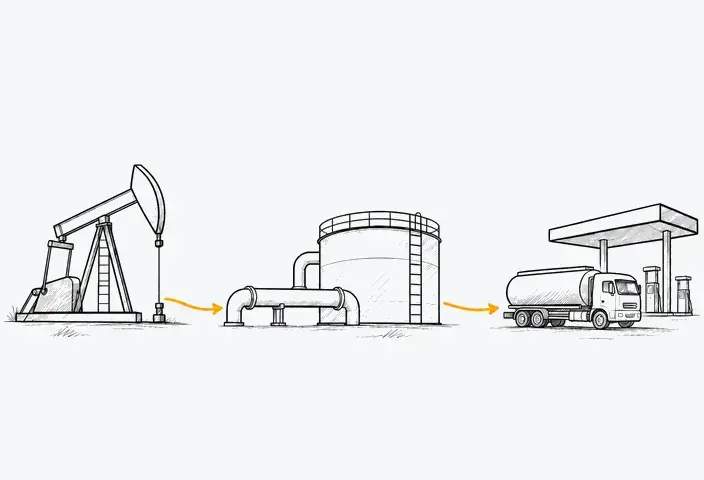
See how SAP connects oil and gas supply chain systems, from remote field supplies and bulk shipments to inventory, financial reconciliation, and emissions data.
Before crude oil reaches a refinery, production teams record output, schedulers plan transfers, terminal operators confirm shipments and receipts, and finance teams account for the resulting transactions. These activities often take place in separate systems, even though they concern the same physical product.
When records do not align, the consequences extend beyond reporting. A delivery discrepancy can delay inventory reconciliation, while a change in refinery demand may require adjustments to scheduled shipments and storage plans.
Quick answer: SAP connects oil and gas supply chain processes through SAP S/4HANA for core business transactions, industry-specific capabilities for hydrocarbon movements and field logistics, and integration technologies that exchange data with operational and third-party systems. Together, these components help companies link planned shipments, actual quantities, inventory movements, and financial records. The available functionality depends on the deployed SAP solutions and their integration.
What Does SAP Supply Chain Management Cover in Oil and Gas?
Oil and gas supply chain management involves two interconnected flows: the movement of hydrocarbons through the value chain and the movement of materials and equipment needed to keep operations running. Both extend across upstream, midstream, and downstream activities, but they require different types of control.
The hydrocarbon supply chain covers crude oil, natural gas, and refined petroleum products as they move through production, transportation, storage, processing, and distribution. Companies must coordinate physical movements with measured quantities, product specifications, custody transfer records, and inventory balances.
The materials and equipment supply chain supports operations at wells, offshore platforms, pipelines, refineries, and distribution facilities. It covers the procurement, storage, transportation, and return of spare parts, tools, consumables, and specialized equipment. The priority is ensuring that the right materials reach the right location when needed. A delayed replacement component, for instance, can postpone maintenance, affect production output, and disrupt scheduled hydrocarbon deliveries.
The relevant SAP landscape depends on the operating model and deployment scope. An offshore producer, pipeline operator, and fuel distributor may use different combinations of these capabilities. SAP manages and connects business records, while industrial control and measurement systems remain responsible for their respective physical operations.

SAP Capabilities for Upstream Supply Chain Operations
Upstream operations require two types of coordination: getting materials and equipment to production sites and establishing how much oil or gas individual wells contribute to the production network. SAP addresses these requirements through separate capabilities for field logistics and production allocation.
How does SAP Field Logistics manage remote-site supplies?
Supplying offshore platforms and remote onshore facilities is more complex than moving inventory between conventional warehouses. Materials may already be available at a supply base, require direct procurement for a maintenance order, or belong to an external supplier. Each scenario involves different inventory and document-handling requirements.
SAP Field Logistics supports these processes by connecting procurement and inventory documents with the physical movement of materials between supply bases and remote locations. It covers activities such as receiving, cross-docking, packing, voyage management, remote-site receipt, and returns.
An important distinction is how the solution handles different material categories. Stock items move through the applicable inventory processes, while non-stock items procured directly for maintenance can be tracked without being added to regular inventory. Supplier-owned and rented equipment follows separate logistics processes.
Consider an offshore maintenance job requiring a replacement valve from base inventory and a rented inspection tool from a contractor. The valve and tool follow different supply processes, but both need to reach the same platform. Field Logistics can track their preparation, assignment to a voyage, and receipt at the remote location. Once the work is complete, the rented tool can enter the return process.
This gives logistics teams visibility into each item's movement and its associated business documents. Maintenance planning and work orders remain managed through SAP Enterprise Asset Management (SAP EAM).
Effective remote-site logistics also depends on procurement lead times, stock availability, and spare parts replenishment planning. SAP procurement and inventory processes support material availability, while SAP Field Logistics manages the applicable supply process and movement of materials to remote locations.

How does SAP allocate production across multiple wells?
Oil and gas production networks often combine output from several wells before it reaches a common measurement point. A downstream measurement can establish the combined volume, but it may not reveal how much each well contributed.
SAP Upstream Operations Management supports production allocation using network structures, measurement data, and configured allocation rules. For example, when three wells feed a shared gathering system, the allocation process determines how the recorded production should be attributed to individual well completions.
The results support production reporting and distinguish volumes used as fuel, reinjected into the reservoir, or available for sale.
Production allocation is different from ownership allocation, which determines the shares attributable to individual partners. Both depend on accurate measurements and appropriately configured rules, as explained in SAP's Production Allocation documentation.
How Does SAP Manage Hydrocarbon Transportation and Inventory?
Bulk hydrocarbon logistics requires companies to coordinate planned shipments with actual product movements and inventory balances. A scheduled transfer may change before loading, while the quantity recorded at delivery may differ from the quantity dispatched.
SAP supports these processes through industry-specific scheduling, hydrocarbon quantity conversion, and inventory management functionality. Together, these capabilities help companies maintain consistent records of what was planned, transported, and received.
Planning bulk shipments with SAP TSW
SAP Trader's and Scheduler's Workbench (TSW) supports the planning and execution of bulk commodity shipments across pipelines, terminals, vessels, and other transportation networks. Its core functions include stock projection, nominations, and ticketing.
Schedulers can use the Stock Projection Worksheet (SPW) to evaluate projected inventory based on current stock, expected receipts, and outgoing requirements. The worksheet also supports planning proposals and what-if simulations before shipment nominations are finalized.
Once a movement is planned, a nomination records its intended execution. Depending on the movement scenario, it can include the product, planned quantity, origin and destination, transportation details, dates, and references to relevant business documents.
For example, a refinery may need crude oil from a storage terminal to meet its upcoming processing requirements. The scheduler can use projected stock availability to plan the transfer and create a nomination. If the expected refinery demand changes, the shipment schedule can be adjusted before execution.
After the physical movement takes place, ticketing records the actual transportation details. Tickets may be received electronically from carriers or entered manually. When a ticket is actualized, TSW processes the movement according to the configured scenario, updates the relevant nomination information, and generates the applicable SAP documents.
This connects the planned shipment with its recorded execution. However, TSW does not directly operate pipeline infrastructure or guarantee transportation capacity. Scheduling decisions still depend on information from carriers, terminals, and other operational systems.
SAP explains these processes in its documentation for Stock Projection and Creating a Ticket.
Managing natural gas transportation and imbalances
Natural gas transportation requires a different approach to quantity management. Multiple shippers may use the same pipeline network, making it necessary to track how much gas each party is scheduled to transport and how actual flows are allocated.
SAP Trader's and Scheduler's Workbench (TSW) supports these requirements through gas allocation functionality. Shippers submit transportation nominations under freight contracts, while transmission system operators confirm quantities and check scheduled movements against pipeline capacity. After transportation, measured quantities are compared with scheduled amounts, and differences can be allocated to the relevant nominations according to configured rules.
For example, if the quantity attributed to a shipper differs from its scheduled delivery, the operator must determine how that difference should be allocated. SAP also supports Operational Balancing Agreement (OBA) allocation, which helps manage operating variances at pipeline interconnections under agreed rules.
Another consideration is the gas consumed to operate the pipeline system. SAP TSW supports this through its Bunker Consumption functionality, which accounts for a configured percentage of transported gas used as pipeline fuel. The corresponding quantities can be reflected in nominations and processed through relevant logistics documents.
These functions help allocate differences between scheduled and measured gas quantities according to configured rules. They do not establish the physical cause of every discrepancy, replace pipeline measurement systems, or automatically determine commercial imbalance charges.
SAP provides further details in its documentation for Gas Allocation and Bunker Consumption.
Standardizing hydrocarbon quantities with SAP HPM
Hydrocarbon quantities cannot always be compared directly because their measured values depend on physical conditions.
For petroleum liquids, temperature and density affect volume measurements. Natural gas calculations may also involve pressure and heating value. Consequently, two records expressed in the same unit of measure may not represent comparable quantities unless the applicable reference conditions are considered.
SAP Hydrocarbon Product Management (HPM) addresses this requirement through the Quantity Conversion Interface (QCI). It uses configured conversion parameters, measurement data, and applicable calculation routines to determine standardized quantities in the required units of measure.
Consider a petroleum product loaded at one terminal and received at another. The terminals may report observed volumes at different temperatures. Comparing those figures directly could produce an apparent discrepancy even when the underlying quantities are consistent.
QCI supports conversion to the relevant reference conditions, allowing the resulting quantities to be compared on a consistent basis. Depending on the transaction and configuration, SAP can retain additional quantities and conversion parameters alongside the primary document quantity.
The conversion process depends on correct master data, measurement parameters, and calculation routines. Default values can be configured, but they must be appropriate for the product and transaction. Incorrect density or temperature information can still produce an inaccurate converted quantity.
SAP describes these functions in its Oil and Gas Quantity Conversion in Deliveries documentation.
Reconciling shipment quantities and inventory differences
Even after quantity conversion, the amounts recorded at loading and receipt may not match. Differences can result from measurement uncertainty, incomplete unloading, timing or documentation errors, or actual product losses.
SAP supports the recording and processing of quantity differences through industry-specific inventory and transportation functionality.
For relevant transportation scenarios, Trader's and Scheduler's Workbench can distinguish between a gain or loss and a quantity recorded as left-on-vehicle (LOV). The latter represents product remaining on the transportation vehicle rather than necessarily being lost during transit.
For supported two-step plant-to-plant transfers, SAP also provides configurable tolerance checks. Depending on the settings, the system can permit a posting, issue a warning, or block it when the quantity difference exceeds the defined tolerance.
The first step, however, is determining what the discrepancy represents.
|
Finding |
What should be checked? |
|
Different measured volumes |
Verify reference conditions, density, temperature, and conversion parameters. |
|
Missing or incomplete receipt |
Match shipment documents, tickets, actual receipt quantities, and posting dates. |
|
Product remaining on a vehicle |
Check unloading records and determine whether the remaining quantity should be tracked as LOV. |
|
Unexplained difference after verification |
Review the applicable tolerance rules and investigate whether a gain or loss posting is justified. |
Depending on the configured process, SAP can create material documents for quantity differences and update the relevant inventory valuation.
A gain or loss posting records how a quantity difference is treated in the business system. Determining whether it reflects measurement uncertainty, residual product, or an actual physical loss still requires operational investigation.
The relevant controls are described in SAP's documentation for Gain and Loss Postings and Tolerance Checks.
Once the accepted quantities for a custody transfer are established, they can serve as a basis for subsequent commercial processing. Depending on the configured SAP Oil & Gas scenario, ticket actualization can generate inventory and delivery documents, while the relevant sales or purchasing processes handle subsequent billing and settlement. Maintaining traceability between measured quantities, movement documents, and contractual terms helps companies reconcile physical deliveries with commercial records.
How Does SAP Support Fuel Distribution and Retail Operations?
Fuel distributors manage frequent deliveries to service stations, commercial customers, and other locations with different consumption patterns and storage capacities. Unlike bulk transportation between major facilities, secondary distribution requires accurate replenishment planning, delivery coordination, and retail transaction processing.
SAP S/4HANA Supply Chain for secondary distribution (S4SCSD) supports these activities through specialized applications for replenishment, dispatch management, and fuel retail operations. Some processes also depend on SAP Oil & Gas functionality and specific deployment prerequisites.
Forecasting customer and station replenishment
SAP provides different approaches to planning fuel deliveries based on consumption patterns and inventory requirements.
|
SAP functionality |
Primary application |
Key capability |
|
Continuous Product Replenishment (CPR) |
Heating oil and LPG customers |
Forecasts consumption using historical data, temperature-related factors, or fixed delivery cycles |
|
Continuous Station Replenishment (CSR) |
Fuel stations |
Estimates replenishment requirements using sales and tank data |
|
Bulk Distribution Requirements Planning (BDRP) |
Vendor-managed bulk inventory |
Plans replenishment based on customer inventory needs and distribution constraints |
CPR and CSR are part of the relevant S4SCSD functionality, while BDRP belongs to SAP Oil & Gas industry capabilities.
Replenishment estimates can support order creation, provided the underlying consumption data and forecasting rules are reliable.
Planning and confirming fuel deliveries
Once replenishment requirements are established, distributors must organize deliveries around vehicle availability, tank capacities, product types, and delivery restrictions.
Integrated Dispatch Management (S4IDM) supports this process through graphical planning tools, including road maps, Gantt charts, and vehicle views.
Dispatchers can use these tools to:
- Assign customer orders to delivery trips.
- Plan product quantities across vehicle compartments.
- Adjust trips when delivery requirements change.
After execution, Data Collation (DC) can process actual loading and unloading information and generate relevant SAP follow-up documents.
This creates a connection between dispatch planning and delivery confirmation. However, automated routing and optimization capabilities depend on the implemented functionality and configuration.
Processing fuel retail sales and inventory
Fuel retailers need to reconcile products delivered to stations with fuel sold, remaining tank inventory, and payments involving customers or dealers.
Retail Fuel Network Operations (RFNO) supports fuel inventory monitoring, POS transaction processing, payment card management, dealer settlement, and reporting across service station networks.
S4SCSD 5.0 also introduces RFNO-Data Collation (RFNO-DC), which uses API-based interfaces, configurable validations, and dedicated monitoring tools for retail transaction processing.
RFNO-DC differs significantly from the earlier RFNO solution, and SAP does not offer automatic migration between the two. Companies must assess existing interfaces, data structures, and processing rules before adopting RFNO-DC.
How Do SAP Systems Connect Data Across the Supply Chain?
A hydrocarbon shipment may involve separate operational, logistics, and financial applications. Integrating them requires clear decisions about which system owns each record, how data is exchanged, and how corrections or failed transfers are handled.
Defining systems of record and data ownership
Before integrating applications, companies need to establish which system maintains the authoritative record for each type of information.
The following table illustrates a typical division of responsibilities:
|
Data category |
Typical system of record |
Role in the SAP landscape |
|
Production and measurement data |
Measurement management systems, validated operational records |
Supplies quantities for allocation and relevant business transactions |
|
Transportation execution data |
Terminal systems, carriers, logistics applications |
Provides loading, unloading, and shipment status information |
|
Inventory and financial transactions |
SAP S/4HANA |
Maintains the relevant stock movements, accounting documents, and commercial records |
Choosing the right integration approach
SAP Integration Suite, part of SAP Business Technology Platform (SAP BTP), supports communication between SAP and non-SAP applications across cloud, on-premises, and hybrid environments.
The integration method should reflect how frequently information changes and how quickly another system needs it.
Three common approaches are:
- API-based integration: Suitable when an application needs to request or update information through a supported interface, such as checking a shipment's business status.
- Event-driven integration: Allows applications to react to relevant business events without requiring continuous requests for updates.
- Scheduled or batch integration: Appropriate for information exchanged at defined intervals, such as daily production reports or periodic data consolidation.
These approaches can coexist within the same architecture. SAP provides Cloud Integration for message-based process integration and Event Mesh capabilities for asynchronous event distribution.
Managing data corrections and integration failures
When operational data changes after SAP has created a related business document, the integration must identify the affected transaction. For example, if a terminal corrects a loading measurement, the system needs to match the updated record to the original shipment and SAP document using consistent references.
Depending on the transaction status and configured process, the correction may require an adjustment or reversal rather than overwriting the original record. Relevant quantities, units of measure, timestamps, and reference conditions must remain traceable throughout the process.
Asynchronous integrations introduce another consideration: the same message may be delivered more than once. To prevent duplicate business transactions, the receiving process needs a way to distinguish retries from new events and determine whether the original message has already been processed.
A technically successful message transfer also does not guarantee that the associated SAP business transaction has been posted successfully. The integration design must account for application-level validation and processing status.
SAP describes relevant mechanisms in its documentation on retry patterns and idempotent processing.
How Does SAP Support Supply Chain Planning and Decision-Making?
Oil and gas companies make planning decisions at different levels. A refinery must balance feedstock availability with production requirements, while a distributor needs to maintain sufficient inventory across its terminal network. Both depend on reliable forecasts, current stock information, and an understanding of supply constraints.
SAP Integrated Business Planning (SAP IBP) supports demand forecasting, supply planning, inventory optimization, and scenario analysis. It helps planners evaluate supply and demand across locations while considering modeled capacity, material availability, and lead-time constraints.
Other SAP solutions address more specific operational needs:
- SAP Transportation Management (SAP TM) supports freight planning and transportation execution.
- SAP Extended Warehouse Management (SAP EWM) supports warehouse operations, storage, and material movements.
- SAP S/4HANA connects relevant procurement, inventory, production, and financial transactions with operational planning.
These solutions complement industry-specific capabilities such as bulk nominations and field logistics rather than replacing them.
Evaluating alternative supply plans with SAP IBP
Consider a refinery expecting a delay in crude oil deliveries. Planners need to determine whether available inventory can sustain production or whether additional supply must be arranged.
With SAP IBP, they can use what-if simulations to compare alternative supply plans, such as reallocating inventory between locations, changing replenishment quantities, or adjusting planned demand fulfillment.
Each scenario can be evaluated against the constraints represented in the planning model without immediately changing the operational plan. SAP explains these capabilities in its scenario planning documentation.
However, a feasible planning scenario does not guarantee operational feasibility. Crude oil quality requirements, transportation capacity, and facility-specific restrictions must be reflected in the planning model or validated through the appropriate operational systems.
How Can SAP Connect Supply Chain Operations with Emissions Data?
Oil and gas supply chains generate emissions through transportation, production, processing, and storage activities. Understanding their environmental impact requires more than tracking material movements. Companies must distinguish between operational activity data, calculated emissions, and directly measured releases.
SAP supports these requirements through specialized sustainability solutions that use business and environmental data for carbon footprint calculations and accounting.
Calculating emissions from operational activities
SAP Sustainability Footprint Management (SAP SFM) calculates corporate and product carbon footprints using business activity data, emission factors, and configured calculation methods.
For supported transportation activities, the solution can calculate carbon footprints using transport modes, routes, distances, shipment weights, and relevant emission factors. SAP describes these capabilities in its transport footprint documentation.
Consider a fuel distributor operating deliveries between terminals and service stations. With the required data and configuration, SAP SFM can calculate transport footprints for supported movements, helping the company assess the emissions associated with its distribution activities.
Connecting carbon accounting with financial records
SAP Green Ledger addresses the financial accounting dimension of emissions management. It allows companies to record greenhouse gas quantities and associate them with financial structures, including cost centers, profit centers, and relevant accounting periods.
SAP Green Ledger can receive emissions data from SAP Sustainability Footprint Management and financial information from supported SAP S/4HANA environments, as described in SAP's integration documentation.
Unlike SAP SFM, Green Ledger does not independently calculate the physical emissions generated by a shipment or production facility. Its role is to organize and account for carbon quantities using configured financial structures and allocation rules.
The reliability of carbon accounting ultimately depends on the accuracy of source data, calculation methods, and the consistency of financial and sustainability records.

What Should Oil and Gas Companies Consider When Building an SAP Supply Chain Architecture?
An SAP supply chain architecture must accommodate existing enterprise systems, specialized industry processes, and operational requirements. The goal is not to move every application into SAP S/4HANA, but to determine which capabilities belong in the ERP environment and which should remain in specialized systems.
Three decisions deserve particular attention: deployment scope, extensibility, and implementation priorities.
Selecting the right SAP deployment and solution scope
Industry-specific functionality varies by deployment model. SAP Cloud ERP Private (formerly SAP S/4HANA Cloud Private Edition) and on-premises SAP S/4HANA generally offer broader options for specialized industry processes, while SAP Cloud ERP (formerly SAP S/4HANA Cloud Public Edition) follows a more standardized approach.
For oil and gas companies, the choice depends on the processes they need to retain or introduce. Hydrocarbon quantity conversion, bulk shipment scheduling, field logistics, and secondary distribution may have different deployment requirements.
For example, SAP S/4HANA Supply Chain for Secondary Distribution (S4SCSD) is a separately installed add-on with specific release prerequisites. Its functionality should not be assumed to be part of every SAP S/4HANA subscription.
Before selecting a deployment model, companies should verify:
- Functional fit: Are the required industry processes supported in the target release?
- Technical compatibility: Which existing add-ons, custom developments, and interfaces need to change?
- Commercial scope: What licenses, additional solutions, and infrastructure arrangements are required?
For organizations converting from SAP ECC, SAP Readiness Check for SAP S/4HANA helps assess relevant simplification items, custom code dependencies, and add-on compatibility before conversion.
Designing extensions around clean core principles
Oil and gas operations often require specialized business rules that standard SAP configuration cannot fully accommodate. Examples include contractual calculation methods, industry-specific validations, and interfaces with external operational systems.
SAP's clean core approach helps organizations address these requirements while limiting unnecessary changes to standard ERP functionality.
Depending on the use case, extensions can be implemented through supported on-stack mechanisms or developed separately on SAP Business Technology Platform (SAP BTP).
The decision depends on how closely the extension must interact with SAP transactions. Logic requiring tightly integrated transactional behavior may be better suited to supported on-stack extensibility. More independent applications can often use side-by-side extensions.

Prioritizing implementation and validating business processes
Replacing or integrating every system simultaneously can create unnecessary complexity, particularly when several operational facilities use different applications and data structures.
A more practical approach is to prioritize processes with measurable operational problems and manageable dependencies.
For example, an organization may begin by modernizing inventory transactions at one distribution facility before extending the approach across its terminal network. This allows the team to validate the target processes, identify configuration gaps, and establish a repeatable implementation model.
Before expanding the rollout, companies should evaluate three areas:
- Operational results: Have the targeted delays, discrepancies, or manual activities been reduced?
- Process reliability: Have end-to-end tests covered late receipts, transaction reversals, and failed or repeated interface messages?
- Business readiness: Can process owners manage exceptions and validate results without relying on the implementation team?
End-to-end testing is especially important. A successful interface test does not confirm that the associated inventory, accounting, and commercial processes work correctly together.
Once the initial scope meets its operational and technical requirements, the architecture can be extended to other facilities, business units, or supply chain processes.
How LeverX Connects SAP Logistics and Commercial Processes
One example of LeverX's SAP logistics integration experience is a project for a global provider of agricultural and industrial commodities. The company needed to connect shipment scheduling, transportation costs, and trading contracts to improve freight cost allocation and contract-level profitability analysis.
The company used SAP Trader's and Scheduler's Workbench (TSW), SAP Agricultural Contract Management (ACM), and SAP Transportation Management (TM), but lacked consistent links between shipment execution and transportation expenses.
LeverX integrated these solutions on SAP S/4HANA, connecting:
- Shipment scheduling: TSW nominations with freight units and freight orders in SAP TM.
- Transportation execution: Load data with the corresponding freight documents.
- Financial settlement: Freight costs with the relevant trading contracts.
The implementation improved transportation cost traceability, automated parts of the planning and settlement process, and supported more accurate contract-level profitability analysis.
Although the project involved agricultural commodities, it demonstrates an integration approach relevant to bulk commodity supply chains. Oil and gas companies face similar coordination requirements, although their industry-specific processes and configurations differ.
Building a More Connected Oil and Gas Supply Chain
Improving oil and gas supply chain performance starts with identifying where disconnected processes affect scheduling, inventory accuracy, or financial reconciliation. The right SAP architecture should address these problems without adding unnecessary complexity.
Contact LeverX to discuss your SAP supply chain requirements and modernization priorities.