Which SAP Solution Manager functions could your team replace with SAP Cloud ALM, and what would the new setup cost? Compare the capabilities and trade-offs behind that decision.
A company may use SAP Solution Manager (SAP SolMan) to approve changes to production systems, organize regression tests, and investigate failed interfaces. Replacing it means finding a workable home for each activity. SAP Cloud ALM can bring many of these tasks into a service managed by SAP, but some established workflows need a different setup or an additional tool.
This article compares their capabilities, the cost of running each setup, and the practical limits of moving existing content and workflows.
|
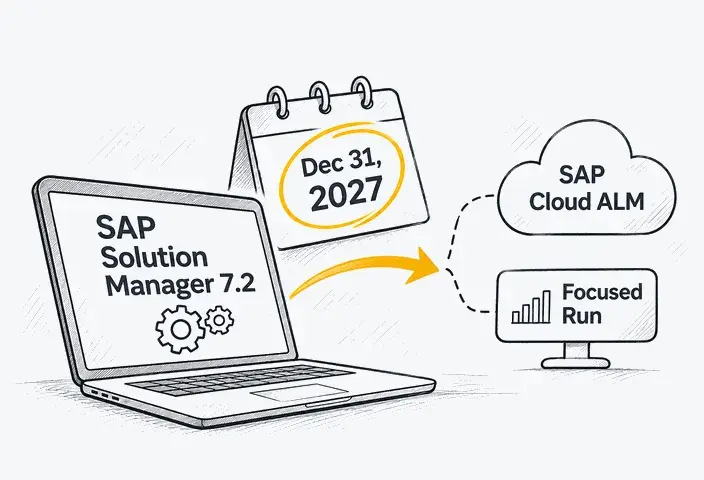
Mainstream maintenance for SAP Solution Manager 7.2 ends on December 31, 2027; the system will not stop working on that date. For maintenance options, associated risks, and a detailed transition plan, see our guide to SAP Solution Manager end of support. |
What Is SAP Cloud ALM and What Does It Cover?
SAP Cloud ALM is SAP's cloud-based application lifecycle management platform for implementing, operating, and improving SAP solutions. SAP delivers it as a software-as-a-service (SaaS) offering, so customers do not need to install and maintain a separate SAP Cloud ALM application server and database.
The platform supports SAP cloud solutions, hybrid environments, and selected on-premise systems. The exact coverage depends on the connected products, their versions, and the activities companies want to manage.
This article focuses on SAP Cloud ALM for implementation and SAP Cloud ALM for operations, which support project delivery and daily operations, respectively. SAP Cloud ALM also includes a dedicated service area for collaboration with SAP on service delivery, results, and follow-up actions.
SAP Cloud ALM for implementation
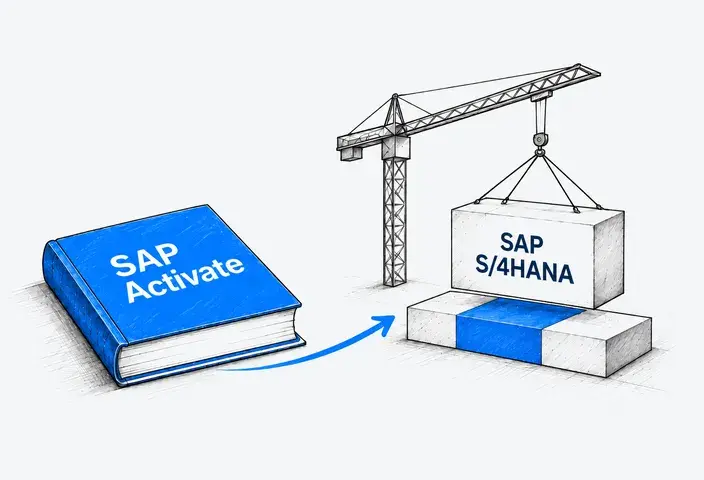
Helps teams plan and manage SAP implementation projects. Using the system, they can document business requirements, assign tasks, prepare and run tests, and track what has been completed and what still needs attention. SAP Cloud ALM also provides project roadmaps based on the SAP Activate methodology.
Capabilities:
- Requirements management: Record business requirements and link them to the tasks needed to implement them.
- Project and task management: Assign work, track its status, and plan activities using SAP Activate roadmaps.
- Process documentation: Document business processes and link them to requirements and other project information.
- Test management: Create test cases, assign them to testers, and record execution results.
- Change and deployment management: Track changes and coordinate their deployment across supported SAP systems.
SAP Cloud ALM for operations
Helps application and operations teams monitor supported systems, integrations, background jobs, business processes, and user experience. Alerts and operational dashboards help teams identify issues and coordinate responses.
Capabilities:
- Business process monitoring: Track business processes and identify delays or processing errors.
- Integration and exception monitoring: Detect failed data transfers and investigate processing errors between connected systems.
- Job and automation monitoring: Monitor scheduled jobs and identify failed or delayed executions.
- Health monitoring: Check system health, resource usage, and technical issues.
- Real user monitoring: Track application response times and identify performance problems experienced by users.
- Synthetic user monitoring: Run automated checks to detect availability and performance problems in selected application functions.
AI-assisted capabilities
SAP Cloud ALM also offers AI assistance for selected implementation and operations tasks. During implementation, AI-assisted requirement generation can turn fit-to-standard workshop transcripts and other documents into draft requirements for the project team to review. For operations, AI-assisted operations score optimization helps teams understand system health scores, identify the metrics affecting them, and review recommended improvements.
SAP also provides AI Agent Monitoring, which allows IT teams to view registered AI agents, check their status, and examine individual execution sessions. Availability depends on the specific feature, its activation requirements, and the supported systems or agents.
Together, these capabilities give project and IT teams a common environment for managing SAP applications throughout their lifecycle. Information from implementation activities can remain available after go-live, while operational monitoring helps teams maintain the systems as business needs change. However, the scope of these capabilities differs from that of SAP Solution Manager, which makes a direct comparison important for companies considering a transition.
SAP Cloud ALM vs. SAP Solution Manager: Features and Functional Gaps
Both platforms cover implementation and operations activities, but they use different architectures and do not provide complete functional parity. The comparison below distinguishes shared capabilities from functions that require a different approach or another tool.
|
Area |
SAP Cloud ALM |
SAP Solution Manager 7.2 |
|
Deployment model |
Cloud-based SaaS, hosted and managed by SAP. |
On-premises, installed and managed in the customer's IT environment. |
|
Infrastructure management responsibilities |
SAP maintains the ALM service; customers configure connectivity to managed systems. |
The customer manages the application, database, infrastructure, and technical maintenance. |
|
Implementation management |
Standardized implementation workflows based on SAP Activate, with predefined project structures and tasks. |
More flexible implementation workflows, with options for custom project structures and documentation. |
|
Process documentation |
Standardized process documentation linked to implementation requirements, tasks, and tests. |
More flexible documentation structures for complex SAP landscapes, including customer-specific processes and system configurations. |
|
Testing |
Manual test preparation, planning, execution, and defect management, with reusable test cases and automated testing through integrated tools. Transferring test cases does not recreate BPCA-based impact analysis. Transfer of BPCA content, technical bills of material (TBOMs), and SEA content is not planned. |
Test Suite with manual and automated testing, test plans, and defect management. Business Process Change Analyzer (BPCA) identifies processes affected by changes; Scope and Effort Analyzer (SEA) helps estimate the impact and testing effort of planned software updates. |
|
Change management |
Feature-based change tracking, production approval, and deployment coordination for supported transport technologies. These capabilities do not directly reproduce customized SAP ChaRM workflows, and transfer of existing change-control data is not planned. |
SAP ChaRM provides configurable change approval workflows and change documents, with control over transports from development through testing to production. |
|
Quality gate management |
No direct replacement for the dedicated quality gate management function. Available release and deployment controls need to be assessed against the required quality gates. |
Dedicated quality gate management coordinates quality checks and controls the progression of changes through deployment milestones. |
|
Monitoring |
Centralized monitoring of business processes, integrations, jobs, system health, and user experience. Technical analysis depends on the connected system and available data. Health Monitoring provides basic monitoring for supported ABAP on-premises systems; the dedicated Trace Analysis toolset is not reproduced. |
Detailed technical monitoring and diagnostics, including Trace Analysis and SAP-defined or customer-defined monitoring templates based on the Monitoring and Alerting Infrastructure (MAI). |
|
IT service management |
No built-in IT service management equivalent to SAP Solution Manager ITSM. Incident, problem, and service request management require an external ITSM platform. |
Integrated service desk for managing incidents, service requests, and change approvals through configurable workflows. |
|
Custom code management |
Relevant capabilities are provided through other SAP tools and services, including SAP for Me, ABAP development tools, and SAP BTP. |
Central access to custom code management functions for managing custom developments throughout their lifecycle. |
|
Customization |
Configuration within SAP-supported options, with APIs and integrations for additional requirements. |
Greater flexibility to modify standard functionality and develop custom features using ABAP. |
|
Updates |
SAP delivers service updates. |
Customer plans and executes upgrades and maintenance. |
|
Product direction |
SAP's strategic ALM platform, with ongoing development and new features. |
Established platform approaching the end of mainstream maintenance in 2027, with limited extended maintenance available through 2030. |
Where SAP Cloud ALM offers advantages
This solution was designed around a different way of managing SAP applications. Instead of maintaining a separate ALM system, companies use a cloud service that SAP updates and operates. This removes the need to manage the ALM application's own servers, database, and technical upgrades.
There are also differences in how project activities are connected. SAP Cloud ALM includes SAP Activate content and links project tasks with requirements, business processes, testing, and releases. SAP Solution Manager supports these activities too, but some of them rely on separate components or additional configuration. In SAP Cloud ALM, these connections are part of the standard implementation approach.
For companies introducing new SAP solutions, this can reduce the work needed to establish a common project structure. SAP Cloud ALM also receives ongoing functional updates, allowing customers to use new capabilities without planning a separate platform upgrade.
How companies can address the remaining functional gaps
Companies need to distinguish between functions SAP Cloud ALM can replace, processes that need adjustment, and capabilities provided by other tools. Existing content requires a separate assessment: supported documentation and test assets can be transferred selectively, while other records need an alternative retention arrangement. These differences determine how much of SAP Solution Manager can be retired and affect the cost of the resulting ALM setup.
SAP Cloud ALM Pricing: What's Included and What Costs Extra?
For eligible SAP customers, SAP Cloud ALM usage rights are included in existing qualifying SAP support or cloud subscription agreements. There is no separate base subscription fee for the entitled service within its applicable usage limits.
However, that does not make the transition cost-free. Customers still need to budget for the work required to configure the platform, connect systems, redesign processes, and transfer relevant information.
What is included in SAP Cloud ALM entitlement?
According to SAP's published usage rights, qualifying agreements include SAP Enterprise Support, SAP Product Support for Large Enterprises, and SAP cloud subscriptions containing SAP Enterprise Support, cloud editions.
The published baseline includes:
- One SAP Cloud ALM tenant per eligible customer number.
- 24 GB of SAP HANA memory.
- 24 GB of monthly outbound API data transfer.
- Usage for eligible internal application lifecycle management activities, subject to SAP's contractual terms.
SAP Standard Support alone does not provide SAP Cloud ALM entitlement. Customers with another qualifying SAP support or cloud subscription agreement may still be eligible.
SAP also restricts use for on-premises solutions to those covered by the customer's SAP support agreement. Qualifying agreements may already include limited usage rights for Tricentis Test Automation for SAP integrated with SAP Cloud ALM, subject to license duration and limits on users, test runs, storage, and execution agents. These rights should be checked before budgeting for additional test automation licenses. See the official ALM usage rights.
Customers requiring additional tenants or resources can investigate SAP Cloud ALM tenant extensions. Each extension adds entitlement for another tenant and additional memory and outbound API capacity. The added resources can also be used on an existing tenant. This matters when estimating separate environments for business units, training, or testing integrations. SAP explains the allocation options for getting additional SAP Cloud ALM tenants.
Also, SAP Cloud ALM usage rights do not automatically cover all AI capabilities. For example, the ALM Dashboard Generation Agent currently requires SAP AI Units, with charges based on consumption. Customers should check the commercial terms for the AI features they plan to use.
What costs should you include when evaluating both platforms?
Usage rights are only one part of the budget. The table below outlines the implementation and operating expenses to account for when evaluating SAP Solution Manager and a target setup based on SAP Cloud ALM. Actual amounts depend on contracts, internal resources, and the additional tools required.
|
Cost component |
SAP Solution Manager |
SAP Cloud ALM target setup |
|
Core usage rights |
Included under qualifying on-premises maintenance arrangements. |
Included under qualifying support or cloud subscription agreements, within applicable limits. |
|
Platform hosting and technical upkeep |
Application and database hosting, backups, patches, upgrades, and administration. |
SAP operates the SaaS core; customer work remains for access, connectivity, and configuration. |
|
Initial project effort |
Cost of required changes to the existing environment. |
Assessment, configuration, process redesign, selective transfer, testing, and training. |
|
Capacity and execution services |
Infrastructure capacity and any external services used. |
Tenant extensions and services such as synthetic monitoring runners where required. |
|
Complementary software |
Existing testing, service management, or monitoring tools. |
Retained or new ITSM, testing, monitoring, document storage, or governance tools. |
|
Ongoing support |
Support for the installed platform, integrations, and ALM processes. |
Support for connections, integrations, monitoring content, and ALM processes. |
|
Temporary overlap |
Continued operation until its functions and records can be retired or retained elsewhere. |
Setup and support while the old environment remains in use. |
What drives the cost of moving to SAP Cloud ALM?
Two companies with a similar number of SAP systems can face very different transition costs. Much depends on the processes and content they need to carry forward and which tools they will need alongside SAP Cloud ALM.
Customized change workflows
A company using standard change procedures may need relatively little redesign. Custom ChaRM workflows require a closer assessment: each approval rule, transport control, and integration needs a supported place in the target setup. Where SAP Cloud ALM cannot meet a requirement, additional configuration, development, or software may increase both implementation and operating costs.
Condition of documentation and test assets
A large repository does not necessarily mean a costly transfer. Current, consistently structured content can be easier to reuse than a smaller collection of outdated documents and test cases. Missing links, duplicates, and unsupported content increase the work needed to decide what to retain, update, or recreate.
Need for complementary tools
An organization with an existing enterprise service desk may be able to connect it to SAP Cloud ALM. A company relying entirely on SAP Solution Manager ITSM also needs to introduce a replacement. Similar differences apply to specialized testing and monitoring requirements: costs depend on whether suitable tools are already available and how much integration work they need.
Duration of parallel operation
Infrastructure savings depend on when the existing SAP Solution Manager environment can be retired. If one critical workflow still requires it, the company continues paying for its hosting and administration while also supporting SAP Cloud ALM. Historical records may create a further dependency if teams still need the old system to access them.
I would ask for the cost of the complete operating setup. If SAP Cloud ALM covers monitoring but the company also needs a new service desk, a testing subscription, and an integration to connect them, those costs belong in the same comparison. Savings become clearer once you identify which existing systems and support tasks can actually be retired.
Moving to SAP Cloud ALM: What Can Be Transferred and What Needs Rework?
SAP Selective Data Transfer supports the transfer of selected business processes, solution documentation, test cases, and test steps from Focused Build for SAP Solution Manager. This allows teams to reuse supported content, but does not reproduce the entire SAP Solution Manager environment.
Other elements require manual work or a new setup. Requirements and work breakdown structures can be exported and imported manually, while custom workflows, integrations, and monitoring configurations need separate treatment. Existing automated tests also require a compatibility assessment; transferring a test case does not guarantee that its automation script will work in the target setup.
SAP does not plan to transfer Change Control Management data, Business Process Change Analyzer (BPCA) content, technical bills of material (TBOMs), or Scope and Effort Analyzer (SEA) content. These exclusions affect the effort needed to replace existing processes and preserve access to historical records.
Choosing the Right Architecture for SAP Cloud ALM
SAP Cloud ALM can serve as the main ALM platform or work alongside specialized tools. The choice depends on the required workflows, monitoring coverage, and existing applications. The following scenarios show where SAP Cloud ALM may cover those needs and where additional tools remain necessary.
Scenario 1: Standard ALM requirements across cloud and on-premises systems
SAP Cloud ALM can serve as the main platform for coordinating SAP projects, managing requirements and tests, controlling deployments, and monitoring supported solutions. Coverage depends on the product, version, and use case, so an on-premises ERP does not automatically require a different architecture.
Service management needs a separate solution. SAP Cloud ALM does not provide the incident, problem, and service request management functions available in SAP Solution Manager. An organization with an existing enterprise service desk can retain those processes there; a company relying entirely on SAP Solution Manager ITSM needs a replacement.
For example, an integration can allow an SAP Cloud ALM alert to trigger a ticket in ServiceNow, where support teams manage assignment, escalation, and resolution. This requires a supported connection and agreed rules for exchanging information between the platforms.
Scenario 2: Advanced monitoring for a complex SAP landscape
An operations team may depend on a technical metric or diagnostic function that SAP Cloud ALM does not provide for a particular system. Older applications and specialized components deserve particular attention, but their age or database alone does not establish a monitoring gap. The assessment needs to identify the required data and whether SAP Cloud ALM can collect and analyze it.
The resulting architecture could combine SAP Cloud ALM for implementation activities and supported monitoring with SAP Focused Run or another platform for additional technical coverage. SAP Focused Run requires separate licensing and does not replace project management, testing, or ITSM.
Deeper investigation may also require database administration or application-specific diagnostic tools. SAP Cloud ALM supports root cause analysis for supported components, but the available monitoring data determines how far an investigation can proceed within the platform.
Scenario 3: Customized SAP ChaRM workflows and specialized change controls
Consider an emergency production change that requires an accelerated approval, a linked transport, and subsequent reconciliation with a parallel development track. A company using SAP ChaRM to control that sequence needs to establish whether the proposed replacement can preserve every required control.
SAP Cloud ALM’s change and deployment capabilities may cover the process, but a production approval step answers only part of the question. Transport handling, approval evidence, and any dependency on Retrofit need individual assessment.
Where essential controls remain unsupported, the architecture may require a complementary governance tool or temporary retention of SAP ChaRM. SAP Cloud ALM can still support other ALM activities independently.
One thing we always recommend checking is how often a function is used versus how critical it is. A company may process hundreds of routine monitoring alerts but use an emergency change procedure only a few times a year. That rarely used procedure could be the biggest obstacle to retiring SAP Solution Manager. Usage statistics alone won't tell you which functions are safe to replace.
Scenario 4: A company relies on specialized testing tools
A regression test may follow a business process through SAP S/4HANA, a custom application, and an external logistics platform. SAP Cloud ALM can coordinate testing across SAP and non-SAP applications, while connected automation tools execute supported tests. The architecture needs to establish how execution results, defects, and supporting evidence remain linked across those tools.
Existing automation tools can remain part of the setup where the required information exchange is supported. Script reuse depends on compatibility with the provider and the application being tested. The number of applications alone does not determine whether another test management platform is necessary.
Change impact analysis introduces a separate requirement. For teams relying on SAP Solution Manager’s Business Process Change Analyzer (BPCA), transferring test cases does not recreate the method used to identify affected processes. Their target architecture also needs a way to determine which tests a change requires.
How LeverX Supports SAP Cloud ALM Adoption and Migration
The main challenge of moving from SAP Solution Manager is deciding what should happen to the processes your company already relies on. A monitoring scenario may work differently in SAP Cloud ALM, a custom SAP ChaRM workflow may need another solution, and existing test assets may require changes before they can be reused. Each decision affects the transition cost and the way your teams will work afterward.
LeverX helps companies make these decisions and put them into practice. Our experience with SAP implementations, system integration, and application support allows us to address both the technical setup and the business processes behind it.
Here's where we can help:
- Assess your current ALM environment. LeverX helps you understand whether SAP Cloud ALM can meet your company's requirements and what the transition will involve. Our assessment covers existing SAP Solution Manager functions, technical dependencies, and potential gaps, giving you a clearer basis for estimating costs and choosing the right approach.
- Design the target ALM architecture. Our experience across SAP implementation, integration, and support helps us evaluate the wider SAP landscape, including systems that SAP Cloud ALM may not fully cover. We help you find the right combination of tools to preserve critical functions without adding unnecessary platforms or maintenance work.
- Plan the migration. LeverX helps companies switch from SAP Solution Manager without disrupting established ALM processes. We account for dependencies between systems and teams, identify activities that can move independently, and plan how existing and new tools will work together during the transition.
- Configure SAP Cloud ALM and monitoring. We help companies make practical use of SAP Cloud ALM's implementation and operations capabilities. This includes adapting the setup to existing responsibilities and business requirements, so teams can use the platform in their daily work.
- Integrate existing tools and systems. LeverX's SAP integration expertise helps companies maintain connections between their ALM platform and the wider IT environment. We address technical compatibility and data exchange requirements, including integrations with external ITSM and testing solutions.
- Test the new ALM setup. LeverX helps reduce the risk of losing critical functionality during the transition. Our specialists test how the new setup supports real business and IT scenarios, so problems can be identified before teams stop using the corresponding SAP Solution Manager functions.
- Improve operations after the transition. Our support can continue after the transition, helping you adjust monitoring coverage, improve alert quality, and reduce dependence on tools that are no longer needed. As your SAP landscape changes, we help keep the ALM setup aligned with the systems and processes it supports.
LeverX can also support SAP Cloud ALM adoption as part of a wider SAP transformation. If you're moving to SAP S/4HANA, we can coordinate SAP Cloud ALM setup with the implementation project so that testing, deployment, and monitoring are ready when the new system goes live.
Which ALM Setup Should You Choose?
SAP Cloud ALM can serve as the main ALM platform when its available capabilities cover the required project, testing, deployment, and monitoring activities. This setup can reduce platform administration where teams can retire the corresponding SAP Solution Manager functions.
SAP Cloud ALM with complementary tools suits organizations that also need enterprise ITSM, specialized test automation, or deeper technical monitoring. The comparison should include the cost of those tools, their integrations, and ongoing support.
Temporary retention of selected SAP Solution Manager processes may be necessary where essential controls or dependencies remain unresolved. This preserves established workflows while alternatives are evaluated but delays retirement of the existing environment and the associated savings. Continued use depends on applicable usage rights and maintenance arrangements.