Learn how to integrate SAP S/4HANA with HubSpot to connect CRM and ERP data, automate customer and order processes, improve sales visibility, and build a scalable integration architecture for your business.
HubSpot and SAP S/4HANA solve different parts of the enterprise technology landscape.
HubSpot supports customer-facing activities such as marketing, lead management, sales pipeline management, and customer service. SAP S/4HANA manages core enterprise processes including finance, sales, procurement, inventory, fulfilment, and billing.
When the two platforms operate independently, important information can remain split between CRM and ERP. Sales teams may not have visibility into orders or fulfilment, while back-office teams may lack access to customer and sales information captured in HubSpot.
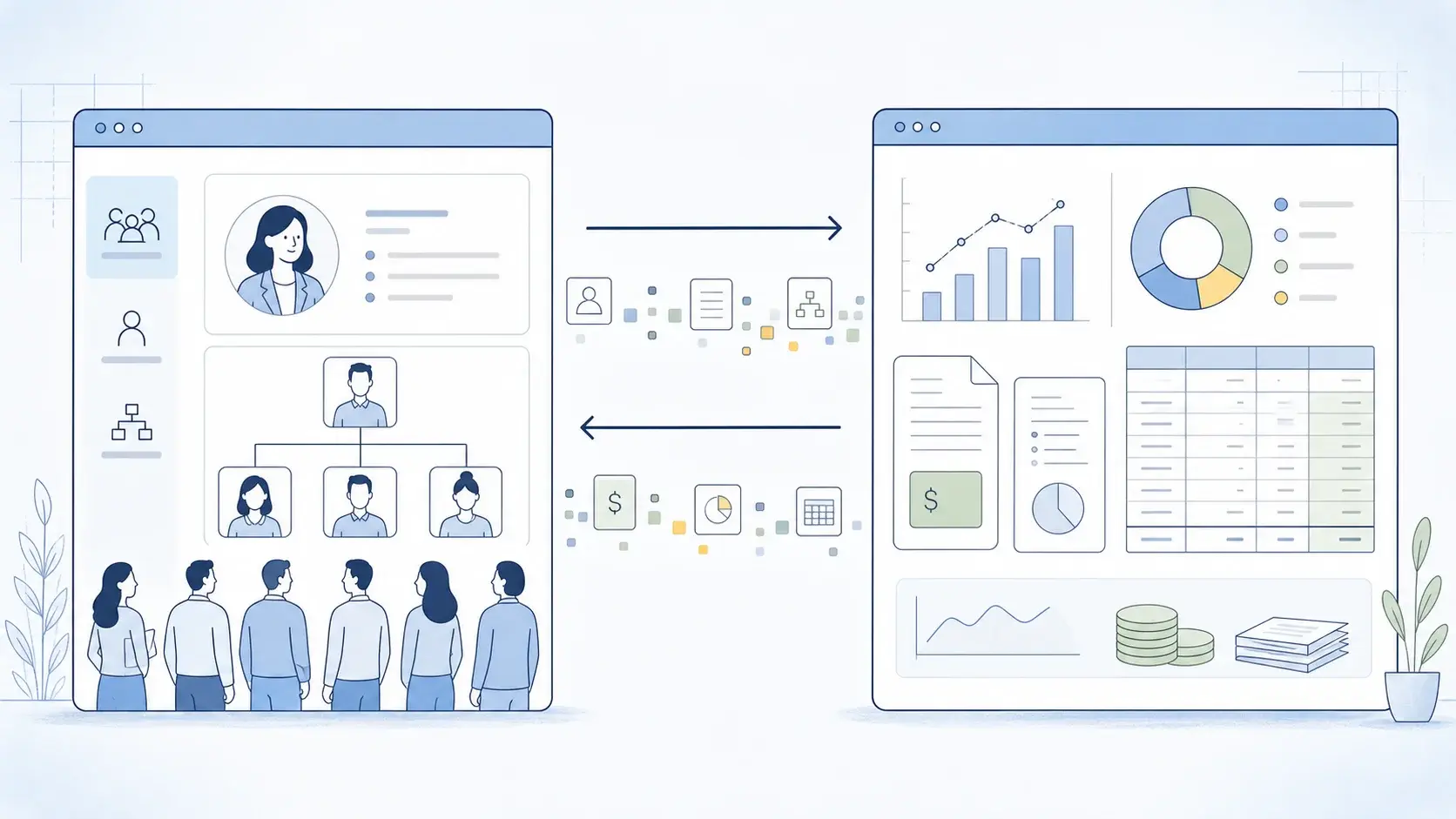
Integrating the two systems creates a controlled flow of information between customer-facing and transactional processes.
For example, a sales representative working in HubSpot may need visibility into a customer's ERP account, open orders, product information, or order status. SAP S/4HANA may, in turn, need information from HubSpot to support downstream sales processes.
A well-designed integration can reduce manual data entry, improve data consistency, automate repetitive handoffs, and make selected ERP information available where customer-facing teams already work.
The important point is that an SAP-HubSpot integration is not simply a matter of connecting two APIs. It requires decisions about business processes, data ownership, integration architecture, security, error handling, and ongoing operations.
This guide explains how to integrate SAP S/4HANA with HubSpot, what data and processes can be connected, which architecture options are available, and what US businesses should consider before implementation.
In short: SAP S/4HANA-HubSpot integration is often a complex, business-critical initiative, especially for large organisations with multiple entities, high transaction volumes, complex sales processes, and a broad application landscape. Success depends on connecting the right processes, defining clear data ownership, and designing an integration architecture that can scale with the business.
Need help integrating SAP S/4HANA with HubSpot?
Why Integrate SAP S/4HANA with HubSpot?
The business case for integration usually starts with a gap between customer-facing and operational processes. HubSpot captures customer and sales activity, while SAP S/4HANA executes the transactions that turn that activity into orders, deliveries, invoices, and revenue.
HubSpot may manage:
- marketing activities;
- leads and contacts;
- sales pipelines;
- customer communications;
- campaigns;
- customer service interactions.
SAP S/4HANA may manage:
- business partners and customers;
- products and materials;
- pricing;
- sales orders;
- deliveries;
- billing;
- accounts receivable;
- inventory;
- finance.
When the systems are not connected, employees may need to re-enter data, switch between applications, or depend on spreadsheets and manual status checks. This can slow down sales processes and create inconsistent or outdated information.
Integration allows the two platforms to work as part of one business process while keeping their respective roles clear:
HubSpot → Marketing, CRM and Sales Engagement
SAP S/4HANA → Orders, Fulfilment, Billing and Financial Execution
For example, a salesperson can qualify an opportunity in HubSpot, while the downstream customer, order, fulfilment, and billing processes are handled in SAP. Relevant status and business information can then be made available back in HubSpot.
The objective is not to reproduce one system inside the other. It is to connect the processes and data that need to work together while keeping business ownership in the appropriate platform.
For larger enterprise environments, SAP S/4HANA integration services can help define the target architecture, integration patterns, APIs, middleware, and operating model.
SAP S/4HANA and HubSpot Integration Use Cases
The right integration scope depends on the business process rather than the number of objects that can technically be synchronized.
Customer and Account Synchronization
Customer synchronization connects CRM information in HubSpot with customer and business-partner data in SAP.
HubSpot's provides company and contact APIs, while SAP uses business partner and customer structures.
Depending on the process, integration may include:
- company and contact information;
- addresses;
- customer IDs;
- sales organisation data;
- billing and shipping information;
- selected customer status information.
A common flow is:
HubSpot Company → Validation and Matching → SAP Business Partner → SAP ID → HubSpot
Matching and deduplication rules should be defined before automated customer creation is introduced.
Expert comment: Do not synchronise every available customer field. Connect CRM identity with the ERP customer record and define explicit rules for creation, matching, ownership, and updates.
Lead-to-Customer Processes
A qualified lead may need to enter SAP when it reaches a defined business stage, such as becoming an active customer or entering a formal sales process.
A typical flow is:
Lead → Qualification → Customer Onboarding → SAP Business Partner → Sales Process
Not every lead should automatically create a customer in SAP.
The trigger may be based on a qualification rule, an approval, or completion of required information. Before automation, organisations should define when a lead is ready for SAP, which information is mandatory, how existing customers are identified, who approves the creation, and which SAP identifier is returned to HubSpot.
This helps prevent unqualified prospects from entering the ERP and creates a controlled handoff between CRM and ERP processes.
Product and Pricing Data
Sales teams may need selected product and pricing information from SAP.
Relevant product information can include product or material ID, description, category, unit of measure, availability, and applicable pricing.
SAP is often the authoritative source for product or material information when it manages inventory, sales, and fulfilment.
Pricing is more complex. It can depend on the customer, sales organisation, currency, quantity, validity period, and pricing conditions.
For that reason, integration should not simply copy a static price from SAP to HubSpot. The pricing determination should remain in SAP where appropriate, while HubSpot receives the result needed for the sales process.
Expert comment: Product information can often be synchronised, while pricing is better treated as a business calculation. Keep pricing logic in SAP and expose the relevant result to users.
Sales Orders
Integrating CRM sales activity with SAP order processing closes one of the most important gaps between front-office and back-office processes.
A typical flow is:
HubSpot Opportunity → Qualification → Order Submission → SAP Sales Order → Fulfilment
The integration can validate the customer, products, quantities, pricing, and other required information before triggering the SAP sales-order process.
A HubSpot deal represents CRM sales activity. An SAP sales order is an ERP transaction with its own lifecycle, validations, and business rules. The two should therefore be treated as related business objects rather than identical records.
HubSpot provides a Deals API, while SAP provides supported APIs for relevant sales-order scenarios.
The SAP sales-order number can then be returned to HubSpot and used as a reference for downstream fulfilment, delivery, billing, and status information.
Expert comment: The integration should transfer a qualified commercial transaction, not simply copy a HubSpot deal. Customer eligibility, pricing, and ERP validation should remain under SAP business rules.
Order and Delivery Status
Once a sales order exists in SAP, sales and service teams may need visibility into its progress without direct ERP access.
Depending on business requirements, HubSpot may display:
- SAP order number;
- order date and status;
- delivery status;
- shipment information;
- invoice status;
- total order value.
A typical flow is:
SAP Sales Order → Integration Layer → HubSpot
Only information required by customer-facing teams should be exposed. The goal is visibility, not replication of the complete SAP transaction.
Invoice and Payment Information
Selected invoice information can also be exposed in HubSpot to help customer-facing teams understand financial status.
Possible information includes whether an invoice is issued, due, paid, or overdue, together with the relevant reference.
SAP should remain the system of record for financial transactions. HubSpot generally needs only the information required to support customer communication and account management.
Expert comment: Expose the business-relevant financial status rather than the full accounting record. This can reduce unnecessary movement of sensitive financial information.
SAP S/4HANA and HubSpot Integration Architecture
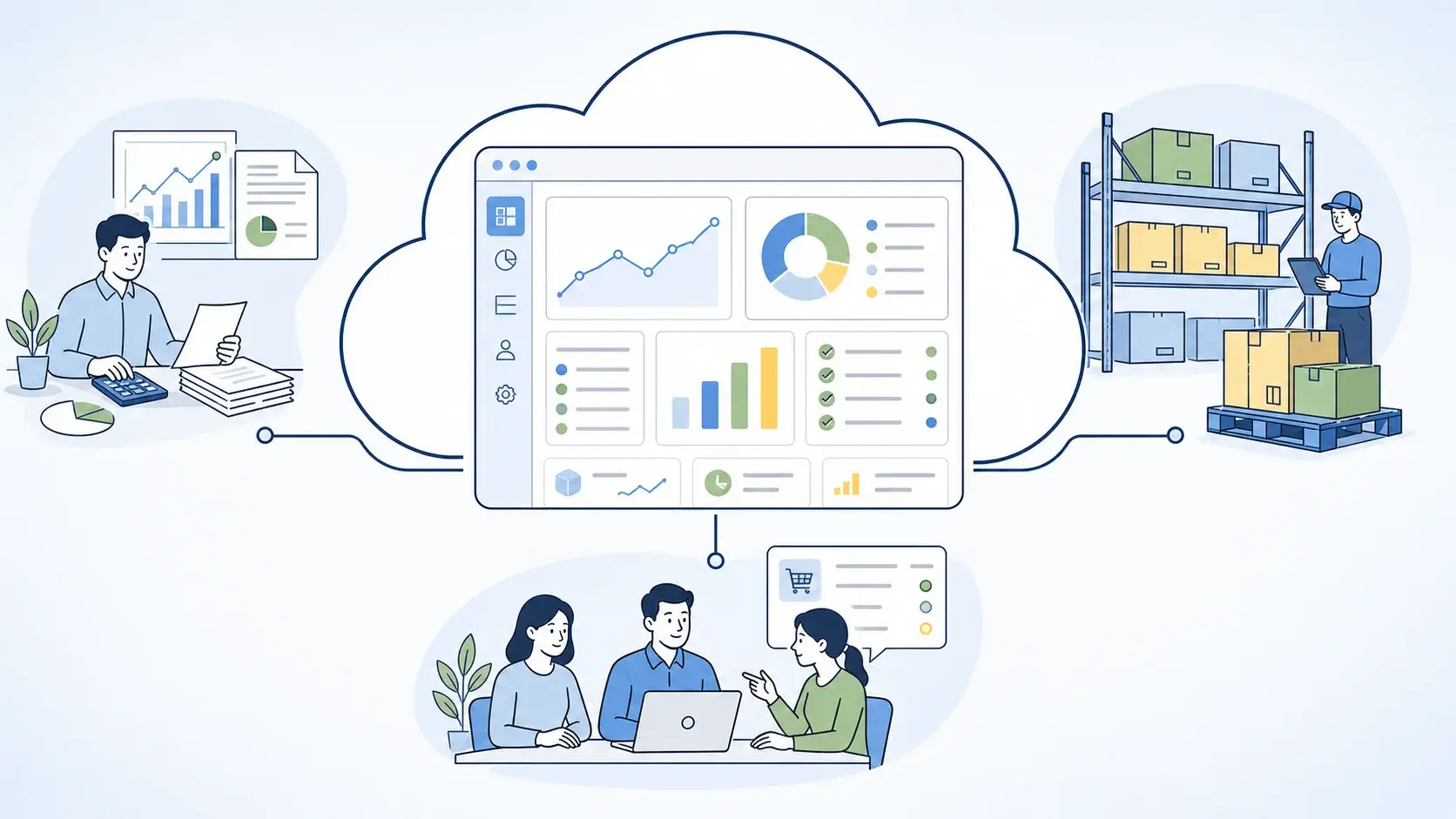
A typical enterprise architecture places an integration layer between HubSpot and SAP:
HubSpot → Integration Layer → SAP S/4HANA
The integration layer can manage API communication, authentication, transformation, mapping, routing, and processing differences between the two systems.
For a sales-order process, for example:
HubSpot Deal → Validation and Mapping → SAP Sales Order → Order Status → HubSpot
This approach allows each application to retain its own business logic while the integration layer manages communication between them.
For larger landscapes, the same integration layer can also connect HubSpot and SAP with other enterprise applications. This creates a reusable integration architecture instead of a growing collection of point-to-point connections.
The integration layer may use SAP Integration Suite, a third-party iPaaS, or custom integration components depending on the organisation's architecture, technology standards, and requirements.
Expert comment: For large organisations, the integration layer should be designed with the wider application landscape in mind. It needs to support different data models, transaction volumes, and integration patterns while making it possible to add new systems without redesigning the SAP-HubSpot connection from scratch.
Which Integration Approach Should You Use?
There is no single integration architecture that fits every SAP-HubSpot scenario. The right choice depends on the existing IT landscape, the number of connected systems, integration volumes, security requirements, and the expected long-term growth of the integration landscape.
Option 1: SAP Integration Suite
SAP Integration Suite is SAP's cloud integration platform and runs as part of the SAP BTP environment. It supports application and process integration, API management, event-driven integration, B2B integration, and hybrid connectivity across SAP and third-party systems.
For an SAP S/4HANA-HubSpot integration, it can support:
- application and process integration;
- data transformation and routing;
- API management;
- event-driven scenarios;
- B2B and EDI integration;
- monitoring and governance.
This approach can be a strong fit when the company already uses SAP BTP or expects HubSpot to become one of several applications connected through a common SAP integration architecture.
Option 2: Third-Party iPaaS
A third-party iPaaS may be the better choice when the organisation already has an enterprise integration platform or operates a predominantly non-SAP application landscape.
An iPaaS can provide:
- prebuilt connectors;
- data transformation;
- workflow orchestration;
- monitoring;
- reusable integration components.
This can be practical when HubSpot needs to exchange data with multiple SaaS platforms as well as SAP.
The decision should not be based on connector availability alone. The platform also needs to support the required security model, scalability, error handling, governance, and business-process logic.
Option 3: Custom Integration
Custom integration uses APIs and application code to implement the required data flows and business logic.
It may be appropriate when:
- the integration process is highly specialised;
- standard integration platforms cannot support the required scenario;
- complex transformation or orchestration is required;
- the organisation already has the necessary development capabilities.
Custom development provides greater control but also creates additional responsibilities for testing, monitoring, security, maintenance, and future changes.
Expert comment: The right integration approach depends on the complexity of the business process, existing technology landscape, integration volume, and long-term support requirements. The goal is to choose an approach that is sustainable for the organisation rather than selecting technology based on a single integration.
HubSpot APIs and SAP APIs
HubSpot and SAP S/4HANA each provide APIs for accessing their respective business objects and processes.
HubSpot supports API access to CRM objects such as companies, contacts, deals, and custom objects. SAP S/4HANA provides released APIs for supported business objects and processes.
The integration uses these interfaces to exchange the required information between the two systems.
For example:
HubSpot Company → SAP Business Partner
SAP Sales Order → HubSpot CRM Record
The exact API and field mapping depends on the business scenario, HubSpot configuration, and SAP S/4HANA deployment model.
HubSpot Webhooks and Event-Driven Integration
Not every data flow needs to be based on scheduled polling. For scenarios where a process should react to a change as it happens, HubSpot provides webhooks that can send notifications when subscribed CRM events occur. HubSpot Webhooks supports events for objects such as contacts, companies, deals, tickets, products, and line items.
A typical flow can be:
HubSpot Deal Updated → Webhook → Integration Processing → SAP
This can reduce unnecessary polling and allow downstream processes to react more quickly.
SAP S/4HANA also supports event-driven scenarios through released business events and integration technologies. This makes events useful when the requirement is to respond to a business change, rather than repeatedly check whether something has changed.
Event-driven flows still need to account for duplicate notifications, failed processing, retries, and reconciliation.
Data Mapping Between HubSpot and SAP
HubSpot and SAP S/4HANA use different data models, so integration requires more than matching fields with similar names.
A conceptual mapping may look like:
| Business Concept | HubSpot | SAP S/4HANA |
|---|---|---|
| Company | Company | Business Partner / Customer |
| Contact | Contact | Contact / Business Partner Relationship |
| Product | Product | Product / Material |
| Opportunity | Deal | Sales-related business process |
| Order | Deal / Order-related CRM data | Sales Order |
| Invoice | Invoice-related CRM data | Billing Document |
These mappings are conceptual rather than fixed one-to-one relationships. One CRM object may map to multiple SAP structures, while some SAP information may have no direct HubSpot equivalent.
The integration design should therefore define transformation rules, mandatory information, value conversions, identifiers, validation logic, and update behaviour.
Master Data: Which System Is the Source of Truth?
Before synchronisation is automated, the organisation should decide where each business object is created and maintained.
For each object, define:
System of Record → Data Owner → Creation → Update → Synchronisation
A possible model is:
| Data | System of Record |
|---|---|
| Marketing contacts | HubSpot |
| Marketing engagement | HubSpot |
| ERP customer master | SAP S/4HANA |
| Product master | SAP S/4HANA |
| Pricing | SAP S/4HANA |
| Sales orders | SAP S/4HANA |
| Financial documents | SAP S/4HANA |
This is an example rather than a universal rule. The appropriate ownership model depends on the organisation's processes and master-data governance.
The objective is to avoid having both systems independently maintain the same authoritative information without defined rules for conflicts and updates.
Real-Time vs. Batch Integration
Not every data flow needs immediate synchronization.
Real-Time Integration
Real-time or near-real-time integration is useful when information affects an active business process.
Examples include:
- customer creation;
- sales order creation;
- order status;
- critical customer information;
- selected product availability.
Batch Integration
Batch processing can be more appropriate for:
- periodic product updates;
- large data volumes;
- historical information;
- reporting datasets;
- scheduled synchronization.
A hybrid integration model is often the most efficient.
For example, order creation and status updates may use event- or API-driven flows, while broader product or reporting datasets are synchronized on a schedule.
The decision should be based on business urgency, transaction volume, API limits, processing cost, and data freshness requirements.
Integration Security
Security should be designed into the SAP-HubSpot integration from the beginning rather than treated as a separate post-development task.
The security model should cover:
- authentication and authorization;
- OAuth and token management;
- credential storage;
- encryption in transit;
- API access controls;
- secure webhook endpoints;
- audit logging;
- monitoring and alerting.
HubSpot supports OAuth 2.0 authentication, while its Webhooks API requires secure HTTPS endpoints for receiving notifications.
On the SAP side, the appropriate authentication and authorisation mechanism depends on the S/4HANA deployment model, API, and integration architecture.
For US enterprises, the security model should also account for the sensitivity of the data exchanged between the systems and the organisation's internal security and compliance requirements.
Data Privacy and Compliance for US Companies
A CRM-ERP integration can involve customer, employee, financial, and other sensitive information. The applicable requirements depend on the organisation's industry, locations, data types, and contractual obligations.
Key considerations may include:
- state privacy requirements;
- industry-specific obligations;
- data retention;
- consent and lawful use;
- access and deletion processes;
- data minimisation;
- third-party risk management.
The integration should transfer only the information required for the business process. Full replication of SAP or HubSpot data is rarely necessary and can increase both security exposure and governance effort.
Error Handling and Monitoring
A production integration needs to account for failures on both the technical and business sides.
Typical issues include:
- missing or invalid data;
- duplicate records;
- authentication failures;
- API errors;
- rate limits;
- network interruptions;
- SAP business validation errors;
- HubSpot validation errors.
The integration should provide mechanisms for:
- centralised monitoring;
- structured error logging;
- retries;
- alerts;
- failed-message handling;
- reconciliation.
HubSpot documents API usage limits and rate-limit responses, including HTTP 429, which should be considered when designing high-volume integrations. HubSpot API usage guidelines
A monitoring process should also distinguish between technical failures and business exceptions. A technically successful API request can still result in a business-process error, such as an invalid customer or unavailable product.
Common SAP S/4HANA-HubSpot Integration Challenges
Even a well-designed SAP S/4HANA-HubSpot integration can face challenges caused by differences between the two platforms and the business processes they support.
Duplicate Customer Records
When customer records can originate in both systems, duplicate or conflicting records may appear. This is particularly relevant when the organisation has multiple sales channels or entities creating customer data.
Different Data Models
HubSpot CRM objects and SAP business objects are structured differently. A single CRM record may correspond to several SAP structures, so straightforward field-to-field mapping is not always sufficient.
Complex SAP Business Rules
Processes such as pricing, order management, and billing may depend on rules that exist only in SAP. These rules should not be recreated in HubSpot simply to simplify the integration.
API Limits and Throughput
Both platforms impose technical constraints on API usage and processing capacity. High-volume integrations therefore need to account for request rates, batching, retries, and peak loads.
Conflicting Updates
When both systems can modify the same information, updates can arrive in the wrong order or overwrite each other. Without clear synchronisation rules, these conflicts can be difficult to detect and resolve.
Over-Integration
It is technically possible to move large amounts of data between the systems, but unnecessary replication increases complexity, security exposure, and maintenance effort.
The goal should be to integrate the data and processes required to support the business outcome, rather than reproduce one platform inside the other.
SAP S/4HANA-HubSpot Integration Best Practices
1. Start with the Business Process
Define the business flow first and identify where SAP and HubSpot need to exchange information.
For example:
Lead → Customer → Opportunity → Order → Delivery → Invoice
This establishes the integration scope before technical interfaces are selected.
2. Define System Ownership
Assign ownership for customers, products, pricing, orders, and financial information. Each object should have a clear source of truth.
3. Use Supported Interfaces
Use supported HubSpot APIs, SAP released APIs, webhooks, and business events rather than direct database access or unsupported workarounds.
4. Minimise Data Replication
Exchange only the information required for the business process. Avoid creating unnecessary copies of SAP or HubSpot data.
5. Design for Exceptions
Account for invalid data, failed requests, duplicate records, rate limits, and business validation errors from the beginning.
6. Use the Right Integration Pattern
Choose between synchronous, asynchronous, event-driven, and batch processing based on the business requirement rather than applying the same pattern to every data flow.
7. Design for Future Growth
Consider expected transaction volumes, additional business entities, and future applications when selecting the integration architecture.
8. Document the Integration
Maintain a clear specification covering:
- business objects;
- ownership;
- field mappings;
- transformation rules;
- APIs and events;
- security;
- error handling;
- monitoring.
How to Implement SAP S/4HANA and HubSpot Integration
A typical implementation can be structured into seven stages.
Step 1: Define the Business Scope
Identify which processes require integration and prioritise the highest-value flows.
Typical initial scope may include:
- customer synchronization;
- product information;
- lead-to-customer;
- sales orders;
- order visibility;
- invoice status.
Starting with a focused scope makes the first release easier to validate and expand.
Step 2: Assess the Current Landscape
Review:
- SAP S/4HANA deployment model;
- HubSpot products and configuration;
- existing middleware;
- other CRM or ERP systems;
- master-data platforms;
- identity architecture;
- existing APIs and integrations.
Step 3: Define the Target Architecture
Select the integration approach based on the existing landscape and requirements.
Evaluate whether SAP Integration Suite, an existing iPaaS, custom development, or a combination is appropriate.
Step 4: Define Data Ownership and Mapping
For each business object, establish:
Owner → Source → Transformation → Target → Update Rule
Document the required fields, identifiers, validations, and synchronisation direction.
Step 5: Build the Integration
Implement the selected APIs, webhooks or events, data transformations, authentication, routing, error handling, and monitoring.
Step 6: Test End-to-End
Validate complete business processes rather than isolated interfaces.
For example:
Customer → Opportunity → Order → Delivery → Invoice
Testing should also cover:
- duplicate records;
- invalid data;
- failed requests;
- authentication failures;
- rate limits;
- retry behaviour;
- security controls.
Step 7: Deploy and Operate
After go-live, monitor transaction volumes, processing times, API errors, data quality, failed messages, and reconciliation results.
Define clear ownership for ongoing support, incident resolution, and future changes.
How Much Does SAP S/4HANA-HubSpot Integration Cost?
There is no standard price for an SAP S/4HANA-HubSpot integration. For US businesses, an indicative implementation range can be:
| Integration Scope | Indicative US Implementation Cost* |
|---|---|
| Focused integration | $40,000–$100,000 |
| Mid-complexity integration | $100,000–$250,000 |
| Enterprise SAP-HubSpot integration | $250,000–$500,000+ |
Note: The figures above are general US market planning estimates, not LeverX pricing or fixed implementation quotes. Actual integration costs can vary significantly depending on business-process scope, number of interfaces, data volumes, integration approach, SAP and HubSpot configuration, development complexity, security, testing, and ongoing support requirements. A project-specific estimate should be based on a detailed assessment of the actual integration scope.
A focused integration might cover a limited number of objects, such as customers, contacts, and sales orders. A mid-complexity project may also include products, pricing, delivery or invoice visibility, multiple integration flows, and production monitoring.
Enterprise programmes can involve multiple legal entities, high transaction volumes, complex SAP business logic, several SAP and non-SAP systems, advanced security, and extensive testing.
The main cost drivers include:
- number of business processes;
- number of interfaces;
- data volumes;
- transformation complexity;
- integration platform;
- custom development;
- security;
- testing;
- monitoring and support.
Integration platform costs may be additional. For example, SAP Integration Suite is licensed separately, with SAP publishing different pricing tiers and usage-based components for the US market.
How Long Does SAP S/4HANA-HubSpot Integration Take?
The timeline depends on the number of processes and complexity of the landscape.
Indicative planning ranges are:
| Phase | Typical Duration |
|---|---|
| Discovery and requirements | 2–4 weeks |
| Architecture and data mapping | 2–6 weeks |
| Development and configuration | 4–12+ weeks |
| Testing | 2–6 weeks |
| Deployment and stabilisation | 1–4 weeks |
These phases can overlap.
A focused integration may therefore take several weeks to a few months, while a broader enterprise integration can require considerably longer.
The largest differences usually come from the number of business processes being connected rather than from the API connection itself.
Should You Integrate HubSpot Directly With SAP S/4HANA?
A direct connection can be suitable for a small, isolated requirement with limited scope.
For an enterprise environment, an integration layer is often a better architectural choice because it separates the two applications and provides a place to manage transformation, routing, security, monitoring, and error handling.
This becomes increasingly important when the organisation expects to connect additional systems in the future.
The choice should therefore be based on the scope of the integration and the wider application landscape, rather than the first interface alone.
SAP S/4HANA Cloud and HubSpot Integration
The available integration approach depends partly on the SAP deployment model.
SAP S/4HANA Cloud Public Edition
Public Edition follows a controlled cloud model and relies on released APIs, supported integration mechanisms, and business events for many integration scenarios.
For HubSpot integrations, the solution should therefore be designed around the interfaces available for the specific Public Edition business scenario.
Where additional orchestration or cross-system processing is required, SAP Business Technology Platform (SAP BTP) and SAP Integration Suite can provide the surrounding integration capabilities.
SAP S/4HANA Cloud Private Edition
Private Edition provides greater flexibility for organisations with complex enterprise landscapes and existing application dependencies.
The integration architecture can therefore accommodate a broader range of technical scenarios, while still requiring clear interface ownership, security, and lifecycle management.
SAP S/4HANA On-Premise
On-premise deployments may provide additional integration options, but they also introduce considerations around network connectivity, firewall configuration, authentication, middleware, and system maintenance.
SAP S/4HANA-HubSpot Integration Architecture Example
A practical enterprise architecture may look like:
HubSpot → API / Webhook → Integration Layer → Mapping & Validation → SAP S/4HANA → ERP Process → Status / Business Information → HubSpot
This structure separates the customer-facing application from the ERP and provides a dedicated layer for transforming and validating information as it moves between the two systems.
For organisations using an SAP-centred integration approach, SAP Integration Suite can support connectivity between SAP and third-party applications.
The architecture can also be extended to additional applications without changing the core HubSpot-SAP relationship.
Frequently Asked Questions
Can SAP S/4HANA integrate with HubSpot?
Yes. SAP S/4HANA and HubSpot can be integrated through supported APIs, webhooks, business events, and an integration layer such as SAP Integration Suite or another enterprise iPaaS.
How do you integrate SAP S/4HANA with HubSpot?
A typical integration connects HubSpot and SAP through an integration layer that handles API communication, data mapping, validation, transformation, and error handling. The exact approach depends on the SAP deployment model and business processes in scope.
Can SAP ECC integrate with HubSpot?
Yes. SAP ECC can be integrated with HubSpot using the interfaces and middleware available in the specific ECC environment. The architecture may differ from an S/4HANA integration because ECC landscapes can rely on different APIs, integration technologies, and existing custom developments.
Can SAP ERP integrate with HubSpot?
Yes. HubSpot can be integrated with SAP ERP environments, including SAP ECC and SAP S/4HANA. The appropriate integration method depends on the SAP version, available interfaces, middleware, and business requirements.
Can SAP S/4HANA Cloud integrate with HubSpot?
Yes. SAP S/4HANA Cloud can be connected with HubSpot using supported APIs, events, and integration technologies. The specific approach depends on whether the organisation uses Public Edition or Private Edition.
How do you integrate HubSpot with SAP S/4HANA Public Edition?
For Public Edition, the integration should use the APIs, business events, and integration mechanisms supported for the relevant SAP business scenario. SAP Integration Suite can be used where an enterprise integration layer is required.
What data can be integrated between SAP and HubSpot?
Common scenarios include customers, contacts, products, selected pricing information, sales opportunities, sales orders, delivery status, invoices, and selected financial information.
Can HubSpot create customers in SAP S/4HANA?
Yes, where the relevant SAP business process and released APIs support customer or business-partner creation. The process should include validation, duplicate handling, and defined ownership rules.
Can SAP customer data be synchronized with HubSpot?
Yes. Selected customer and business-partner information can be synchronized between the systems. The integration should define which system owns each data element and how records are matched and updated.
Can SAP product data be integrated with HubSpot?
Yes. Product identifiers, descriptions, categories, units of measure, availability, and other relevant product information can be exchanged where the business process requires it.
Can SAP pricing be integrated with HubSpot?
Yes, but pricing requires particular care because SAP pricing may depend on customer, sales organisation, currency, quantity, validity period, and pricing conditions. In many scenarios, it is preferable to expose the pricing result required by the sales process rather than reproduce SAP pricing logic in HubSpot.
Can SAP sales orders be created from HubSpot?
Yes, where the required SAP APIs and business process support the scenario. A HubSpot deal or other CRM transaction can trigger the creation or initiation of an SAP sales order after the required validation.
Can SAP order status be displayed in HubSpot?
Yes. Selected sales-order, delivery, shipment, and billing information can be exposed in HubSpot so sales and service teams can access relevant ERP information.
Can SAP invoice status be shown in HubSpot?
Yes. The integration can expose selected information such as invoice status, due status, or payment status without replicating the complete accounting document.
Can HubSpot send real-time updates to SAP?
Yes. HubSpot supports webhooks that can notify an external endpoint when subscribed CRM events occur. HubSpot Webhooks API provides the relevant mechanism.
Can SAP send real-time updates to HubSpot?
Yes, where the relevant SAP business event and integration scenario are supported. SAP events can be processed through the integration layer and used to update or trigger processes in HubSpot.
Do I need middleware to integrate SAP S/4HANA and HubSpot?
Not necessarily. A direct integration can be suitable for a small and isolated use case. Middleware becomes more valuable when multiple processes, systems, interfaces, or integration patterns need to be managed.
Is SAP Integration Suite required for SAP-HubSpot integration?
No. Organisations can use SAP Integration Suite, another enterprise iPaaS, or a custom integration approach. The choice depends on the existing architecture, scale, governance requirements, and future integration needs.
What is the best middleware for SAP S/4HANA and HubSpot?
There is no universal answer. SAP Integration Suite can be a strong option for organisations with an SAP-centred integration strategy, while another iPaaS may be more appropriate where a different enterprise standard is already in place.
Should SAP S/4HANA and HubSpot be connected point-to-point?
A point-to-point connection can work for a limited integration. For larger landscapes, an integration layer is generally easier to scale and govern, particularly when additional applications will be connected later.
What is the best integration architecture for SAP and HubSpot?
A common enterprise pattern is:
HubSpot → Integration Layer → SAP S/4HANA
The integration layer handles the technical differences between the two platforms and provides a controlled place for mapping, validation, orchestration, monitoring, and error handling.
What should be the system of record for customer data?
There is no universal answer. HubSpot may own marketing and engagement information, while SAP may own ERP customer or business-partner data. Ownership should be defined according to the organisation's actual business processes.
How do you map HubSpot data to SAP S/4HANA?
Mapping should be based on business objects and processes rather than matching field names alone. The design should define source and target objects, identifiers, transformations, mandatory fields, validation rules, and update behaviour.
Does HubSpot integration support SAP S/4HANA on-premise?
Yes. S/4HANA on-premise can be integrated with HubSpot using the APIs and integration technologies available in the specific landscape. Network connectivity, security, middleware, and existing SAP architecture also need to be considered.
Can HubSpot integrate with SAP ECC and S/4HANA at the same time?
Yes. An organisation can connect HubSpot to multiple SAP environments, although the interfaces, data models, and integration logic may differ between ECC and S/4HANA.
How much does SAP S/4HANA-HubSpot integration cost?
For US businesses, a focused integration may typically require $40,000–$100,000 in implementation effort, while mid-complexity projects may range from $100,000–$250,000. Enterprise integrations can exceed $250,000–$500,000+, depending on scope and complexity.
These are general market planning estimates, not fixed SAP or LeverX prices.
How long does SAP-HubSpot integration take?
A focused integration typically takes 2–4 months, while a mid-complexity implementation may take 4–8 months. Large enterprise programmes involving multiple entities, complex business processes, several SAP systems, high transaction volumes, and extensive testing can take 8–12 months or longer.
These are general planning ranges; actual timelines depend on the number of processes and interfaces, data complexity, integration approach, testing requirements, and organisational readiness.
What are the main challenges of SAP S/4HANA-HubSpot integration?
Common challenges include different data models, duplicate customer records, complex SAP business rules, API limits, conflicting updates, data ownership, and excessive data replication.
How secure is SAP S/4HANA-HubSpot integration?
Security depends on the architecture and data being exchanged. Typical controls include OAuth, API authentication, access controls, secure credentials, encryption, HTTPS endpoints, audit logging, and monitoring.
Can SAP S/4HANA and HubSpot integration be event-driven?
Yes. HubSpot webhooks and SAP business events can support event-driven integration where business processes need to react to changes rather than rely entirely on scheduled polling.
Can SAP S/4HANA and HubSpot integration support large enterprises?
Yes. The architecture can be designed for multiple entities, high transaction volumes, complex business processes, and broader SAP and non-SAP application landscapes. Enterprise requirements make integration architecture, governance, monitoring, and scalability particularly important.
Conclusion
Integrating SAP S/4HANA with HubSpot is ultimately about connecting CRM activity with the ERP processes that execute the business transaction.
HubSpot can remain the system for customer engagement, marketing, and sales activity, while SAP S/4HANA manages the underlying customer, order, fulfilment, billing, and financial processes.
For smaller organisations, a focused integration may be relatively straightforward. For larger businesses, the challenge increases as multiple entities, business processes, transaction volumes, and surrounding applications need to work together consistently.
The right integration approach should therefore be designed around the business process, data ownership, and long-term operating model rather than around individual interfaces.
In short: An SAP S/4HANA-HubSpot integration can become a business-critical part of the enterprise architecture. The stronger the alignment between processes, data, and integration technology, the easier it is to scale the solution as the business grows.
Need Help with SAP S/4HANA and HubSpot Integration?
LeverX helps organisations design and implement SAP S/4HANA integrations with CRM and other enterprise applications, covering architecture, APIs, SAP Integration Suite, BTP, data mapping, security, testing, and ongoing support.
We recommend starting with an integration assessment to review your current landscape, business processes, data ownership, and target architecture before development begins.
Disclaimer: SAP, SAP S/4HANA, SAP BTP, SAP Integration Suite, and related SAP names are trademarks or registered trademarks of SAP SE or its affiliates. HubSpot is a trademark of HubSpot, Inc. Product capabilities, APIs, limits, pricing, and release-specific functionality may change over time. This article is provided for general informational purposes and does not constitute official SAP or HubSpot documentation, legal, tax, financial, security, or professional advice. Organisations should verify current product documentation, API availability, security requirements, and applicable regulations before implementing an integration.