Learn how SAP connects with Salesforce, Oracle ERP, and E-commerce platforms, including system-specific data flows, integration methods, transaction handling, and practical considerations for implementation.
A salesperson submits a customer-approved quote in Salesforce, only to discover that SAP will not accept the order. The customer record may be incomplete, or a discount may have expired before the request reached ERP. In either case, the sales team needs an explanation and a way to resolve the issue without creating another order by accident. That takes more than a connection between two applications.
Oracle ERP and E-commerce platforms present different problems. When Oracle and SAP remain in use together, finance teams must decide which transactions belong in each system. Online retailers have to handle several storefronts competing for the same inventory, sometimes within seconds.
The wider application landscape makes these decisions harder to manage. Salesforce's 2026 Connectivity Benchmark Report, based on a survey of 1,050 IT leaders from large enterprises, found an average of 957 applications per organization, with only 27% integrated. Each new connection adds questions about data ownership, transaction status, and what happens when a receiving system cannot complete a request.
Quick Answer: SAP integration with Salesforce, Oracle ERP, and E-commerce platforms connects business processes through APIs, middleware, events, and scheduled data exchange. Salesforce integrations commonly involve customer records, pricing, and sales orders. Oracle ERP integrations may transfer financial transactions requiring account mapping and reconciliation, while E-commerce integrations connect inventory, orders, and fulfillment. The appropriate architecture depends on data ownership, response times, transaction volumes, and error recovery requirements.
How Does SAP-Salesforce Integration Work?
Companies often use Salesforce to manage opportunities and customer relationships while SAP S/4HANA processes sales orders, deliveries, and billing. The integration lets salespeople retrieve ERP information and submit transactions without leaving their CRM. Whether that works smoothly depends on which application makes each commercial decision.
Take a quote prepared in Salesforce. The salesperson requests a price, SAP or another designated pricing application calculates it, and the result returns to the quote. After the customer agrees, Salesforce submits the order information for SAP validation. SAP may create a sales order and return its document number, or it may reject the request with a business error. Both outcomes need to be visible to the salesperson.
In some landscapes, configure, price, quote (CPQ) software calculates complex configurations, or an order management system (OMS) coordinates transactions across sales channels. Their involvement can change the data flow and the system responsible for the final price or order status.
Which data should move between SAP and Salesforce?
A typical division of responsibilities keeps sales activities in Salesforce and ERP transactions in SAP. The directions below illustrate that arrangement, though individual objects and attributes may have different owners in another company.
|
Business object |
System responsibility |
Integration flow |
|
Leads and opportunities |
Salesforce maintains sales activities |
Usually remain in Salesforce |
|
Customer accounts and business partners |
Ownership follows customer onboarding rules |
Controlled synchronization |
|
Pricing |
SAP or a designated pricing application calculates prices |
Lookup or synchronization into Salesforce |
|
Inventory availability |
SAP or a connected inventory system provides availability |
On-demand lookup or scheduled updates |
|
Sales orders |
Salesforce initiates submission; SAP processes the order |
Salesforce to SAP, followed by confirmation |
|
Delivery and billing status |
SAP and connected fulfillment systems manage these processes |
Status updates to Salesforce |
Customer onboarding shows why these distinctions matter. A salesperson may create a Salesforce account long before the customer is ready to place an order. When the deal progresses, SAP needs the required business partner and customer data before it can process a sales transaction. In a typical SAP S/4HANA sales scenario, that includes customer role FLCU01 and sales area data for the relevant sales organization, distribution channel, and division, as described in SAP's business partner customer master data guidance.
After the customer records have been created or matched, the integration should retain the identifiers used in both applications. The SAP business partner ID and customer number may differ under the configured number assignment rules; SAP discusses these relationships in its Customer/Vendor Integration documentation.
With that mapping in place, subsequent Salesforce requests can reference the right SAP customer record. Which attributes must be validated still depends on the deployment model, configuration, and sales process.
How can companies avoid pricing conflicts and duplicate customers?
Duplicate records tend to appear when users can create customers independently in both systems. One company may be entered under several names, subsidiaries may share an address, and an existing SAP customer may have an identifier the Salesforce team does not recognize. Matching rules need persistent identifiers and relevant business attributes, along with procedures for merging records and resolving exceptions.
Pricing introduces a separate decision about which application has authority when the values disagree. Suppose a salesperson prepares a quote in Salesforce with a customer-specific discount valid through the end of the month. The customer accepts it after the discount expires, and SAP calculates a higher price during order creation. Both systems may have processed the information correctly, but the salesperson now has a price discrepancy to explain. Without a commercial rule for that situation, the integration cannot decide whether to accept the old price or ask for renewed approval.
The company must decide whether the original offer remains binding under its commercial agreement or needs repricing and renewed approval. Once that rule is agreed, the integration can return an accepted price or an exception the salesperson can resolve.
What happens when SAP rejects an order submitted from Salesforce?
SAP may receive an order request but reject it because the customer is blocked, required information is missing, or the submitted pricing conditions fail validation. Salesforce should display a useful business error so the user knows what needs correcting. A successful order, meanwhile, should be linked to its originating Salesforce request through the SAP sales order number.
A timeout is more difficult because Salesforce may receive no response even though SAP has created the document. Blindly resending the request could create the same customer order twice. The recovery procedure should check the earlier outcome using the source transaction identifier and available SAP references. If the result remains uncertain, the request should stay unresolved while the support team investigates; users should not be told the order failed without evidence.
Oracle to SAP: Are You Integrating, Migrating, or Changing Databases?
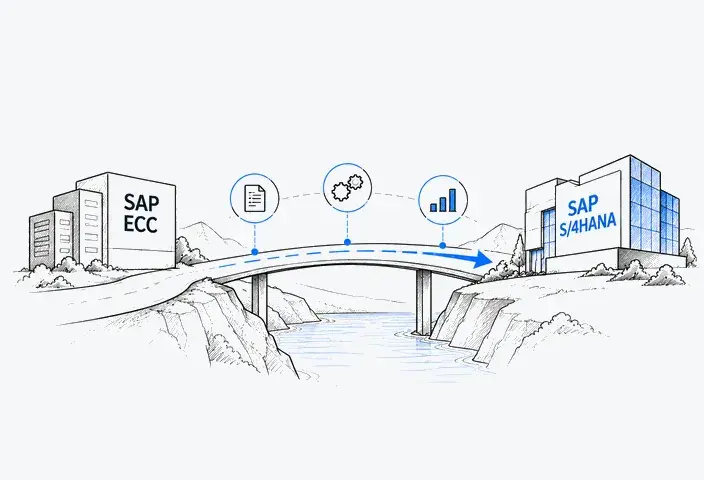
A request to "integrate Oracle with SAP" does not tell an implementation team which systems or processes are involved. An organization might run Oracle Fusion Cloud ERP, Oracle E-Business Suite, JD Edwards, or NetSuite alongside SAP. Another may be retiring its Oracle application entirely, while a third is converting SAP ECC running on Oracle Database to SAP S/4HANA. Those projects need different work plans and different interfaces.
The first question concerns what will remain in operation after the project. That answer separates ongoing ERP coexistence from application migration or SAP system conversion.
|
Scenario |
Business objective |
What happens to the systems |
|
ERP coexistence |
Connect Oracle and SAP processes while both applications remain operational |
Selected transactions and data are exchanged between the systems |
|
Application migration |
Replace an Oracle ERP application with SAP |
Required master data, open transactions, and selected historical data are migrated; affected interfaces are redesigned |
|
Database change during SAP conversion |
Move SAP ECC running on Oracle Database to SAP S/4HANA |
The SAP environment transitions to SAP S/4HANA and SAP HANA, with conversion and migration activities |
Coexistence requires an integration that continues after go-live, with ongoing mapping ownership, monitoring, and reconciliation. Migration and conversion projects have a wider scope, involving data validation and cutover planning. Some interfaces may be needed only during the transition, while others must remain operational afterward.
ERP coexistence may also require the exchange of shared master data, including customer and supplier records, materials, and units of measure. Companies should define which system owns each object, how identifiers are mapped across applications, and how changes are synchronized.
Which financial transactions should move from Oracle ERP to SAP?
Imagine a corporate group in which a subsidiary runs Oracle Fusion Cloud ERP and another legal entity keeps its accounts in SAP S/4HANA. The Oracle subsidiary initiates an intercompany settlement, and the SAP-managed entity needs a corresponding accounting entry. The integration transfers the approved information for that SAP-side posting. Routine entries that belong exclusively to the Oracle subsidiary stay in Oracle.
Finance teams must agree which transactions cross the boundary and which company code receives them. Mapping rules may cover general ledger accounts, cost objects, currencies, posting periods, and source-document references. An Oracle cost center, for example, may map to different SAP cost centers depending on the legal entity; using the source cost center alone would produce incorrect assignments. These rules need an owner because a change to the accounting structure can invalidate mappings that worked the previous month.
The integration also needs controls to prevent duplicate postings. A stable source transaction reference can support these checks, but the design must account for cases where SAP completes a posting, and the acknowledgment is lost.
For supported general ledger postings, SAP provides synchronous and asynchronous SOAP-based Journal Entry - Post APIs. In SAP S/4HANA Cloud Public Edition, these interfaces are associated with Finance - Posting Integration (SAP_COM_0002). Other financial processes, including supplier invoices and certain tax-related transactions, may need different APIs.
How should financial posting errors be handled?
A message can pass through middleware successfully and still fail SAP accounting validation. The posting period might be closed, the target account unavailable for the company code, or an account assignment invalid. To investigate the failure, the integration should retain the source transaction identifier, the SAP processing result, and the accounting document number when one is created.
Reconciliation needs to cover every submitted transaction. If Oracle sends 500 records, finance teams must be able to distinguish successful postings, rejected entries, and requests whose final status is unknown. That last category matters particularly for asynchronous interfaces, where SAP can accept a request before completing the accounting posting. SAP's Journal Entry - Post (Asynchronous) documentation describes monitoring and error handling through SAP Application Interface Framework (AIF). Before resubmission, the recovery procedure should establish the original posting outcome; an acknowledgment problem should never be allowed to create duplicate accounting entries.
What changes when the goal is group consolidation?
Sometimes headquarters needs the Oracle subsidiary's financial figures for group consolidation, with no requirement to recreate its operational journal entries in SAP. SAP S/4HANA Finance for Group Reporting can collect and process financial information from external applications, including through SAP Group Reporting Data Collection. The relevant mappings cover reporting units, financial statement items, currencies, and fiscal periods.
SAP's group reporting data acquisition guidance describes the available approaches. The consolidation model determines what information is needed and how it should be transformed.
Which middleware can connect Oracle ERP and SAP?
Companies already using Oracle Integration should review whether it supports the particular SAP operation they need. Its SAP S/4HANA Cloud Adapter for Oracle Integration 3 invokes supported OData operations and functions as an invoke connection, so the integration needs a suitable trigger. The Journal Entry - Post APIs discussed earlier use SOAP, for which Oracle Integration provides a separate SOAP Adapter. Before building the financial interface, the team must verify that the connection supports the intended operation, SAP communication scenario, WSDL, authentication, and any asynchronous response requirements.
SAP Integration Suite or another established middleware platform may be suitable as well. Existing connectivity, operational ownership, and the specific SAP interfaces should determine the choice.
How Does SAP E-Commerce Integration Handle Inventory and Orders?
A storefront needs accurate product information, prices, and stock availability to accept an order. Once checkout is complete, the transaction may involve SAP S/4HANA, a warehouse management system (WMS), an OMS, and a payment provider. Shopify, Adobe Commerce, and Salesforce Commerce Cloud can each play the storefront role, but responsibility for fulfillment and inventory varies by landscape.
The timing is particularly important when several stores share stock. Customers expect a quick checkout response, while SAP or another system may need longer to validate the order and confirm what can be delivered. A promotion puts both processes under pressure.
Which information must move between the storefront and SAP?
A company may connect SAP to a product information management (PIM) system, inventory services, and several storefronts. Five flows typically need coordination, with ownership assigned to the application responsible for each process.
- Catalog and pricing: Product identifiers, descriptions, prices, and relevant commercial conditions are synchronized with the storefront. B2B commerce may also require customer-specific prices and payment terms from SAP or another designated system.
- Inventory availability: SAP, a WMS, or an OMS provides stock information under agreed inventory ownership rules.
- Orders: The storefront submits a transaction for validation and processing. SAP returns a document reference and status when the order has been created.
- Fulfillment and financial information: Shipment and delivery updates reach the storefront or OMS. Payments, refunds, and returns follow the relevant commerce and accounting processes.
- Customer data: Customer records, contact details, billing and shipping addresses, and relevant identifiers are exchanged according to the agreed customer ownership and onboarding rules.
Catalog information can often be synchronized periodically; stock availability may need a faster response. Orders can be processed asynchronously when the storefront does not require an immediate final decision from SAP. The specific interface must support the operations involved, including the expected volume and error-handling behavior. For example, the Sales Order (A2X, OData V4) API supports creating, reading, and updating sales orders, with synchronous and asynchronous processing options for supported operations. Availability and restrictions depend on the deployment model and release; in SAP S/4HANA Cloud Public Edition 2608, the API has specific limitations:
- It cannot create or process multiple sales orders within a single OData changeset or atomicity group. A batch request can contain multiple changesets, subject to the API's restrictions.
- It does not support deleting sales orders.
- Sales orders without charge require a separate API.
These limitations matter when designing batch requests. Cancellations and customer returns also need suitable supported business operations and interfaces, which should be evaluated separately.
How can companies reduce overselling risk?
Consider a retailer with ten units left in stock and several storefronts selling the same product. One store checks availability and sees all ten. Before the customer completes checkout, another store accepts an order against that inventory. The first lookup was accurate at the moment it ran, but its result may no longer support the original promise.
Frequent updates reduce the time between stock changes and storefront visibility. They cannot, by themselves, control simultaneous commitments. The company needs to designate a system with authority to commit inventory, whether SAP, an OMS, or a dedicated inventory service.
All sales channels should follow that system's rules. An availability lookup reports a quantity at a moment in time; a reservation, where supported, allocates stock to specific demand. Available-to-promise calculations can establish quantities and delivery dates under the agreed business rules. Reservations also need release conditions: an abandoned checkout, a failed payment authorization, or an order cancellation may return stock to the available pool.
When an inventory commitment cannot be confirmed, the storefront should follow a defined sales policy. It may hold the order for confirmation, offer the customer a smaller quantity, or prevent checkout until availability can be verified. The appropriate response depends on what the business has promised its customers.
How should SAP process large numbers of online orders?
Flash sales can send more orders than SAP can immediately process. In scenarios suited to asynchronous exchange, a messaging component retains requests and forwards them at a controlled rate. The storefront can acknowledge receipt of the customer's request while the ERP transaction is still pending, as long as the message does not imply that SAP has already accepted the order.
Retries create another problem. Shopify may redeliver webhook messages, and its webhook verification guidance describes how X-Shopify-Webhook-Id helps detect duplicate deliveries and how HMAC signatures verify their origin. Those checks address webhook delivery and authenticity, while business-level duplicate prevention requires separate logic. The integration should therefore associate each source commerce order with its SAP sales order. If a response disappears after submission, it needs to establish the original outcome before sending another creation request; where that result cannot be determined, the order remains unresolved for investigation.
Which Integration Methods and Middleware Fit Each SAP Connection?
Integration teams make two connected choices. One concerns how the applications communicate: a synchronous API call, an event, an asynchronous message, or a scheduled file transfer. The other concerns which platform provides that communication and handles transformation, security, and monitoring. Choosing a platform first can obscure the processing requirements that should drive the design.
APIs, events, and batch processing: When should you use each?
A single process may need several patterns. An online order could start with a synchronous availability check, continue through asynchronous order submission, and use event-driven updates for fulfillment. The point of choosing a pattern is to meet a defined business requirement, including what should happen when a connected application is unavailable.
|
Business requirement |
Pattern to evaluate |
Selection criterion |
|
Retrieve a price during quoting |
Synchronous API |
Response time meets the quoting requirement |
|
Submit an order for later processing |
Asynchronous API or messaging |
Processing status can be traced and retries controlled |
|
Transfer financial records periodically |
Scheduled batch or asynchronous messaging |
Posting results can be reconciled to source records |
|
Notify applications of order status changes |
Event-driven communication |
Consumers can recover missed events and handle repeated messages |
|
Confirm available stock during checkout |
Synchronous availability service |
The response meets required latency and inventory rules |
|
Process promotional order volumes |
Queued or asynchronous processing |
Peak demand can be handled without losing requests |
Available interfaces constrain the choice. A synchronous price lookup may suit a salesperson's quote but fail at checkout if the service cannot meet the storefront's latency requirement.
Salesforce also applies API request allocations measured over a rolling 24-hour period, subject to licensing and entitlements. The Salesforce API Request Limits and Allocations documentation explains how they are calculated. If a proposed integration polls Salesforce frequently, teams should compare that request volume with alternatives such as selective synchronization, events, or bulk operations.
SAP Integration Suite vs. other middleware platforms
SAP Integration Suite runs on SAP Business Technology Platform (SAP BTP) and supports integration between SAP and non-SAP applications. Cloud Integration, API Management, and Event Mesh address different integration needs, though their availability depends on the service plan and required activation and configuration. SAP describes these offerings in its Integration Suite capabilities documentation.
An existing middleware investment may change the decision. A company already using MuleSoft, Boomi, or Oracle Integration should evaluate its SAP connectivity and support arrangements before adding another platform.
|
Middleware option |
When to consider it |
What to verify |
|
SAP Integration Suite |
SAP applications play a central role, and SAP-specific integration content is relevant |
Supported adapters, licensing, connectivity, and operational responsibilities |
|
MuleSoft or Boomi |
The enterprise already uses the platform for multiple application integrations |
SAP interface coverage, required extensions, and support ownership |
|
Oracle Integration |
Oracle applications are important to the integration landscape, and the platform supports the required SAP operations |
Adapter capabilities, authentication, and SAP-side processing requirements |
|
Custom point-to-point integration |
A limited, stable interface can be maintained without introducing additional middleware |
Lifecycle costs, security, monitoring, and the impact of future changes |
Custom point-to-point development may be reasonable for a limited, stable interface. As the landscape grows, however, each connection needs its own security controls, monitoring, and maintenance. These operating costs deserve consideration alongside the initial build.
For SAP S/4HANA, the interface design also affects upgrade risk. Connections built on internal tables or unreleased objects may require rework when the underlying data model or application changes, regardless of which middleware carries the messages. Using released APIs and supported extension mechanisms, including appropriate in-app or side-by-side extensibility, helps reduce those dependencies. Middleware alone cannot make an unsupported interface upgrade-stable. Our SAP integration guide covers the broader Clean Core and governance considerations.
Are prebuilt Salesforce and Shopify adapters available?
Check the available connectors before building one from scratch. SAP documents Salesforce connectivity options, including sender and receiver adapters and Salesforce Pub/Sub connectivity; availability depends on the SAP Integration Suite setup and capabilities. PROCLANE Integration also offers partner-developed products: a Salesforce Adapter for SAP Cloud Integration and a Shopify Adapter for SAP Cloud Integration. They may reduce connectivity development when their supported API versions, directions, and licensing match the project's requirements.
They do not eliminate the need to define the business process. Data mapping, validation, exception handling, and orchestration may still require configuration or custom work. Support responsibility also needs to be settled, especially when an adapter is maintained by a third party.
SAP also provides prepackaged integration content for connecting Shopify with SAP S/4HANA Cloud Public Edition through SAP Integration Suite. Designed primarily for B2C scenarios, it covers product, inventory, pricing, customer, order, cancellation, return, and delivery data flows.
What should companies plan for in 2027?
If a company still operates SAP Process Integration/Process Orchestration (PI/PO) 7.5, its maintenance timeline matters for new integration plans. Mainstream maintenance ends on December 31, 2027; optional extended maintenance is available through December 31, 2030 under applicable conditions.
Existing PI/PO dependencies should be identified before the team commits to a target integration platform. A PI/PO migration reference architecture, contributed by SAP customer Glencore and published in SAP Architecture Center, discusses relevant considerations. Reviewing adapters, mappings, custom developments, and connected applications helps determine which interfaces can be adapted and which require redesign. An interface's current implementation should not be assumed to transfer unchanged to SAP Integration Suite.
What Should Companies Verify Before Going Live?
Connectivity tests can show that two systems exchange messages, but they cannot confirm that SAP has accepted the intended business transaction. A test should cover both successful processing and the exceptions users will encounter in production. That might mean an expired discount in Salesforce, a closed accounting period for an Oracle-originated posting, or two storefronts submitting orders against limited inventory.
Each critical scenario needs representative data and an acceptance criterion that can be checked. The following examples focus on the result in the business system rather than the delivery status of a technical message.
|
Integration |
Test scenario |
Acceptance criterion |
|
SAP-Salesforce |
Quote with an expired discount |
Approved price or repricing exception returned |
|
SAP-Salesforce |
Order resubmitted after a timeout |
No duplicate SAP sales order; final processing status and SAP reference, if created, are traceable |
|
SAP-Salesforce |
Customer missing required sales area data |
Actionable error returned; no order created |
|
SAP-Oracle ERP |
Financial batch with a closed-period posting |
Rejected entry identified; every source record accounted for |
|
SAP-Oracle ERP |
Approved change to account mapping |
New mapping applied; unmapped records flagged |
|
SAP E-commerce |
Simultaneous orders for limited stock |
Commitments remain within the available quantity |
|
SAP E-commerce |
Cancellation of an order with reserved stock |
Reservation released under the agreed rules |
|
SAP E-commerce |
Order spike with retries |
No lost requests or duplicate SAP orders |
Security testing should cover the technical identities used by each interface, their permitted operations, authentication methods, and the procedures for renewing certificates or credentials. In SAP S/4HANA Cloud Public Edition, communication scenarios and communication arrangements determine which services are exposed and how the connections are configured. These settings should be reviewed before production access is enabled, particularly when integrations exchange financial or customer data. A successful functional test does not establish that an interface has only the access it needs.
Peak-load tests should use representative transaction sizes and rates, including temporary outages of SAP or another application. Teams need to verify what remains queued, how processing resumes, and which exceptions reach the responsible users. Results should be reviewed before production approval, with unresolved risks explicitly accepted or remediated.
Some problems only emerge after the initial SAP transaction succeeds. Where the project includes downstream processes, testing should follow the relevant document chain through delivery, goods issue, billing, and accounting, including any status updates returned to Salesforce or the storefront. A successfully created sales order does not establish that fulfillment and billing have been completed. The scope of these tests should reflect the processes actually connected by the project.
Monitoring and incident ownership also need agreement before go-live. When a failure crosses system boundaries, the support team should know who investigates the technical message, who checks the business transaction, and who is authorized to correct the affected document.
What Should You Ask an SAP Integration Partner?
A provider may have extensive SAP experience without having delivered the particular Salesforce, Oracle, or commerce integration your company needs. Ask for comparable projects and the application versions involved, then look beyond the initial demonstration. You need to know who will own interfaces, mappings, incidents, and changes after the solution goes live. These four questions can help make the proposed scope concrete:
- Which Salesforce, Oracle, or E-commerce integrations have you delivered, and which SAP releases and middleware platforms were involved?
- Which adapters are provided by SAP or third parties, and who will maintain and support them after go-live?
- Who will approve data mappings, manage integration exceptions, and maintain interface changes?
- Can you demonstrate how the proposed solution handles real transaction volumes, failed requests, and recovery after downtime?
The answers should identify what the implementation partner will deliver, what the customer must provide, and where a software vendor's support responsibility begins. Any exclusions should be clear before the scope and budget are agreed.
How LeverX Supports SAP Integration Projects
LeverX develops SAP integrations with third-party ERP, CRM, and commerce applications. Our expertise covers SAP BTP-based integration, standard SAP APIs, middleware, data transformation, and custom connectors for cloud and on-premises environments. Two projects illustrate how these capabilities work in practice.
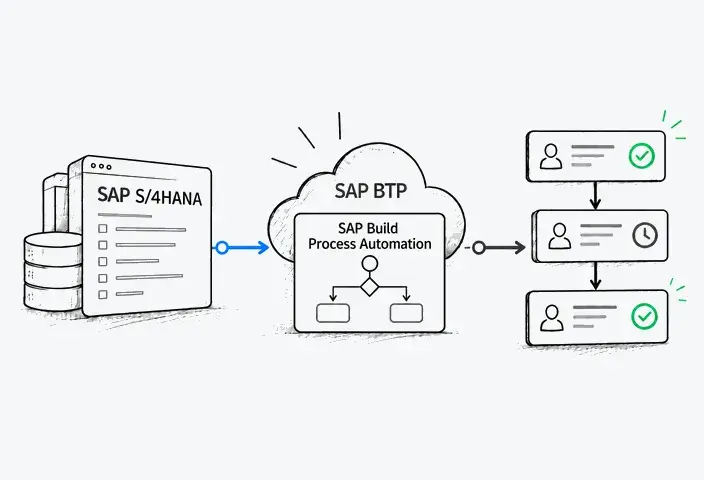
For a U.S. manufacturing conglomerate, LeverX automated sales order processing across multiple incoming channels, including email, PDFs, EDI messages, and web portals. The solution used SAP BTP, SAP Build Process Automation, and SAP AI Core to extract and process order data. Integration with SAP S/4HANA On-Premise relied on OData APIs and BAPIs. Combined with the broader automation solution, this reduced manual sales order processing time by 60%.
In another project, LeverX integrated an ERP environment with Adobe Commerce for a fragrance manufacturer. Using SAP Integration Suite on SAP BTP, the team automated data synchronization between the systems, replacing manual transfers. The project reduced data processing costs and enabled real-time updates.