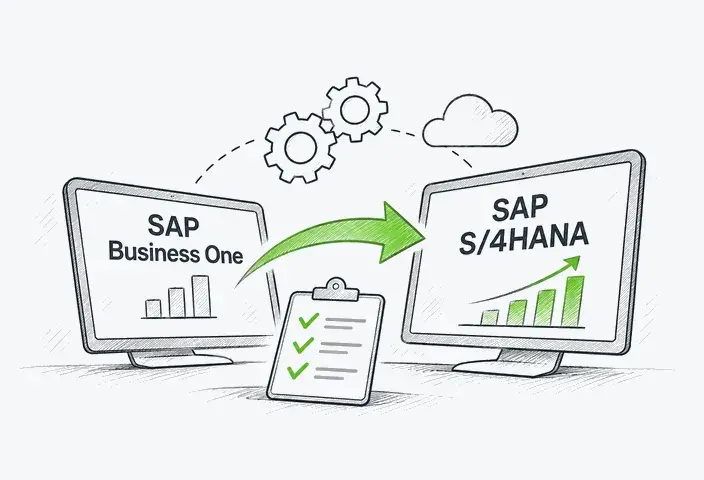
An SAP S/4HANA migration can change which applications employees can use and which data they can access. This guide covers role redesign, Fiori authorizations, segregation-of-duties checks, and post-migration access validation.
After migrating from SAP ERP Central Component (ECC) to SAP S/4HANA, companies may find that some employees can no longer perform their everyday tasks. Others may gain access to applications or data outside their responsibilities. Even well-maintained SAP roles can be affected by changes in business processes, application architecture, and authorization checks. Security teams and business process owners need to assess these changes during migration planning, with further checks on actual user access once the system goes live.
Quick answer: Prepare SAP roles and update the ruleset for segregation of duties (SoD) before go-live. After an SAP S/4HANA migration, verify production role and profile assignments, confirm that applicable SU25 changes are in place, test SAP Fiori and business data authorizations, and repeat access risk analysis. Remove temporary migration privileges and resolve unacceptable access risks before closing hypercare.
This article covers user access, role design, and authorization-related security risks in SAP S/4HANA on-premises and SAP Cloud ERP Private (formerly SAP S/4HANA Cloud Private Edition). SAP Cloud ERP (formerly SAP S/4HANA Cloud Public Edition) uses dedicated identity and access management applications, such as Maintain Business Roles, to configure business roles and access restrictions.
Why Do SAP Authorizations Change After an S/4HANA Migration?
A brownfield system conversion generally preserves existing users and roles. However, changes in the target release can affect the authorizations associated with those roles in several ways:
- Transactions and business processes. Some ECC transactions remain available in S/4HANA, while others have been replaced or discontinued. SAP provides tools for analyzing the Simplification Database and identifying affected SAP objects.
- Authorization checks. An updated application may check authorization objects it never checked in ECC. Even users who continue working with the same transaction may need changes to their roles.
- Master data management. SAP S/4HANA uses Business Partner as the leading object for maintaining customer and supplier master data, which can introduce additional access requirements.
- Application access. Introducing SAP Fiori can require catalog assignments, application start authorizations, and service-level permissions that users did not need when performing the same tasks through the SAP graphical user interface (SAP GUI).
- Custom applications and interfaces. Existing custom SAP applications and enhancements and integrations may need revised authorization checks when adapted to the S/4HANA data model or exposed through new services.
Consider an employee responsible for maintaining supplier master data after the transition to Business Partner. As described in SAP's Business Partner security documentation, B_BUPA_RLT restricts access according to business partner roles, while B_BUPA_GRP controls access based on authorization groups. The employee may need permission to change certain business partner roles while retaining display-only access to others. Depending on the activity, additional customer- or supplier-specific authorization objects may also apply.
Authorization problems can also originate in the applications themselves. According to Onapsis research published in January 2026, missing authorization checks accounted for nearly one-third of SAP security notes released during Patch Days in 2025. Alongside reviewing user roles, migration teams should verify that relevant security patches have been applied and that custom ABAP applications enforce the intended access restrictions.
How Does the S/4HANA Authorization Model Work?
With SAP Fiori, administrators need to account for how employees find and start applications, which services they can execute, and what they can do with the available business data. Business catalogs define the application content available through assigned roles, while spaces and pages organize that content within the SAP Fiori launchpad. SAP recommends organizing launchpad content and authorizations around catalogs, keeping application content and its authorization requirements together in roles maintained through the Profile Generator (transaction PFCG).
A user may see an application in the launchpad and still lack the service or business authorizations needed to use it. Removing an application from a launchpad page does not, by itself, revoke the underlying access permissions.
Where administrators maintain these authorizations depends on the deployment architecture. SAP recommends embedded deployment for S/4HANA, with front-end and back-end components residing in the same system. Companies using a standalone front-end server need to manage authorizations across separate systems.
SAP Fiori application, service, and business authorizations
SAP Fiori applications using Open Data Protocol (OData) services have different authorization requirements from classic SAP applications accessed through the launchpad.
|
Access component |
Authorization mechanism or configuration |
What to verify |
|
Application availability |
Business catalogs assigned through PFCG roles |
Catalog assignments correspond to the user's business responsibilities. |
|
Launchpad navigation |
Spaces and pages |
Users can find the applications they need through the intended navigation structure. |
|
OData V2 front-end service access |
S_SERVICE with relevant IWSG entries, where applicable |
Start authorizations cover the Gateway services required by assigned applications. |
|
OData V2 back-end service access |
S_SERVICE with relevant IWSV entries, where applicable |
Back-end service authorizations support the required application calls. |
|
OData V4 service access |
Authorizations at the service group level |
Service group authorizations cover the required applications without granting unnecessary service access. |
|
Classic SAP applications |
Application-specific start authorizations, such as S_TCODE for SAP GUI transactions |
Users can start approved transactions without receiving unnecessary transaction authorizations. |
|
Business data and operations |
Application-specific authorization objects and applicable ABAP Core Data Services (CDS) access controls |
Permitted activities and data access correspond to the user's organizational responsibilities. |
For OData V2 applications, administrators can retrieve service authorization defaults when assigning business catalogs to roles in PFCG. SAP Gateway OData V4 uses a service group model, with authorization requirements applying at the service group level. After adding catalog or service entries to a role, review the proposed authorization objects and maintain their field values according to the user's responsibilities.
During production role reviews, check for wildcard values in S_SERVICE. SAP recommends granting individual OData service authorizations in production environments because a wildcard value in the front-end authorization can allow users to call all activated OData V2 services. Application-specific checks may still restrict the operations and data available through these services.
How CDS access control affects data visibility
Two employees working with the same sales reporting application may see different sets of sales orders because their authorizations cover different organizational units. Applications based on ABAP CDS can enforce such restrictions through access controls defined using Data Control Language (DCL). As SAP explains in its documentation on implementing authorizations for read-only applications, DCL conditions can restrict query results based on fixed values or existing PFCG authorizations.
How to troubleshoot SAP Fiori authorization errors
An application may stop working after migration for reasons unrelated to user permissions. Configuration errors, inactive services, and connection problems can produce similar symptoms.
|
Symptom |
Potential cause |
Where to investigate |
|
An application is unavailable in the launchpad |
Missing catalog assignment, navigation configuration, or target mapping |
PFCG role menu and launchpad content |
|
An application fails to load |
Missing service authorization, inactive service, or connection issue |
SAP Gateway error logs and service configuration |
|
An application opens but displays incomplete data |
Organizational restrictions, CDS access controls, or application filters |
Business authorizations, CDS access controls, and application settings |
|
A user cannot complete an operation |
Missing activity authorization or an application-specific restriction |
Authorization trace and application logic |
|
A user can access unauthorized data |
Excessive authorizations, overlapping role assignments, or ineffective application checks |
Effective user access and application authorization checks |
SAP provides several tools for analyzing authorization checks. Start with SU53 to investigate recent authorization failures. If the information available there does not explain the problem, reproduce the affected business scenario with STAUTHTRACE to capture the authorization checks and field values involved. ST01 provides a broader system trace, although the trace and the session under investigation must run on the same application server. For errors involving OData services, consult the SAP Gateway error logs: /IWFND/ERROR_LOG helps investigate errors at the Gateway level, and /IWBEP/ERROR_LOG provides information about errors in the back-end system.
Before changing a role in response to a failed authorization check, confirm that the employee actually needs permission to perform the requested operation. Otherwise, resolving a support ticket may introduce excessive access.

How Should You Redesign SAP Roles for S/4HANA?
Companies with well-maintained ECC authorization models may be able to reuse substantial portions of their existing roles, depending on the migration approach. Throughout the redesign process, follow the principle of least privilege by granting employees access to the applications, activities, and organizational data they need for their work. SAP delivers business role templates for common job profiles, including purchasers, warehouse clerks, and quality managers. These templates can help administrators determine which applications to include in customer-specific roles.
Assess existing roles and business requirements
- Build a role inventory. Identify existing roles, user assignments, organizational restrictions, privileged access, and custom authorization objects. Include any directly assigned authorization profiles when assessing existing permissions.
- Analyze actual system usage. Use transaction usage data from tools such as Workload Monitor (ST03N). Ask business process owners about periodic activities, including financial closing and inventory counts, since employees may not have performed these tasks during the observed period.
- Map activities to target applications. Determine which transactions can be retained and which have a successor transaction or application. The SAP Fiori Apps Reference Library guide explains how to examine the business roles, catalogs, and technical requirements associated with applications in the target release.
- Adapt roles to the target business processes. If you use SAP-delivered role templates, create customer-specific versions and remove catalogs and applications outside the user's responsibilities. Maintain organizational restrictions for company codes, plants, or purchasing organizations, as applicable.
- Validate the redesigned roles. Test business scenarios and obtain approval before granting production access.
An accounts payable clerk, for example, may need to enter supplier invoices and display supplier master data. Maintaining supplier bank details or approving payment runs requires a separate authorization decision, even if the employee previously had those permissions in ECC.
How to use SU25 to update SAP authorization defaults and roles
During a system conversion, transaction SU25 helps administrators account for changes in authorization defaults delivered with the target release. SAP-delivered defaults are available in SU22, while administrators maintain customer-specific defaults in SU24 for use during PFCG role maintenance. A January 2025 SAP Community walkthrough describes how SU25 activities can be performed during a conversion project.
|
SU25 step |
Purpose |
|
2A |
Automatically compare SAP-delivered SU22 data with customer authorization defaults and transfer changes where no customer-specific conflicts exist. |
|
2B |
Review and reconcile differences affecting customer-specific authorization defaults. |
|
2D |
Review obsolete transactions and update application groups in existing role menus, where applicable. |
|
2C |
Determine which PFCG roles require revision following changes to authorization defaults and application content. |
The applicability and sequence of these activities depend on the target release and existing configuration. Completing the applicable updates to role menus before step 2C can help identify additional affected roles. Plan SU25 activities for the relevant ABAP clients and coordinate the transport of changes across the system landscape.
Changes to custom applications may also require revised authorization proposals. In these cases, administrators can use authorization trace results to maintain the corresponding defaults in SU24. Before removing or deactivating obsolete or replaced authorization objects in affected roles, check whether any custom applications still depend on them. Preserve the agreed business restrictions when adjusting authorization data, generate updated authorization profiles once the changes have been approved, transport the changes, and complete the necessary user comparison activities.
Adapt role design to the migration approach
How much of the existing authorization model a company can retain depends on the quality of its ECC roles and the processes, configurations, and organizational structures carried over to S/4HANA.
|
Migration approach |
Recommended role strategy |
|
Brownfield system conversion |
Adapt existing roles to changed authorization requirements and address inherited access risks. |
|
Greenfield implementation |
Design roles around approved target processes and organizational responsibilities. |
|
Assess role reuse for retained processes and redesign access for business areas undergoing transformation. |
Companies pursuing a brownfield conversion may continue nonessential role consolidation after go-live, provided they have validated business-critical authorizations and resolved unacceptable access risks before production use. Projects involving a separate conversion landscape require an additional check: administrators may continue modifying production roles in ECC while the target system is being prepared. Reconcile those approved changes with the S/4HANA configuration before cutover.
SAP authorization testing before go-live
Test both the operations users need to perform and those they should be prevented from performing. For a purchasing role, this could mean creating a purchase order for an assigned purchasing organization, attempting the same operation for an unauthorized organization, and checking whether the user can approve the order when approval falls outside their responsibilities. Include employees with multiple role assignments in the tests, since the combined permissions can allow activities that none of the individual roles would permit on its own.
For each test, record the user and role combination, business activity, organizational restrictions, and expected result. Compare the expected and actual outcomes, then repeat affected scenarios after making authorization changes. Obtain approval from business process owners before go-live and retain the records for comparison with actual production access after cutover.
Who is responsible for SAP role redesign?
Agree on who can approve access, implement authorization changes, and accept residual risks before role adaptation begins. The distribution of responsibilities depends on the company's governance model.
|
Responsible party |
Primary responsibility |
|
SAP security administrators |
Configure roles, investigate authorization issues, and implement approved technical changes. |
|
Business process owners |
Define business access requirements and approve authorization test results. |
|
Governance, risk, and compliance (GRC) teams |
Assess access risks and oversee mitigating controls and exception management. |
|
SAP migration team |
Coordinate authorization changes, transports, testing dependencies, and cutover activities. |
How to Run SAP Segregation-of-Duties (SoD) Checks After Migration
Segregation of duties forms part of an organization's GRC framework. Separating incompatible responsibilities, such as maintaining supplier master data and executing payments to suppliers, reduces the risk of fraud, errors, and unauthorized transactions.
However, an SoD ruleset developed for ECC may overlook conflicts involving applications introduced during an S/4HANA migration or continue reporting risks associated with functionality the company no longer uses. Check whether the ruleset accurately represents business activities in the new system before relying on access risk analysis results.
Update and validate the SAP SoD ruleset
In SAP Access Control, business functions group the actions associated with particular activities. Combining incompatible functions can introduce access risks, as can granting sensitive actions or permissions to individual users. When updating the ruleset, identify obsolete transactions and map the affected business activities to their S/4HANA successors. A supplier master data maintenance function, for example, may need different actions and authorization objects following the transition to Business Partner, even though the underlying business risk remains the same.
Update the actions and permissions in the ruleset to reflect Fiori applications, services, authorization objects, and field values. Include company-specific applications and critical access risks in the review. If employees perform parts of the same business process in different applications, such as SAP S/4HANA and SAP Ariba, assess whether cross-system risk analysis is necessary.
Before testing the revised ruleset, confirm that your access risk analysis tool has current authorization, role, and user assignment data from the target systems. In SAP Access Control, regenerate the affected rules where required. Use a controlled environment to test access combinations with known expected outcomes.
|
Validation scenario |
Expected result |
|
A test user holds two incompatible business functions. |
The ruleset reports the expected SoD conflict. |
|
A test user holds only one of the two conflicting functions. |
The specific SoD conflict does not appear in the results. |
|
The conflicting functions use replacement applications or authorization objects. |
The ruleset detects the risk through the new technical permissions. |
|
A potential conflict falls under an approved organization rule. |
The analysis excludes only combinations confirmed as false positives. Genuine access risks remain visible. |
Investigate both false positives (incorrectly reported conflicts) and false negatives (genuine conflicts that remain undetected). Pay particular attention to organization rules, since organizational separation alone does not establish that users can safely hold two potentially conflicting business functions.
Analyze and remediate access risks
SAP Access Control supports both action-level and permission-level risk analysis. Action-level analysis identifies potential conflicts based on available actions. Permission-level analysis also evaluates the authorization objects and field values specified in the risk definition, which can help distinguish between users who can start the same transaction and have different permissions within it.
After validating the ruleset:
- Run role-level analysis. Identify incompatible functions and critical access within individual roles.
- Simulate planned user assignments. Evaluate the combined access resulting from all roles a user would receive.
- Remediate identified risks. Remove unnecessary permissions, redistribute responsibilities, or adjust role structures. SAP's access risk management guidance recommends addressing the authorizations that introduce risks at their source.
- Review exceptions. Determine whether the company's security and compliance policies allow any unavoidable conflicts. Where permitted, define mitigating controls and obtain documented approval.
- Revalidate access. Repeat risk analysis after remediation and before provisioning. Run the analysis again against actual production assignments to identify any deviations from approved access.
Assign responsibility for performing and monitoring each mitigating control. Define how often the control must be performed, how long it remains valid, and what evidence to retain. Periodically review whether it still addresses the identified risk.
Include technical accounts used for remote function call (RFC) connections, background processing, and SAP integrations in risk assessments. Some of these accounts require permissions that would be inappropriate for dialog users, so evaluate their access against their technical purpose and the controls available to address associated risks. Risk analysis should also continue after the migration whenever users request access or administrators change existing roles. SAP Access Control supports workflow-based approvals with embedded risk analysis.
SAP S/4HANA Post-Migration Security Audit Checklist
Employees' actual production access may differ from the configuration approved during testing. Administrators may have assigned additional roles during cutover, left temporary permissions in place, or changed authorization values while resolving hypercare incidents. Begin the review as part of go-live validation and complete outstanding checks during hypercare. Use the applicable parts of this checklist again after major releases, changes to business responsibilities, or significant role updates.
Users and critical access
- Actual production role and profile assignments match approved user access, including any directly assigned authorization profiles.
- Routine user access excludes SAP_ALL, and any emergency use follows documented controls.
- Administrators have removed temporary migration and hypercare permissions, including assignments of the generated SAP_NEW role where applicable, once permanent authorizations are in place.
- Standard users, including SAP* and DDIC, have protection against unauthorized use in all relevant clients.
- Inactive or redundant user accounts have undergone review according to the company's access lifecycle policy.
- Technical accounts have approved owners, documented purposes, and permissions restricted to their operational requirements.
- Emergency access sessions have been logged and reviewed by designated controllers or equivalent responsible personnel.
The ABAP Platform Security Guide describes how administrators can use a generated SAP_NEW role to accommodate new authorization checks during an upgrade. Assign this role only to affected users for the period needed to update their permanent roles. SAP no longer uses the former composite profile SAP_NEW for this purpose.
Roles and authorizations
- Administrators have completed the applicable SU25 activities and reviewed and updated affected roles.
- Generated authorization profiles and approved role changes are available in production.
- Application and service authorizations correspond to the deployed application types and architecture.
- Production roles contain no unnecessary wildcard values in S_SERVICE.
- Tests of representative customer and supplier scenarios, including display and maintenance activities in transaction BP, confirm the intended B_BUPA_RLT and B_BUPA_GRP restrictions.
- Tests confirm other business-critical master data access restrictions.
- Positive and negative authorization tests confirm that users can perform approved operations and cannot perform unauthorized operations within the scenarios tested.
- Tests have confirmed that business-critical custom applications and interfaces enforce the intended access restrictions.
- Administrators have resolved business-critical authorization issues identified during hypercare through approved changes that avoid granting excessive privileges.
- Remaining authorization issues have documented risk assessments and approved remediation plans.
Segregation of duties
- Role-level and user-level risk analysis results reflect the validated S/4HANA ruleset and actual production assignments.
- The company has resolved unacceptable access risks and documented approvals for permitted exceptions.
- Mitigating controls remain operational, within their validity periods, and supported by evidence of execution.
- Risk assessments cover critical actions and permissions, including relevant cross-system access risks.
Monitoring and governance
- The Security Audit Log operates with event filters maintained through RSAU_CONFIG and aligned with the company's security monitoring requirements.
- Security event collection, review, and retention follow company policies.
- Applicable change documents and logs allow administrators to trace changes to user accounts, role assignments, and authorization data.
- Business owners have confirmed production access for their respective areas.
- Periodic access recertification has defined owners, review intervals, and procedures for removing unnecessary permissions.
When can you close post-migration authorization validation?
Close post-migration authorization validation once the team has resolved business-critical access defects, removed temporary migration permissions, and addressed all unacceptable access risks. If lower-risk issues remain open, document the assessment of each issue, obtain approval for exceptions where necessary, and agree on who will resolve it and by when. Obtain formal approval from the designated business and security owners before transferring responsibility to the operational support team.
For subsequent audits and access reviews, retain the completed checklist, authorization test results, risk analysis reports, approved exceptions, and evidence of temporary access removal.
How LeverX Helps Secure SAP Access After an S/4HANA Migration
As an SAP Gold Partner with over 20 years of SAP experience, LeverX provides SAP security services for companies preparing for an S/4HANA migration and those already operating the system. Depending on the company's requirements, our specialists can review existing roles before conversion, support authorization remediation during the project, or assess access risks in production.
Our services include:
- Security assessments and audits: examining existing access controls, identifying vulnerabilities, and recommending corrective measures.
- SAP user and role management: designing and adapting authorization roles and improving user provisioning.
- GRC implementation: configuring SAP solutions to support access risk analysis and compliance monitoring.
- Security monitoring and incident response: identifying suspicious activity and helping investigate and resolve security issues.