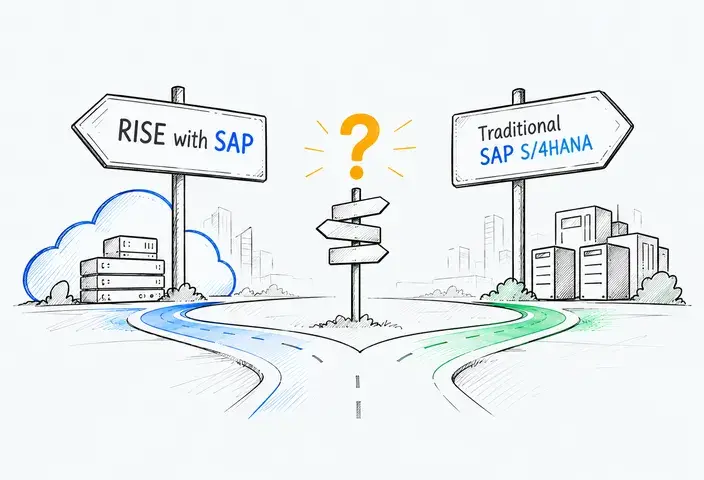
Learn when to move from SAP Business One to SAP S/4HANA, how to choose the right deployment model, and what to consider when planning your ERP migration.
SAP Business One can continue to support a company as it grows. The need to move to SAP S/4HANA usually arises when business requirements become more complex, integrations become harder to maintain, or existing workarounds cost more than they deliver. The decision depends on whether the current ERP landscape can support future operations without disproportionate effort and expense.
Quick answer: Moving from SAP Business One to SAP S/4HANA requires a new implementation rather than a direct system conversion. Because the two ERP products have different application architectures and data models, organizations must plan the migration of relevant data, configure business processes, and rebuild or replace integrations.
This guide explains how to assess migration readiness, choose a suitable SAP S/4HANA deployment option, define the migration scope, estimate project costs, and manage implementation risks.
When Should a Business Consider Moving Beyond SAP Business One?
The case for ERP migration becomes stronger when operational complexity creates measurable costs, delays, or control gaps that existing functionality and targeted improvements cannot adequately address.
Signs that ERP complexity is becoming a business constraint
Several developments may indicate that the existing environment needs reassessment:
- Organizational complexity. New subsidiaries, acquisitions, and regional operations may introduce different organizational structures, approval hierarchies, and intercompany workflows. SAP Business One supports multiple branches and can support intercompany processes through additional integration solutions, but coordinating a growing landscape may increase administrative and maintenance effort.
- Process complexity. Finance, procurement, inventory, and production teams may depend on manual handoffs or heavily customized workflows. As requirements change, adapting these processes can involve extensive development, testing, and coordination across departments.
- Integration complexity. Connections to CRM, warehouse management, e-commerce, EDI, and tax systems may accumulate over time. When bespoke interfaces require extensive maintenance or make system changes difficult, integration costs become part of the ERP replacement decision.
- Reporting and governance requirements. Finance teams may need consistent reporting definitions, more detailed audit trails, and standardized financial controls across business units. Heavy reliance on spreadsheets and manual adjustments can make reporting less reliable and harder to validate.
When staying on SAP Business One may still make sense
Some challenges can be addressed without replacing the ERP. If existing functionality covers most business requirements, targeted configuration changes, supported add-ons, or integration improvements may be more economical.
For example, a distributor struggling with inconsistent inventory information across three warehouses should first examine data synchronization and warehouse procedures. Replacing the ERP will not automatically correct inaccurate master data or poorly designed processes.
The decision should compare the total cost of maintaining and improving SAP Business One with the expected benefits, implementation costs, and organizational impact of adopting SAP S/4HANA. The assessment should identify requirements the current landscape cannot reasonably meet, rather than treating growth as sufficient justification for migration.
SAP Business One vs. SAP S/4HANA: What Actually Changes?
SAP Business One and SAP S/4HANA support many of the same core business functions, but they differ in the depth of available capabilities, organizational models, and approaches to system management. SAP Business One focuses on integrated ERP processes for small and midsize businesses, while SAP S/4HANA supports a broader range of enterprise requirements.
The differences become clearer when comparing specific capabilities rather than company size alone.
|
Dimension |
SAP Business One |
SAP S/4HANA |
|
Organizational model |
Supports multiple branches within a company and intercompany processes across separate companies through relevant integration solutions |
Supports complex organizational structures, centralized controls, and enterprise-wide processes |
|
Financial management |
Core accounting, cost accounting, financial reporting, and consolidation options through additional solutions |
Integrated financial and management accounting, with group reporting capabilities depending on the scope |
|
Process coverage |
Purchasing, sales, inventory, production, and other core SMB processes |
Broader enterprise capabilities across finance, procurement, manufacturing, and supply chain operations |
|
Analytics |
Built-in reporting, dashboards, and analytics options, including SAP HANA-based capabilities |
Embedded analytics and operational reporting, with additional analytical capabilities depending on the solution |
|
Extensions |
SDK-based customizations, APIs, and third-party add-ons |
Configuration, APIs, and in-app or side-by-side extensions, subject to deployment-specific restrictions |
|
Integration |
Service Layer, integration framework, APIs, and partner solutions |
Standard APIs, integration content, business events, and SAP BTP integration services where supported |
|
System operations |
Customer- or partner-managed deployment and maintenance, depending on hosting arrangements |
Cloud and on-premises operating models with differing responsibilities for upgrades, infrastructure, and extensions |
Why the technical architecture matters
SAP Business One can run on Microsoft SQL Server or SAP HANA, while SAP S/4HANA is built exclusively on SAP HANA. However, the distinction extends beyond database technology.
SAP S/4HANA uses a different application and financial data model, including the Universal Journal, which integrates financial and controlling information within a common structure. This can simplify certain reporting and reconciliation activities, although it does not eliminate all financial controls or consolidation procedures.
The operational value comes from how these capabilities are configured and integrated into business processes, rather than database performance alone.

Which SAP S/4HANA Deployment Option Fits Your Business?
Choosing the target SAP S/4HANA environment is a separate decision from planning the migration itself. Companies moving from SAP Business One should evaluate their functional requirements, industry-specific processes, integration landscape, and preferred operating model before committing to a deployment option.
SAP Cloud ERP
SAP Cloud ERP provides a standardized SaaS environment built around fit-to-standard implementation. Organizations adopt supported business processes and use defined configuration and extension options rather than modifying the ERP core.
Before selecting this option, companies should validate critical business scenarios against the available solution scope, including US localization, industry-specific functionality, and required integrations.
SAP Cloud ERP Private
SAP Cloud ERP Private supports more extensive configuration and extensibility within an SAP-managed cloud environment. This can accommodate specialized processes that fall outside the standard scope of SAP Cloud ERP.
Organizations should evaluate the additional design, testing, and application maintenance responsibilities associated with the chosen solution. Greater flexibility can also increase the effort required to manage changes over time.
How to make the selection
The following criteria can help organizations assess their options:
|
Evaluation area |
SAP Cloud ERP |
SAP Cloud ERP Private |
|
Business processes |
Emphasizes fit-to-standard processes and supported standard functionality |
Offers greater flexibility for specialized processes and requirements |
|
Customization |
Prioritizes standard configuration and supported cloud extensions |
Provides broader customization options, subject to technical constraints |
|
Industry requirements |
Requires validation against available industry-specific functionality |
May support additional industry capabilities and configuration options |
|
Integrations |
Supports published APIs and defined integration patterns |
Offers additional integration and extensibility options, depending on the architecture |
|
Release management |
Standardized SaaS release and update model |
Different upgrade arrangements and greater flexibility in lifecycle planning |
|
Operating model |
Standardized cloud operations with SAP-managed infrastructure |
More flexible operating arrangements with additional management considerations |
On-premises SAP S/4HANA may also be appropriate for organizations that require direct control over their ERP infrastructure, system operations, and upgrade schedules. This model places greater responsibility for infrastructure management, maintenance, and upgrades on the customer or its service providers. Companies should evaluate these responsibilities alongside their technical requirements and long-term operating costs.
The assessment should result in a documented target-system decision, including confirmed functional coverage, accepted gaps, extension requirements, and operating responsibilities.
Can You Convert SAP Business One Directly to SAP S/4HANA?
The main technical limitation is the lack of a supported in-place conversion path between SAP Business One and SAP S/4HANA. This affects how existing configurations, application components, and custom developments are treated during the transition.
Why the Brownfield system conversion doesn’t apply
Brownfield system conversion is designed for eligible SAP ERP landscapes, such as SAP ECC, where existing system configurations and data can be adapted to SAP S/4HANA through a supported conversion process.
SAP Business One does not meet these prerequisites. Even when deployed on SAP HANA, its application structure remains different from SAP S/4HANA. Using the same database technology does not make the two ERP products directly convertible.
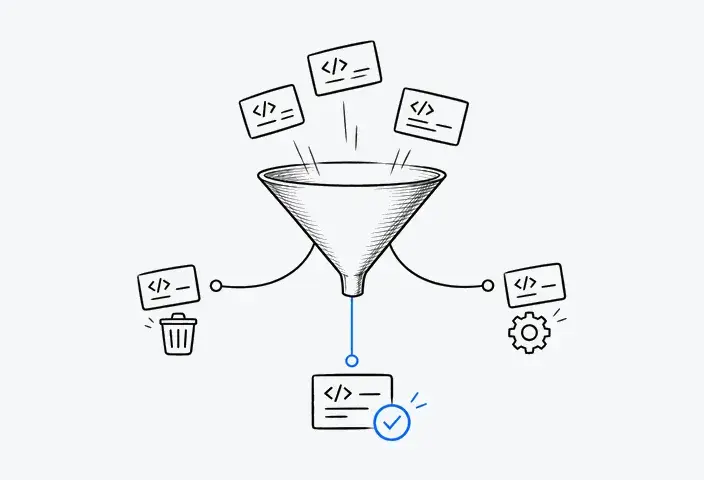
Existing SAP Business One add-ons and custom developments require a functional and technical assessment. For each solution, the team should identify the business process it supports, determine whether equivalent functionality exists in the target SAP S/4HANA environment, and decide whether to replace, redesign, or retire it. The assessment should also account for vendor support and dependencies on existing interfaces.
The same assessment applies to reports built around SAP Business One-specific tables or queries. Their business requirements may remain valid, but the reporting logic and data sources will need to be reassessed for the target environment.
What a new implementation means in practice
An SAP Business One transition involves three related but distinct decisions:
- New implementation (Greenfield) defines the approach to establishing and configuring the target SAP S/4HANA environment.
- Selective data migration determines which source records are transferred to the new system. It does not represent a supported Brownfield system conversion path for SAP Business One.
- Phased rollout determines whether organizational units or processes move to the new system simultaneously or in separate waves.
These decisions can be combined. For example, a company may implement a new SAP S/4HANA environment, migrate selected business records, and roll out the solution to subsidiaries in stages.
The transition strategy should also specify which existing applications, integrations, and custom developments will be retained, redesigned, replaced, or retired.
What Data Should Move from SAP Business One to SAP S/4HANA?
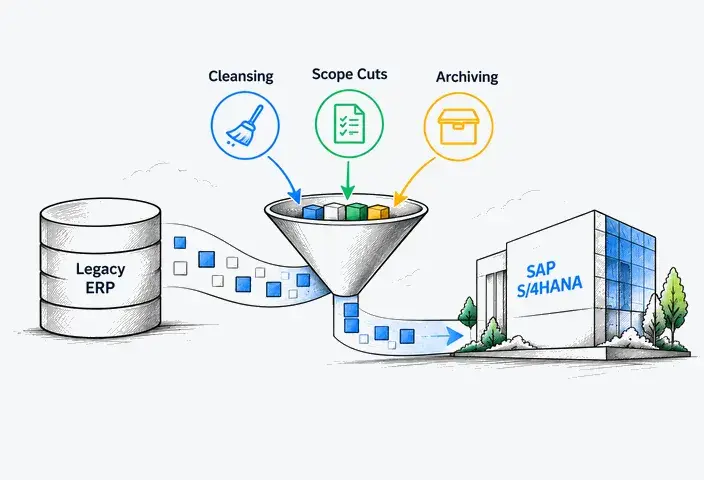
Moving every record from SAP Business One is rarely necessary or practical. Migration scope should reflect what the new ERP needs to operate, which financial information must be reconciled, and what historical records must remain accessible. Each data category requires a different treatment.
Define data scope before choosing migration tools
|
Data category |
Examples |
Migration decision |
|
Master data |
Customers, suppliers, items, charts of accounts, organizational references |
Clean, harmonize, map, or exclude |
|
Open transactions |
Open sales and purchase orders, outstanding customer and supplier invoices, and other uncompleted business documents |
Transfer, close, or recreate, depending on business requirements and supported migration objects |
|
Financial balances |
General ledger and subledger balances, inventory valuation, and opening balances |
Map, reconcile, and validate |
|
Historical records |
Closed transactions, financial documents, audit records, and reporting history |
Archive or retain access; assess separate historical data migration requirements where technically supported |
The final scope depends on operational requirements, available migration objects, reporting needs, and applicable retention obligations. Not every SAP Business One data object has a direct equivalent or supported migration path in SAP S/4HANA.
Plan data mapping and quality controls
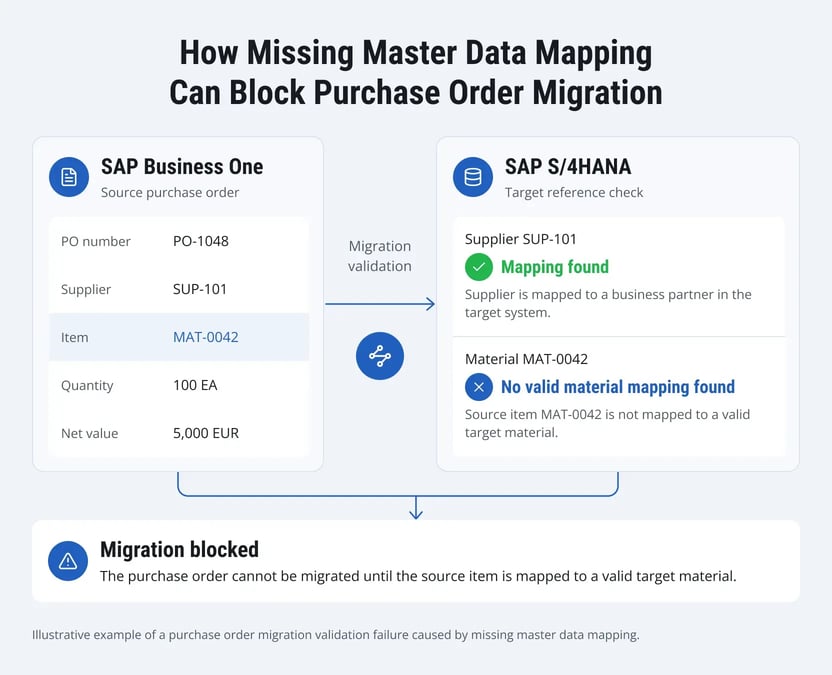
SAP Business One data must be aligned with the target SAP S/4HANA organizational and data structures. This includes mapping customer and supplier records to the Business Partner model, aligning charts of accounts, and resolving inconsistent identifiers.
Data validation should include:
- Ownership: Assign business owners to approve mapping and transformation rules.
- Quality: Identify duplicates, missing values, inactive records, and inconsistent references.
- Reconciliation: Compare source and target record counts, relevant financial totals, and key business attributes. Define acceptable differences, investigate exceptions, and obtain approval from the responsible business owners.
SAP Business One is not a supported source system for the standard direct transfer approach in SAP S/4HANA Migration Cockpit. Instead, organizations must extract and transform SAP Business One data, map it to the relevant target structures, and load it through supported migration objects using staging tables. The available objects and data preparation requirements depend on the selected SAP S/4HANA environment.
Decide what happens to historical data
Historical transactions do not necessarily belong in the new ERP. Historical transactional data is generally outside the scope of standard SAP S/4HANA Migration Cockpit transfers. Organizations should preserve access through appropriate archival or legacy-system retention arrangements, while assessing any separate historical data migration requirements against the capabilities of the selected target environment.
The decision should account for audit requirements, reporting dependencies, record integrity, and retrieval capabilities. For US businesses, the IRS requirements for automated records also highlight the need to preserve accessible accounting information and supporting documentation where applicable.
Retiring SAP Business One is therefore a separate decision from completing the initial data migration. Before decommissioning, organizations should confirm that required historical records remain accessible and usable.
How to Plan and Execute an SAP Business One to SAP S/4HANA Migration
The following six-stage roadmap adapts the general principles of the SAP Activate methodology to a transition from SAP Business One to SAP S/4HANA. Each stage has a defined deliverable to support project planning, acceptance, and progression.
Phase 1: Assess the existing ERP landscape
Document the current SAP Business One environment, including active functionality, custom developments, third-party add-ons, integrations, and reporting dependencies. Map critical business processes and identify the stakeholders responsible for technical and business decisions.
Deliverable: Current-state assessment, identified constraints, and preliminary project scope.
Phase 2: Design the target SAP S/4HANA environment
Confirm the selected deployment model and conduct fit-to-standard assessments where applicable. Define the target organizational structure, business processes, and extension architecture. Identify gaps between existing functionality and the proposed solution, including customizations that require replacement or redesign.
Deliverable: Approved solution design, functional gaps, and integration requirements.
Phase 3: Configure SAP S/4HANA, prepare data, and build integrations
Configure SAP S/4HANA according to the approved solution design, including organizational structures, financial accounting, procurement, sales, and other in-scope business processes. Develop the required extensions using supported approaches and implement connections to external applications, such as banking, tax, warehouse, and customer-facing systems.
In parallel, prepare source data according to the agreed mapping and transformation rules. Validate integration specifications, authentication, and data exchange requirements to prepare the target environment for end-to-end testing.
Deliverable: Configured SAP S/4HANA environment with implemented extensions, connected interfaces, and test-ready data.
Phase 4: Validate processes and prepare users for go-live
Test end-to-end business scenarios across finance, procurement, sales, and other in-scope functions. Perform reconciliation checks, integration testing, and user acceptance testing. Migration rehearsals should establish execution times, identify unresolved issues, and confirm whether the system meets agreed acceptance criteria.
Assess user readiness for redesigned processes and SAP S/4HANA interfaces. Provide role-based training, update operating procedures, and confirm that employees understand their responsibilities in the new environment. Business process owners should verify that critical tasks can be performed without relying on undocumented workarounds.
SAP Cloud ALM can support test planning, execution tracking, and integration with automated testing tools.
Deliverable: Documented test results, migration rehearsal findings, business acceptance evidence, and confirmed user readiness.
Phase 5: Execute cutover and go-live
Execute the approved cutover sequence, including transaction freezes, final data transfers, reconciliation, and interface activation. Designated decision-makers should review production readiness against agreed go/no-go criteria and authorize activation or invoke the relevant contingency procedures.
Deliverable: Approved production transition with validated financial and operational results.
Phase 6: Stabilize operations and complete handover
During hypercare, monitor critical transactions, resolve production issues, and transfer operational knowledge to support teams. Confirm the arrangements for retaining or retiring SAP Business One once outstanding dependencies have been addressed.
Deliverable: Operational handover, stabilization approval, and documented legacy-system disposition.
For multi-entity organizations, rollout sequencing requires additional consideration. Phased deployment can limit the number of units affected by one go-live, but temporary intercompany interfaces, dual operating procedures, and cross-system reconciliation may be necessary until all entities have transitioned. A structured SAP global template and rollout strategy can help organizations coordinate shared processes and local requirements across deployment waves.
During temporary coexistence, organizations must also establish clear ownership of shared master data and transactions. For example, if one subsidiary operates in SAP S/4HANA while another remains on SAP Business One, the integration design must specify where intercompany transactions originate, how updates are synchronized, and which system provides the authoritative financial records. These rules should remain in place until the relevant entities complete their transition.
What Are the Main Risks of SAP Business One Migration?
Migration risks are not limited to technical failures. Financial discrepancies, interrupted operations, and weak access controls can affect business continuity even when the new SAP S/4HANA environment operates as expected. Each critical risk requires a responsible owner, defined acceptance criteria, and evidence that appropriate controls are working.
Financial integrity
Incorrect account mappings or incomplete transaction transfers can create differences between opening balances and supporting financial records. Finance teams should approve reconciliation results, investigate material discrepancies, and document any accepted exceptions before production sign-off.
Business continuity and integration failures
Critical processes may fail if external applications exchange incomplete data or dependencies remain unresolved. Organizations should validate end-to-end transactions, monitor interface exceptions, and establish contingency procedures for processes that cannot tolerate prolonged interruption.
Security and access controls
Recreating existing access arrangements in SAP S/4HANA without reassessing business responsibilities can result in excessive permissions or segregation-of-duties conflicts. Access reviews, segregation-of-duties checks, and authorization testing help identify these gaps before users begin working in the new environment.
Operational ownership and support readiness
Unclear responsibility for production issues can delay recovery when problems cross business, application, and integration boundaries. Organizations should define incident ownership, escalation paths, support coverage, and handover responsibilities before production acceptance.
A structured SAP program governance model helps define control ownership, escalation procedures, and approval authority for unresolved risks.
US compliance considerations
US companies must also assess how the transition affects applicable financial reporting, internal control, and tax requirements.
- US GAAP. Account mappings, opening balances, and accounting policies must support applicable financial reporting standards. SAP S/4HANA does not automatically establish GAAP compliance. The FASB Accounting Standards Codification provides the relevant accounting framework.
- Sarbanes-Oxley Act (SOX). Organizations subject to applicable SOX requirements should assess how redesigned workflows, new authorization roles, and changed financial interfaces affect internal control over financial reporting. Relevant controls may require updated documentation and testing before the new environment is accepted. Section 404 obligations vary by reporting status and should not be treated as universal.
- State and local sales tax. Tax determination, exemption handling, and reporting must reflect the company's jurisdictions and transaction types. Existing tax engines and related integrations may require reconfiguration or replacement.
These requirements should be translated into documented acceptance criteria and reviewed by the relevant finance, tax, security, and compliance stakeholders.
What Determines the Cost and Timeline of SAP Business One Migration?
The cost and duration of an SAP Business One to SAP S/4HANA migration depend on the scope of the target solution, the complexity of the existing environment, and the resources available for implementation. Two companies with similar transaction volumes may face very different project requirements.
Factors affecting implementation effort
Five factors have the greatest influence on project estimates:
- Functional scope. Implementing standard finance and purchasing processes generally requires less effort than redesigning complex manufacturing, logistics, or cross-functional workflows.
- Organizational scope. Multiple subsidiaries, operating locations, local requirements, and rollout waves increase coordination and configuration effort.
- Data migration complexity. Inconsistent source data, complex mappings, financial reconciliation requirements, and historical access needs affect preparation and validation work. Record volume alone is not a reliable measure of complexity.
- Integrations and extensions. Existing interfaces, third-party applications, and custom functionality may require replacement, redevelopment, or additional testing.
- Testing and business readiness. Validation cycles, user availability, training requirements, and operational restrictions influence the resources needed to complete the project.
One-time costs vs. recurring costs
Migration budgets should distinguish initial implementation spending, ongoing operating expenses, and temporary costs associated with running two ERP environments.
One-time costs typically include solution assessment, configuration, process redesign, data migration, integration development, testing, user training, and eventual SAP Business One decommissioning.
Recurring costs may include SAP subscriptions or licensing, application support, third-party software, integration operations, monitoring, and ongoing enhancements. Organizations may also incur expenses for retaining historical SAP Business One data in an accessible environment.
Temporary transition costs can include parallel system operations, continued SAP Business One support, additional integration maintenance, and overlapping licenses or subscriptions where applicable.
The timing of license termination, contractual obligations, and any ongoing access rights should be reviewed against existing agreements. Cost estimates should account for these commitments rather than assuming that SAP Business One expenses end immediately after SAP S/4HANA goes live.
Why implementation timelines vary
Schedules are shaped by three main dependencies: the extent of process redesign, the number of configuration and validation cycles, and the availability of business teams for decisions and testing. Multi-entity rollout sequencing and restrictions on production changes can also affect the overall timeline.
A preliminary estimate should document scope assumptions, exclusions, external dependencies, and contingency allowances. This gives stakeholders a basis for comparing proposals and assessing the impact of future scope changes.

How LeverX Supports SAP Business One to SAP S/4HANA Migration
LeverX helps organizations evaluate their SAP Business One environments and plan transitions to SAP S/4HANA based on business requirements, technical constraints, and operational priorities. Our SAP S/4HANA migration services cover solution planning, implementation, and post-go-live activities.
Migration assessment and target architecture
We assess the existing SAP Business One landscape, identify functional and technical dependencies, and evaluate the target SAP S/4HANA environment. The resulting scope defines architectural requirements, system boundaries, and areas requiring process redesign.
Data migration and validation
Our SAP data migration services include data profiling, mapping, transformation, and validation. We help establish reconciliation procedures and prepare relevant business and financial records for the target system.
Integration and extension modernization
We evaluate existing SAP Business One add-ons, custom developments, and external interfaces to identify functionality that can be replaced, redesigned, or retired. Integration work connects SAP S/4HANA with the applications required for continued operations.
Testing, cutover, and stabilization
LeverX supports business process testing, migration rehearsals, cutover preparation, and production stabilization. We also help establish support arrangements and transfer operational knowledge to internal teams.
Conclusion
A well-planned SAP Business One to SAP S/4HANA transition starts with a clear understanding of what the new environment must support and what should remain outside the migration scope. Documented requirements, agreed data boundaries, and measurable acceptance criteria provide the foundation for a controlled implementation and a sustainable ERP operating model.