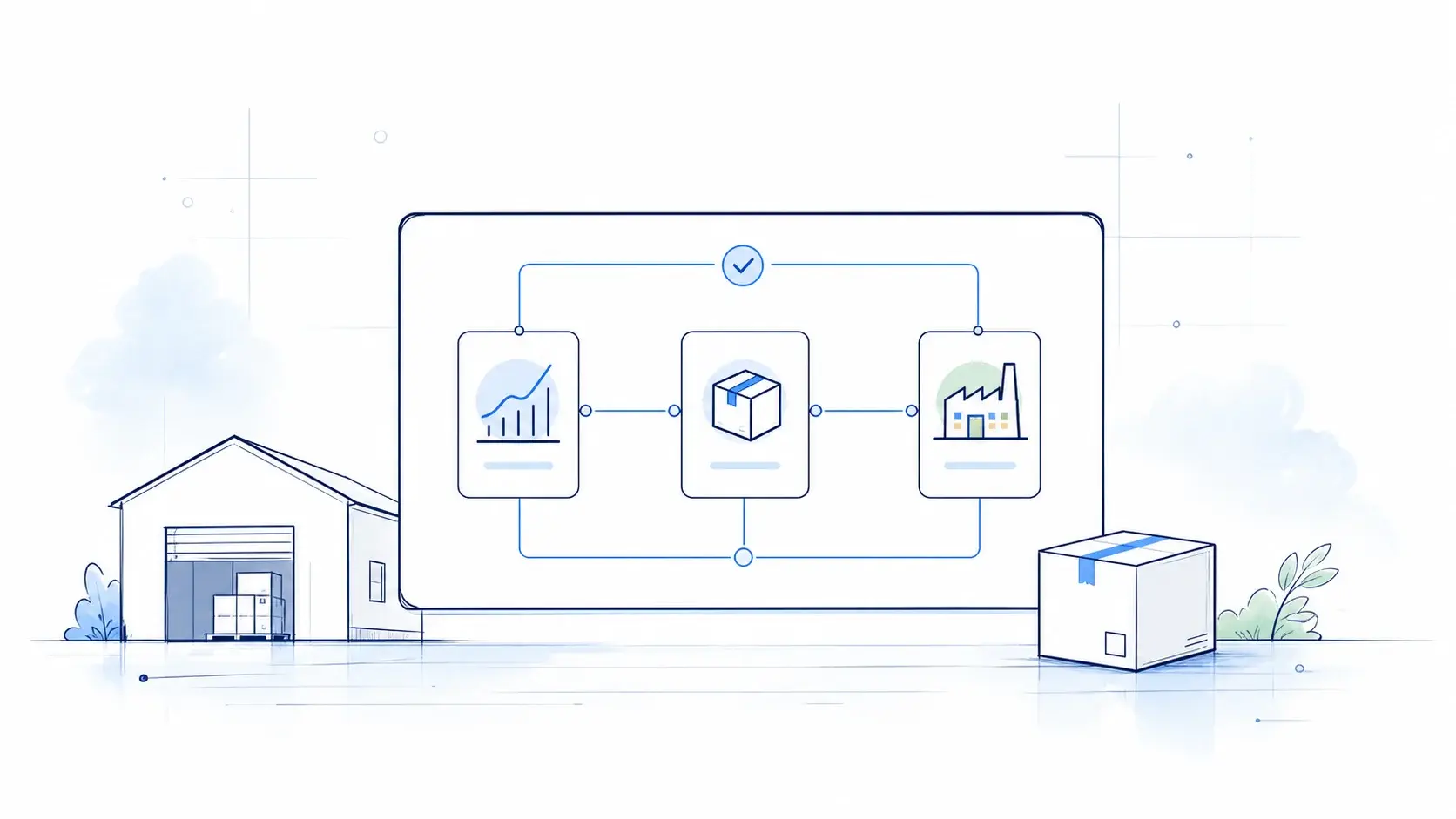
A practical guide to SAP EWM implementation, covering architecture, warehouse processes, integration, costs, timelines, and delivery best practices.
A practical guide to SAP EWM implementation, covering architecture, warehouse processes, integration, master data, costs, timelines, and delivery best practices.
Modern enterprise supply chains are under growing pressure. Volatile demand, labor shortages across regional logistics hubs, tighter delivery windows, and the rapid expansion of omnichannel fulfillment are making warehouse performance a direct factor in business growth.
For global organizations, the warehouse can no longer operate as an isolated back-office function. As order volumes increase and fulfillment models become more complex, companies need greater visibility into inventory, tighter control over physical operations, and the ability to coordinate warehouse labor, automation, and enterprise processes in real time.
Traditional approaches often struggle to provide that level of control. Paper-based picking, fragmented inventory tools, manual task allocation, and automation managed through disconnected systems can work at a limited scale, but they become increasingly difficult to manage as operational complexity grows.
At this point, simply knowing how much inventory the business has is no longer enough. The warehouse also needs to know where inventory is located, what needs to happen next, who should perform the task, and how the physical flow should be coordinated.
This is where SAP Extended Warehouse Management (SAP EWM) becomes relevant.
SAP EWM connects enterprise supply chain processes with physical warehouse execution. It manages receiving, putaway, replenishment, picking, packing, internal movements, staging, and shipping while also supporting integration with warehouse automation such as conveyors, AS/RS, PLCs, AGVs, and other material-handling technologies.
However, implementing SAP EWM is not simply a technical system upgrade or a replacement for a legacy WMS.
The strongest implementations bring four areas together:
- warehouse processes standardised around SAP Best Practices;
- EWM architecture aligned with the company's SAP S/4HANA strategy;
- warehouse master data cleansed and validated early;
- warehouse employees prepared for system-guided digital execution.
The result is not simply a new warehouse application. It is an operating model in which processes, systems, data, automation, and people work together as an integrated execution environment.
This guide explains how to approach that transformation - from determining whether SAP EWM is the right fit and selecting the deployment architecture to designing warehouse processes, preparing master data, integrating automation, planning implementation, estimating costs and timelines, managing risks, and selecting an implementation partner.
Short Answer: Successful SAP EWM implementation starts with defining the target warehouse operating model, then selecting the right deployment architecture, standardising core processes, preparing warehouse master data, and designing integrations with SAP S/4HANA and warehouse automation. Aligning these decisions early helps organisations estimate project scope, timeline, cost, and expected business value more accurately.

Executive Summary: What Makes SAP EWM Implementation Successful?
SAP EWM is more than an inventory system. It manages the physical flow of goods across the warehouse, from receiving to shipping.
A successful implementation depends on a few key decisions:
- Choose the right architecture - select embedded or decentralised EWM based on warehouse complexity and future SAP strategy.
- Design the right processes - define how the warehouse should operate before configuring the system.
- Get the data right - ensure warehouse, inventory, and master data are accurate before migration.
- Plan automation and integrations early - connect EWM with S/4HANA, transportation, manufacturing, and warehouse automation.
- Keep the core clean - use standard EWM functionality wherever possible and extend selectively.
- Prepare users and operations - training, testing, and go-live support are critical to adoption.
Ultimately, SAP EWM should be treated as a warehouse transformation, not simply a system implementation.
What Is SAP Extended Warehouse Management (SAP EWM)?
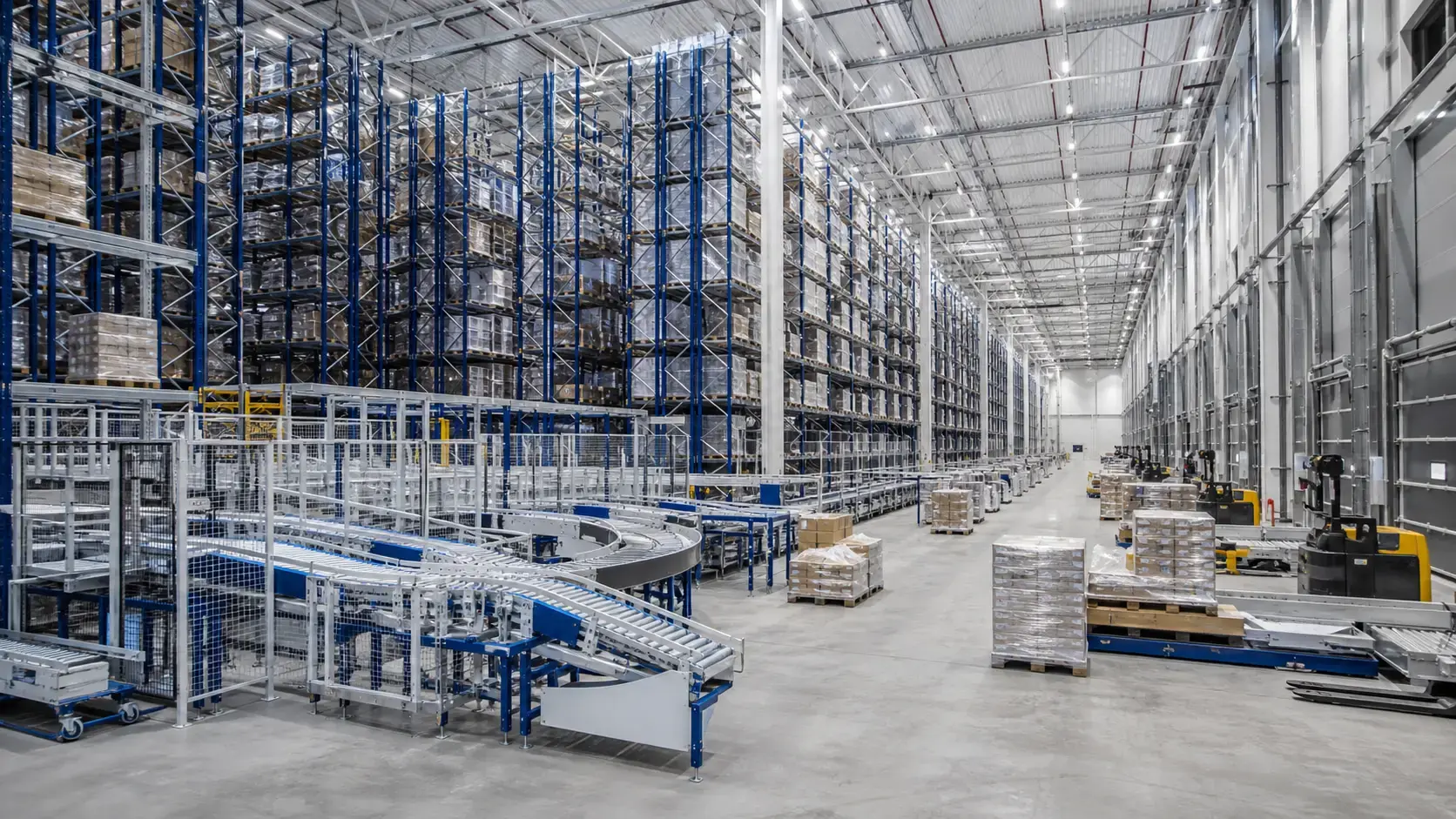
SAP EWM is SAP’s flagship warehouse execution platform within the SAP Digital Supply Chain suite. It is designed to manage, control, and optimize physical logistics execution across manufacturing plants, distribution centers, fulfillment hubs, and other complex warehouse environments.
The key difference between basic inventory management and warehouse execution is the level of operational detail.
A basic inventory system can show how much material is available at a plant or storage location. SAP EWM goes further by providing detailed visibility into where stock is stored, how it should be handled, and what needs to happen next - including storage bins, handling units, batches, serial numbers, warehouse tasks, and process status.
This enables organisations to manage not only inventory visibility, but also the physical movement and handling of goods across the warehouse.
|
Architecture Layer |
System Component |
Operational Responsibilities |
|
Enterprise Core |
SAP S/4HANA |
Purchasing, sales, production, inventory, and financial processes |
|
Warehouse Execution |
SAP EWM |
Inbound and outbound processing, putaway, replenishment, picking, packing, staging, and goods issue |
|
Automation Layer |
MFS / WCS / APIs |
Integration with conveyors, AS/RS, AGVs, robotics, scanners, and other warehouse equipment |
Core Functional Capabilities
Inbound warehouse processing
SAP EWM can manage incoming shipments against purchase orders or inbound delivery notifications, support unloading and receiving processes, create Handling Units, route material for quality inspection, and apply putaway strategies based on warehouse rules.
Internal warehouse operations
The system provides bin-level stock visibility and supports replenishment, physical inventory, posting changes, rearrangement, and value-added services.
Outbound execution
EWM manages outbound delivery processing, wave planning, picking, packing, staging, loading, and goods issue. The system can assign tasks according to priorities, resources, routes, and warehouse conditions.
Warehouse automation
For highly automated facilities, SAP EWM can integrate with material flow systems and warehouse automation technologies. Depending on the architecture, this may include conveyors, high-bay AS/RS, sorters, AGVs, and PLC-controlled equipment.
The key value of EWM is therefore not simply better inventory visibility. It translates business demand into executable warehouse processes, helping organisations control how goods move through the warehouse from receipt to shipment.
Why Enterprises Implement SAP EWM
The decision to implement SAP EWM is usually driven by a combination of operational growth, increasing warehouse complexity, cost pressure, automation, and SAP modernisation.
|
Business Challenge |
SAP EWM Capability |
Business Outcome |
|
Limited inventory visibility |
Real-time bin, batch, and Handling Unit tracking |
Greater inventory accuracy and visibility |
|
Manual warehouse processes |
RF-guided workflows and system-directed tasks |
Higher productivity and fewer operational errors |
|
Increasing order complexity |
Wave management and optimised warehouse processes |
Faster fulfilment and more predictable order execution |
|
Warehouse labour constraints |
Resource and labour management |
Better task allocation and workforce utilisation |
|
Growing warehouse automation |
Integration with material flow and warehouse control systems |
More reliable coordination between SAP and automated equipment |
|
Fragmented multi-site operations |
Standardised warehouse processes and templates |
More consistent operations across sites |
Common Transformation Triggers
SAP WM Modernisation
Organisations running SAP WM in ECC need to define their future warehouse strategy as part of the broader move to SAP S/4HANA.
SAP S/4HANA Transformation
An S/4HANA programme provides an opportunity to modernise warehouse execution alongside the ERP landscape and establish a more integrated operating model.
Warehouse Automation
As warehouses introduce AS/RS, conveyors, sorters, shuttles, and AGVs, they need warehouse software that can coordinate increasingly complex physical processes.
Mergers and Acquisitions
Companies consolidating warehouses and systems can use EWM to standardise processes, simplify the application landscape, and establish a common warehouse model across sites.
Omnichannel and E-Commerce Growth
Higher order volumes, smaller order sizes, tighter delivery expectations, and more complex fulfilment models can make manual warehouse processes difficult to scale.
These drivers often overlap. A business may be modernising its SAP landscape while expanding e-commerce, consolidating warehouses, or investing in automation. In these cases, SAP EWM becomes part of a broader operational transformation rather than a standalone warehouse system project.
SAP EWM Architecture Options: Embedded vs. Decentralized
Once the organization has established why EWM is needed, the next major decision is where EWM should run and how tightly it should be coupled to the ERP landscape.
SAP EWM can be deployed primarily through two architectural approaches:
- Embedded EWM - runs within the SAP S/4HANA environment and provides tight integration with the ERP core.
- Decentralized EWM - runs as a separate system, providing greater operational independence and supporting more complex ERP landscapes.
The choice should be based on warehouse scale, uptime requirements, automation intensity, ERP architecture, and long-term IT strategy.
| Decision Dimension | Embedded EWM | Decentralized EWM |
| Deployment model | Runs natively within the SAP S/4HANA digital core | Operates as a separate, standalone SAP database instance |
| Best-fit scenario | Standard/medium-scale warehouses tightly integrated with one S/4HANA environment | High-volume, highly automated distribution hubs and multi-ERP environments |
| Master data & replication | Zero data replication - directly accesses core master and transactional data | Master data is continuously synchronized between independent systems |
| ERP landscape / coupling | Closely coupled to a single S/4HANA application and database | Operationally independent; supports multiple SAP and non-SAP ERP systems |
| IT landscape complexity | Lower - one core system to operate and maintain | Higher — separate EWM landscape, interfaces, and monitoring |
| 24/7 availability | Uptime tied to S/4HANA maintenance windows | Strong independence; runs 24/7 during central ERP maintenance or downtime |
| Automation & MFS intensity | Depends on the licensed tier (Basic vs. Advanced) | Well suited to extreme transaction volumes and complex MFS automation |
| Implementation effort & TCO | Generally lower | Generally higher |
Embedded SAP EWM
With Embedded EWM, warehouse management capabilities run within the SAP S/4HANA environment.
This architecture can be attractive for organizations seeking to simplify their IT landscape and maintain tight integration between enterprise and warehouse processes.
Key Characteristics and Benefits
-
Zero data replication: Directly accesses master data (Business Partners, Materials, Plants) and transactional documents without requiring intermediate queues or data transfer tools.
-
Simplified IT footprint: Reduces system administration overhead, server maintenance, hosting costs, and system landscape complexity.
-
Real-time analytics: Enables immediate operational reporting using native S/4HANA Core Data Services (CDS) views and Fiori user dashboards.
Typical best fit
Embedded EWM can be particularly suitable for manufacturing organizations, retailers, mid-market enterprises, and companies implementing SAP S/4HANA Cloud Private Edition where warehouse execution is closely connected to manufacturing, procurement, and sales processes.
However, the decision should always be based on operational requirements rather than assuming that Embedded is automatically the right choice.
Embedded Basic vs. Embedded Advanced Warehouse Management
When using Embedded EWM within SAP S/4HANA, organisations may have different functional scopes depending on their requirements and licensing.
| Functional Feature Scope | Embedded Basic EWM | Embedded Advanced EWM |
| Storage Bin and HU Management | ✅ | ✅ |
| Inbound, Outbound and Internal Tasks | ✅ | ✅ |
| Basic Wave Management and RF Support | ✅ | ✅ |
| Physical Inventory Processing | ✅ | ✅ |
| Material Flow System (MFS / Automation) | — | ✅ |
| Labor and Resource Management (LRM) | — | ✅ |
| Slotting and Rearrangement | — | ✅ |
| Yard Management (YM) | — | ✅ |
| Value-Added Services (VAS) and Kitting | — | ✅ |
The exact functional scope should be confirmed against the relevant SAP product version and licensing model during solution design.
Decentralized SAP EWM
In a decentralized architecture, SAP EWM operates as a separate system from the primary ERP environment.
The warehouse execution platform can therefore be operated and scaled independently while exchanging relevant business and inventory information with the ERP landscape.
Key Characteristics and Benefits
-
Operational independence and uptime: Warehouse operations run 24/7/365 without disruption, remaining completely isolated from core ERP maintenance windows, upgrades, or network outages.
-
High transaction scaling: Isolates high-frequency RF scanner traffic and MFS telegram queues from core financial and sales transaction processing.
-
Multi-ERP connectivity: Connects a central distribution facility to multiple distinct ERP instances (e.g., legacy SAP ECC, SAP S/4HANA, or non-SAP systems).
Typical best fit
Decentralized EWM is often considered for:
- high-volume 24/7 distribution hubs;
- highly automated facilities;
- global logistics service providers and 3PL environments;
- organizations operating multiple ERP systems;
- warehouses where operational independence is a major requirement.
The trade-off is greater system complexity. Separate infrastructure, interfaces, data synchronisation, monitoring, testing, and support processes need to be designed and maintained.
Decentralised EWM is not simply a more advanced version of Embedded EWM. It is an architectural choice driven by operational independence, landscape complexity, integration requirements, and scale.
How to Choose the Right EWM Architecture
There is no one-size-fits-all EWM architecture. Embedded and Decentralised EWM can both be effective depending on the current SAP landscape, warehouse operations, and future business plans.
|
Factor |
Key Question |
|
ERP Landscape |
Is SAP S/4HANA your primary ERP, or does the warehouse need to connect to multiple ERP systems? |
|
Warehouse Complexity |
How complex are your warehouse processes, sites, and operating requirements? |
|
Automation |
What warehouse automation and control systems need to be integrated? |
|
Transaction Volume |
What level of warehouse activity must the solution support during normal and peak periods? |
|
Operational Independence |
Does the warehouse need to continue operating independently from the ERP environment? |
|
Scalability |
Are you planning to add warehouses, increase volumes, or expand automation? |
|
IT Strategy |
Is simplifying the SAP landscape and reducing integration complexity a priority? |
|
Total Cost of Ownership |
What are the long-term infrastructure, integration, and support implications of each option? |
The decision should consider not only today's requirements, but also the future operating model, growth plans, automation strategy, and SAP roadmap.
SAP EWM Functional Scope and Target Warehouse Operating Model
SAP EWM translates physical warehouse operations into structured, system-guided processes - from receiving and storage to picking, shipping, and automation.
| Functional Area | What SAP EWM Does | Business Value |
| Warehouse Structure | Models storage areas, bins, picking zones, packing areas, and work centres. | Better inventory visibility and warehouse control. |
| Inbound Operations | Manages receiving, goods receipt, quality checks, handling units, and putaway. | Faster receiving and more efficient use of warehouse space. |
| Outbound Operations | Coordinates picking, packing, staging, loading, and goods issue. | Faster fulfilment and more predictable shipping. |
| Internal Operations | Supports replenishment, slotting, rearrangement, physical inventory, and production supply. | Better resource utilisation and inventory availability. |
| Warehouse Automation | Connects EWM with material flow and warehouse control systems. | More reliable automated warehouse execution. |
| Warehouse Visibility | Tracks stock, warehouse tasks, and process status in detail. | Better control and faster operational decisions. |
Inbound and Outbound Execution
EWM connects the main warehouse processes into structured flows:
Inbound: Arrival → Receiving → Quality Check → Putaway
Outbound: Delivery → Picking → Packing → Staging → Loading → Goods Issue
Internal Warehouse Operations
EWM also manages the activities that keep inventory moving efficiently within the warehouse, including replenishment, slotting, physical inventory, and production supply.
Warehouse Automation
For automated facilities, EWM can connect warehouse processes with material flow and warehouse control systems supporting technologies such as conveyors, AS/RS, sorters, AGVs, and robotics.
The goal is not simply to track inventory, but to create a connected warehouse operating model where inventory, people, processes, and automation work together.
SAP EWM Master Data: The Foundation of Warehouse Execution
Once the target processes are defined, the next question is whether the data exists to execute those processes correctly.
Master data is one of the common sources of EWM testing failures and operational issues because warehouse execution depends directly on product, packaging, spatial, and resource information.
|
Master Data Object |
Importance to EWM Execution |
Common Data Risks & Pitfalls |
|
Material Master (EWM Views) |
Controls putaway strategies, picking rules, HU requirements, and storage-type assignments |
Missing weight, volume, dimensions, or hazardous-material profiles |
|
Storage Bins |
Defines physical locations, capacities, and warehouse coordinates |
Incorrect capacities leading to failed or inappropriate putaway |
|
Packaging Specifications |
Defines how materials are packed into Handling Units |
Incomplete specifications preventing automated HU creation |
|
Business Partners |
Represents suppliers, customers, carriers, and logistics providers |
Missing roles or inconsistent address/vendor data |
|
Resource Equipment |
Defines forklifts, operators, and qualifications used for task assignment |
Missing certifications or incorrect resource mapping |
|
Fixed Bin Assignments |
Links fast-moving SKUs to primary picking locations |
Outdated assignments increasing picker travel time |
Why master data causes project problems
Data quality issues are often invisible until the warehouse processes are tested.
For example:
- a product may not have accurate dimensions;
- packaging quantities may be incorrect;
- a storage bin may have an incorrect capacity;
- a fast-moving SKU may be assigned to an obsolete picking location;
- required warehouse views may be incomplete.
These issues can affect putaway, picking, slotting, packing, resource allocation, and automation.
For this reason, master data preparation should begin months before go-live — and ideally before detailed configuration.
Expert data insight: Initiate master data profiling and cleansing early enough to allow remediation before integration and end-to-end testing. For large or complex programmes, this may mean starting several months before go-live. Physical bin dimensions and packaging specifications should also be validated against the actual warehouse environment.
SAP EWM Integration Landscape
SAP EWM rarely operates as a standalone system. It connects core business processes with warehouse execution, transportation, quality, trade compliance, and automation.
|
Connected System |
What It Supports |
|
SAP S/4HANA |
Orders, deliveries, inventory, and core business processes |
|
SAP Transportation Management |
Transportation planning, staging, shipping, and carrier coordination |
|
SAP Quality Management |
Quality inspections, quarantine, and release processes |
|
SAP Global Trade Services |
Customs, export screening, and trade compliance |
|
Warehouse Automation |
Material flow between EWM and conveyors, AS/RS, sorters, and AGVs |
|
SAP BTP |
Extensions, integrations, specialised applications, and user experiences |
Enterprise Integration Layer
S/4HANA provides the business context, while EWM turns those requirements into warehouse execution.
For example:
Sales Order → Outbound Delivery → EWM → Picking → Packing → Staging → Loading → Goods Issue
Transportation, quality, and trade compliance processes can add additional steps and controls to this flow.
Warehouse Automation Layer
EWM also connects SAP processes with the physical warehouse:
EWM → Warehouse Control / Material Flow → PLCs → Conveyors / AS/RS / Sorters / AGVs
The architecture should clearly define which responsibilities sit within EWM and which are handled by warehouse control and automation systems.
SAP BTP and Clean Core
SAP BTP can support extensions and integrations without adding unnecessary customisation to the S/4HANA core.
Typical use cases include:
- specialised warehouse applications;
- mobile user experiences;
- dashboards and analytics;
- integration services;
- business-specific extensions.
This approach helps reduce technical debt and maintain a more upgradeable SAP landscape.
Designing the Integration Architecture End-to-End
SAP EWM should be designed as part of the wider supply chain landscape, not as a standalone warehouse application.
For example, an outbound process may connect:
S/4HANA → EWM → Warehouse Automation → Transportation → Goods Issue
Information such as orders, inventory, delivery status, and execution results must flow reliably across these systems.
This end-to-end view is especially important when choosing between Embedded and Decentralized EWM.
Embedded EWM keeps warehouse execution closer to S/4HANA and can simplify the integration landscape.
Decentralized EWM introduces additional system boundaries and synchronisation requirements, but can provide greater operational independence for complex warehouse environments.
The right architecture should therefore be based on the complete business and physical flow, considering warehouse operations, automation, transportation, integrations, and future SAP strategy.
SAP EWM Implementation Methodology
A successful SAP EWM implementation moves from understanding the current operation to designing, testing, and stabilising the future warehouse environment.
LeverX can structure EWM programmes around the SAP Activate methodology, combining clear project governance with iterative design, testing, and business validation.
|
Phase |
What Happens |
What the Business Gets |
|
Prepare |
Align on goals, scope, architecture, responsibilities, and project priorities. |
A clear implementation roadmap and agreed success criteria. |
|
Explore |
Review current warehouse processes and determine how they can be supported by SAP EWM. |
An agreed future warehouse model and clear decisions on what needs to change. |
|
Realize |
Configure and build the solution, connect required systems, and prepare the warehouse for testing. |
A working EWM solution ready for business validation. |
|
Deploy |
Complete testing, migrate data, prepare users and operations, and move to the new warehouse environment. |
A controlled go-live with validated data and business processes. |
|
Run |
Stabilise the solution, resolve early issues, and transition to ongoing support. |
A stable warehouse environment ready for continuous improvement. |
Prepare - Establish the Foundation
The project begins with a shared understanding of what the business needs from the new warehouse solution.
This includes agreeing on:
- business goals and KPIs;
- project scope and priorities;
- target warehouse architecture;
- key roles and responsibilities;
- implementation roadmap.
Outcome: Everyone understands what is being delivered, why it matters, and how success will be measured.
Explore - Design the Future Warehouse
This is where the future warehouse operating model is defined.
Business and SAP teams review current processes, identify opportunities to simplify them, and determine how SAP EWM can support the desired way of working.
The focus is on fit-to-standard first, with customisation introduced only where there is a clear business need.
Outcome: An agreed future-state warehouse model, with clear decisions on processes, integrations, and required enhancements.
Realize - Build and Validate the Solution
The agreed design is turned into a working SAP EWM solution.
The team configures warehouse processes, develops required enhancements, connects SAP and external systems, and prepares the solution for business testing.
Automation and other warehouse technologies are addressed alongside the core SAP solution where required.
Outcome: A working EWM environment that is ready for end-to-end business validation.
Deploy - Prepare for Go-Live
The focus shifts from building the solution to making the warehouse ready to operate on it.
This includes:
- business and end-to-end testing;
- data preparation and migration;
- user training;
- cutover planning;
- inventory validation;
- operational readiness.
Outcome: A controlled transition to the new warehouse environment with validated processes, data, and users.
Run - Stabilise and Improve
The first weeks after go-live are focused on stabilising operations and resolving issues quickly.
The team monitors warehouse performance, integrations, inventory accuracy, user issues, and other critical operational indicators.
Once the solution is stable, responsibility can transition to ongoing SAP Application Management Services, with continuous optimisation built into the operating model.
Outcome: A stable SAP EWM environment that can continue to evolve with the business.
SAP EWM Implementation Timeline and Costs
Implementation time and cost depend on the size and complexity of the warehouse, number of sites, automation, integrations, data quality, and target architecture.
SAP EWM Implementation Timeline
| Implementation Scope | Indicative Timeline | Typical Profile |
| Single Warehouse | 6–9 months | One site, standard inbound and outbound processes, RF, limited integrations |
| Multi-Site Enterprise Rollout | 9–18 months | Multiple sites, advanced warehouse processes, TM integration |
| Automated Warehouse Transformation | 12–24+ months | Automation, MFS, AS/RS, conveyors, AGVs, high transaction volumes |
These are indicative planning ranges rather than fixed delivery commitments.
What can shorten the timeline: standardised processes, clean master data, limited customisation and integrations, and an established S/4HANA foundation.
What can extend it: complex automation, multi-site rollouts, extensive integrations or customisation, data remediation, and complex cutover requirements.
Embedded EWM may require less implementation effort when delivered as part of an existing S/4HANA programme. Decentralized EWM typically adds infrastructure, integration, synchronisation, and testing activities.
SAP EWM Implementation Costs
The total investment includes more than SAP software. Typical cost areas include:
- SAP software and licensing;
- consulting and solution design;
- configuration and development;
- integrations and automation;
- data preparation and migration;
- testing and training;
- change management and cutover;
- post-go-live support.
| Implementation Scope | Indicative Budget* | Typical Profile |
| Single Warehouse / Standard EWM | £300k–£600k | One warehouse, manual/RF operations, standard processes, limited integrations |
| Multi-Site Enterprise EWM | £600k–£1.5m | Multiple sites, advanced processes, integrations, broader rollout |
| Automated Warehouse Transformation | £1.5m–£3m+ | MFS, AS/RS, conveyors, PLCs, extensive automation and testing |
| Global EWM Programme | £3m–£6m+ | Multiple countries or sites, global template, complex automation and ERP integrations |
*Indicative implementation-services ranges for planning purposes only. Actual costs vary significantly based on scope, geography, architecture, existing SAP landscape, and automation requirements.
What Drives SAP EWM Costs?
-
Warehouse Scale and Complexity: More sites, processes, users, transaction volumes, and countries increase implementation effort.
-
Automation: AS/RS, conveyors, sorters, AGVs, PLCs, and MFS can significantly increase both implementation and commissioning costs.
-
Integration: Costs increase with the number and complexity of connections to S/4HANA, TM, QM, GTS, BTP, carriers, and external warehouse or automation systems.
-
Data Quality: Poor master data can add significant effort for cleansing, transformation, validation, and reconciliation.
-
Architecture: Embedded EWM can reduce system complexity, while decentralized EWM may require additional infrastructure, integration, and operational support.
-
Customisation: Custom RF applications, interfaces, dashboards, and other extensions increase both implementation and long-term maintenance costs.
-
Change Management: Large or automated warehouses typically require more training, operational simulations, user onboarding, and post-go-live support.
Embedded vs. Decentralized EWM: Implementation Cost Impact
The choice between Embedded and Decentralized EWM affects the implementation effort, but it is only one of several factors that determine the overall project cost.
|
Architecture |
Typical Cost Impact |
Why |
|
Embedded SAP EWM |
Lower infrastructure and integration overhead |
EWM runs within the S/4HANA landscape, reducing the need for a separate system, additional interfaces, and synchronisation. |
|
Decentralized SAP EWM |
Higher overall architecture overhead |
A separate EWM environment typically requires additional infrastructure, integrations, data synchronisation, monitoring, testing, and ongoing operations. |
For many organisations, Embedded EWM is the lower-overhead option when warehouse requirements can be supported within the S/4HANA landscape.
However, architecture alone does not determine the project budget. A highly automated Embedded EWM implementation can be more complex and costly than a relatively simple decentralized deployment.
The main cost drivers are typically:
Warehouse complexity + automation + integration + data quality + number of sites + customisation
The right architecture should therefore be selected based on operational requirements and long-term business needs, not implementation cost alone.
Case Studies: SAP EWM Implementation Scenarios
Embedded EWM Basic for a Manufacturing Warehouse
Background
A UK-based manufacturing company was operating several medium-sized warehouses connected to an SAP S/4HANA environment. Warehouse processes were largely manual, with forklift operators using paper-based instructions and basic ERP transactions to manage stock movements.
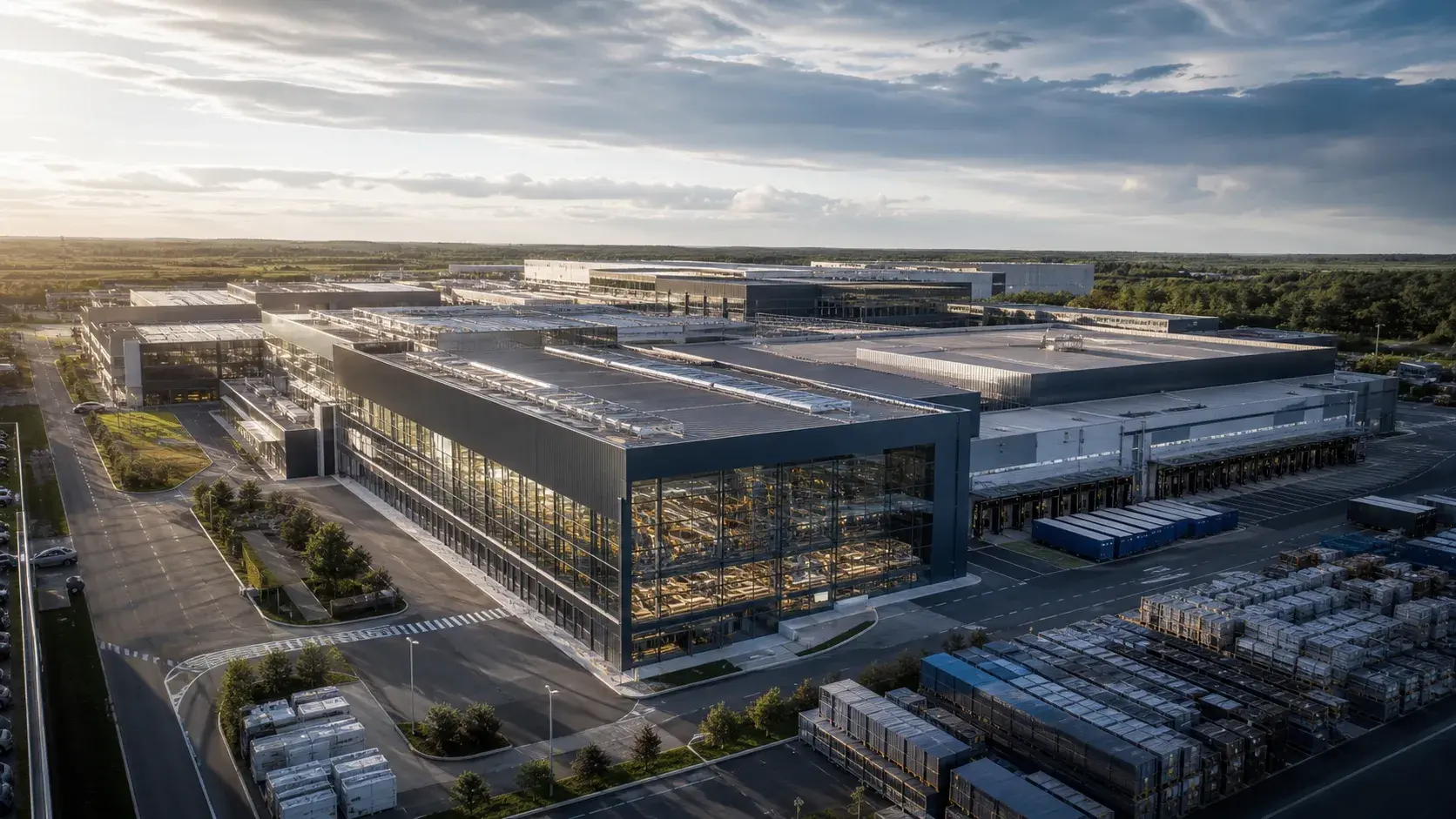
The business was not planning a major automation investment, but inventory discrepancies, inefficient replenishment, and limited visibility into warehouse tasks were creating unnecessary operational effort.
A simplified view of the starting position:
S/4HANA + Basic Warehouse Transactions + Paper-Based Execution → Limited Task Visibility and Manual Replenishment
Scope
The organization implemented Embedded SAP EWM to standardize core warehouse execution while keeping the solution closely integrated with its existing S/4HANA landscape.
The programme included:
- warehouse structure redesign;
- storage-bin management;
- RF-enabled receiving and picking;
- system-directed putaway;
- replenishment;
- physical inventory;
- Handling Unit management;
- integration with S/4HANA procurement, production, and sales processes.
Advanced automation, MFS, Labor and Resource Management, and complex slotting were deliberately kept outside the initial scope.
Delivery Approach
The project followed a Fit-to-Standard approach.
Key decisions included:
- adopting standard EWM inbound, outbound, and internal warehouse processes wherever possible;
- redesigning storage-bin structures before configuration;
- cleansing material dimensions, weights, and packaging data;
- introducing RF-guided warehouse execution;
- using system-directed putaway and replenishment instead of manual task allocation;
- running operational simulations with forklift operators before UAT sign-off.
Because the warehouse had limited automation and a single S/4HANA landscape, Embedded EWM provided a relatively simple technical architecture without requiring a separate EWM system.
Outcome
Following go-live and stabilization, the organization reported:
- approximately 20% reduction in warehouse travel time through system-directed task assignment;
- approximately 30% reduction in inventory discrepancies;
- approximately 15% improvement in replenishment response time;
- improved visibility into warehouse task status for supervisors.
The transformation can be summarized as:
Manual ERP Transactions + Paper-Based Execution → Embedded EWM + RF-Guided Tasks → Better Visibility, Accuracy and Replenishment
Why Embedded Basic Was the Right Fit
The warehouse did not require high-volume automation, independent warehouse-system uptime, or complex MFS capabilities.
The business therefore prioritized:
simple architecture + tight S/4HANA integration + standard warehouse execution
rather than introducing the additional infrastructure and integration complexity of a decentralized deployment.
Practical recommendation: For warehouses with relatively straightforward processes, avoid adding advanced functionality simply because it is available. A well-designed Embedded EWM implementation using standard capabilities can deliver significant operational improvements without creating unnecessary technical complexity.
Embedded EWM Advanced for a UK Automated Distribution Centre
Background
A UK-based distribution centre operating on behalf of a national retail and e-commerce group was running legacy SAP WM alongside a semi-automated conveyor and sortation system.
.webp?width=1672&height=941&name=Modern%20Freight%20Transport%20at%20Crisp%20Blue%20Hour%20(1).webp)
Pick errors were tracked manually, automation was controlled through a separate third-party Warehouse Control System (WCS) sitting between SAP and the PLCs, and peak-season order volumes regularly pushed the site beyond its planned throughput capacity.
A simplified view of the starting position:
Legacy SAP WM + Third-Party WCS Middleware + Manual Error Tracking → Throughput Ceiling at Peak
Scope
The organization implemented Embedded SAP EWM (Advanced) as part of a wider SAP S/4HANA migration.
The programme included:
- replacement of legacy WM;
- replacement of the third-party WCS;
- SAP native MFS integration;
- Labor and Resource Management (LRM);
- dynamic slotting;
- integration across three automated conveyor lines;
- integration with one AS/RS.
Delivery Approach
The programme followed the standard SAP Activate phases - Prepare, Explore, Realize, Deploy, and Run - with automation commissioning managed as a dedicated parallel track alongside core configuration.
Key decisions included:
- retiring the third-party WCS and connecting PLCs directly to SAP EWM via native MFS telegrams, where supported by the target automation architecture;
- using PLC emulation to test telegram exchanges and exception handling, including full-bin rerouting and conveyor-jam recovery, before physical hardware testing;
- introducing engineered labor standards through LRM to give supervisors visibility of picker performance by shift and zone;
- running two full peak-volume simulation cycles in the test environment before the first live peak season.
Outcome
Following go-live and a stabilization period covering the first peak season, the organization reported:
- pick error rates reduced by approximately 35%;
- average order pick-to-ship cycle time reduced by roughly 20%;
- unplanned automation downtime reduced by around 25%;
- peak-season throughput capacity increased by approximately 15% without additional headcount.
The transformation can therefore be summarized as:
Middleware-Dependent Automation + Manual Error Tracking → Native MFS + RF-Guided Picking + LRM → Fewer Errors, Faster Cycles, Higher Peak Throughput
Why Embedded Advanced Was the Right Fit
The warehouse required advanced warehouse execution, automation integration, LRM, and slotting, but the organization was simultaneously moving to S/4HANA and wanted to keep the warehouse tightly integrated with the ERP core.
Embedded Advanced therefore provided a way to combine:
advanced warehouse execution + automation + S/4HANA integration
without introducing a separate EWM landscape.
Practical recommendation: In automated warehouse programmes, treat PLC emulation, integration testing, and peak-volume simulation as measurable delivery milestones rather than testing formalities..
Decentralized EWM for a High-Volume 24/7 Distribution Hub
Background
A large distribution hub serving multiple retail channels was operating continuously, including nights, weekends, and peak seasonal periods.
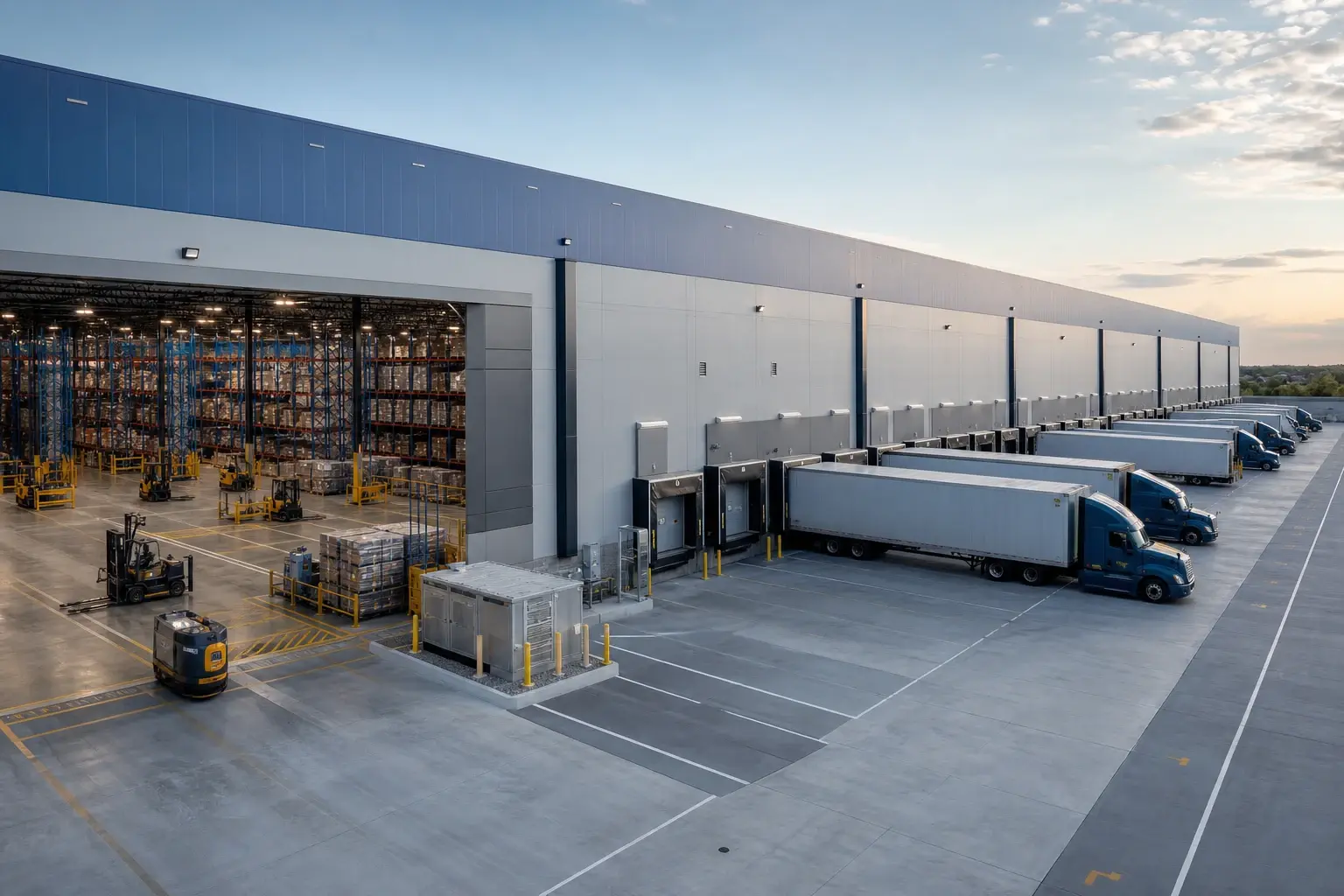
The warehouse processed very high transaction volumes through an automated material-handling environment consisting of AS/RS, conveyor networks, and automated sortation.
The primary concern was not only warehouse throughput, but also operational independence from central ERP maintenance activities.
A simplified view of the starting position:
High-Volume Automation + 24/7 Operations + Central ERP Dependency → Limited Maintenance Flexibility and Scaling Constraints
Scope
The organization implemented a decentralized SAP EWM environment to provide a dedicated warehouse execution platform.
The programme included:
- decentralized EWM system deployment;
- integration with the central SAP ERP/S/4HANA environment;
- high-volume RF execution;
- MFS integration;
- AS/RS and conveyor integration;
- wave management;
- advanced replenishment;
- slotting;
- labor and resource management;
- independent warehouse monitoring and operational support.
Delivery Approach
The project placed particular emphasis on system performance, interface resilience, and automation testing.
Key decisions included:
- separating warehouse execution workloads from the central ERP environment;
- designing robust interfaces and monitoring for ERP-EWM communication;
- establishing independent operational monitoring for EWM and automation;
- conducting high-volume performance testing;
- simulating peak RF and automation transaction loads;
- testing warehouse operations during planned ERP maintenance scenarios;
- introducing dedicated 24/7 hypercare coverage.
Outcome
Following stabilization, the organization reported:
- improved warehouse-system resilience during central ERP maintenance windows;
- approximately 20% improvement in peak transaction-processing capacity;
- reduced operational impact from ERP maintenance activities;
- improved visibility into automation and warehouse queues;
- greater flexibility to scale warehouse execution independently of the central ERP workload.
The transformation can be summarized as:
ERP-Coupled Warehouse Execution + High Automation → Decentralized EWM + Independent Execution Layer → Higher Resilience and Scalability
Why Decentralized EWM Was the Right Fit
The key driver was not simply warehouse size.
The organization required:
- high transaction throughput;
- extensive automation;
- continuous warehouse operation;
- greater operational independence;
- dedicated performance management.
The additional infrastructure and integration effort associated with decentralized EWM was therefore justified by the warehouse's operating requirements.
Practical recommendation: Choose decentralized EWM when operational independence and execution scale justify the additional system complexity. Do not use warehouse size alone as the deciding criterion.
Decentralized EWM for a Multi-ERP 3PL Environment
Background
A UK-based third-party logistics provider operated distribution facilities for several customers across different industries.
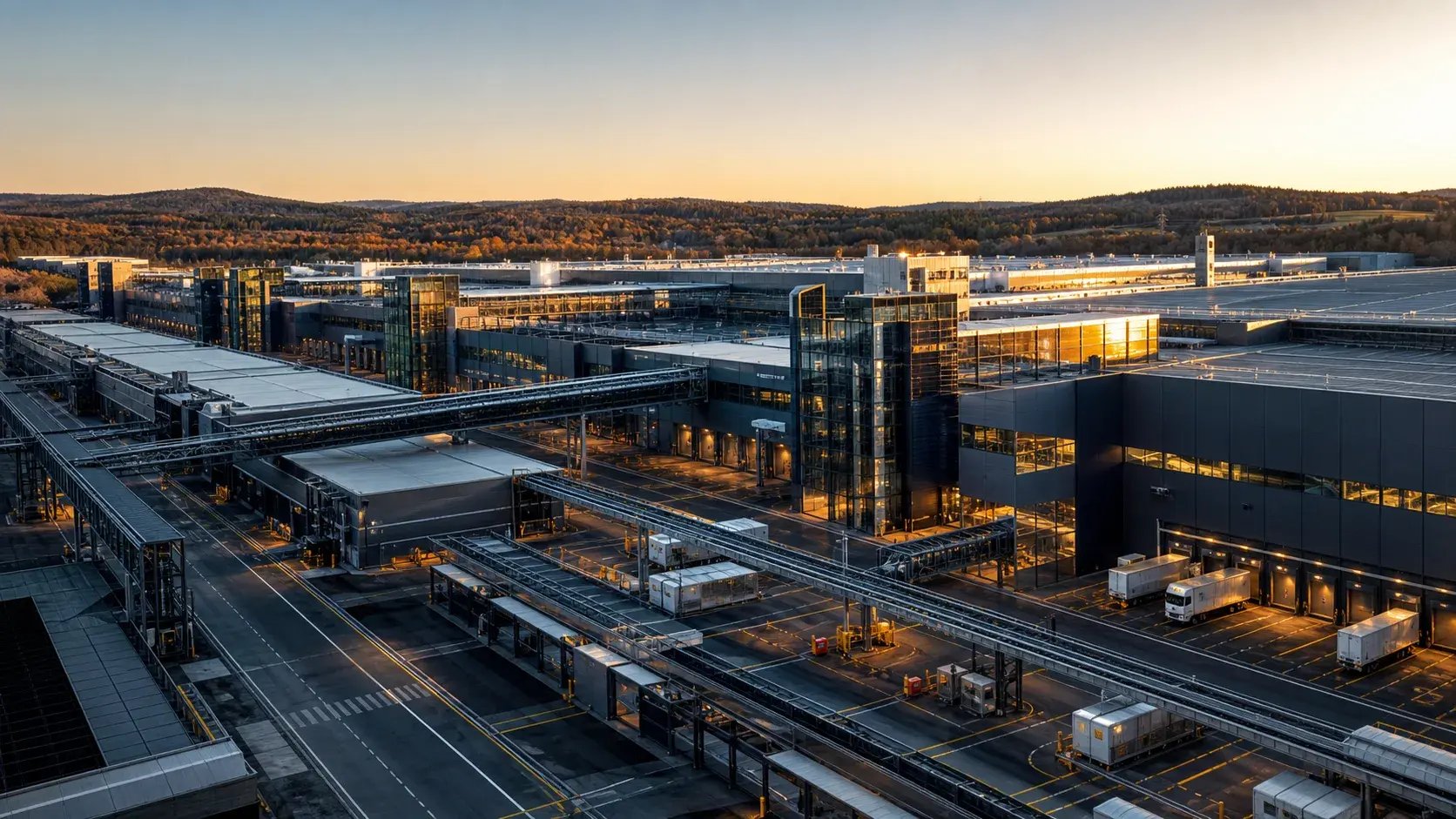
The facilities were connected to multiple ERP landscapes, including SAP and non-SAP systems. Each customer had different order structures, product data, shipping requirements, and integration interfaces.
Running a separate warehouse execution platform for every customer would have increased operational complexity and duplicated warehouse processes.
A simplified view of the starting position:
Multiple ERP Platforms + Customer-Specific Interfaces + Fragmented Warehouse Processes → High Integration and Support Complexity
Scope
The organization implemented a decentralized EWM environment as a common warehouse execution layer.
The programme included:
- integration with multiple ERP environments;
- standardized warehouse processes;
- customer-specific inbound and outbound interfaces;
- RF execution;
- Handling Unit management;
- wave planning;
- packing and shipping;
- carrier integration;
- warehouse automation interfaces;
- centralized warehouse monitoring.
For non-SAP integrations, the architecture also used APIs and integration services to connect EWM with external business systems.
Delivery Approach
The project was structured around a common warehouse template with controlled customer-specific extensions.
Key decisions included:
- separating warehouse execution from individual customer ERP platforms;
- defining a common EWM process model;
- standardizing warehouse master-data structures;
- establishing reusable integration patterns;
- isolating customer-specific requirements through interfaces and controlled extensions;
- implementing automated interface monitoring;
- testing each customer flow independently and then validating the combined warehouse workload.
The integration strategy was designed around the principle that EWM should remain the warehouse execution layer rather than becoming a collection of customer-specific custom processes.
Outcome
Following rollout, the organization reported:
- reduced duplication of warehouse processes;
- faster onboarding of new customer integrations;
- greater consistency in warehouse execution;
- improved visibility across customer operations;
- lower support complexity compared with maintaining separate warehouse execution platforms.
The transformation can be summarized as:
Multiple ERP Systems + Customer-Specific Warehouse Processes → Decentralized EWM + Common Warehouse Template → Standardized Execution and Easier Scaling
Why Decentralized EWM Was the Right Fit
The main architectural driver was the ERP landscape rather than automation alone.
The warehouse needed to operate as a common execution platform across multiple business systems while maintaining enough independence to manage its own operational processes.
This made decentralized EWM particularly suitable for a multi-ERP and 3PL-oriented operating model.
Practical recommendation: For 3PL and multi-ERP environments, design EWM as a reusable warehouse execution platform. Standardize the warehouse process model first, then isolate genuine customer-specific requirements through controlled integration and extension patterns.
Comparing the Four SAP EWM Scenarios
The four scenarios demonstrate why there is no universal SAP EWM implementation template.
| Scenario | Primary Driver | Deployment Model | Key Capabilities | Main Benefit |
|---|---|---|---|---|
| Manufacturing Warehouse | Standardization and visibility | Embedded Basic | RF, putaway, replenishment, HU management | Simpler architecture and improved execution |
| Automated Retail DC | Automation and peak throughput | Embedded Advanced | MFS, LRM, slotting, RF, AS/RS | Higher throughput and tighter S/4HANA integration |
| 24/7 Distribution Hub | Scale and operational independence | Decentralized | MFS, high-volume RF, LRM, automation | Resilience and independent warehouse execution |
| 3PL / Multi-ERP Warehouse | Multiple ERP landscapes | Decentralized | Multi-ERP integration, RF, HU, automation | Standardized execution across customers and systems |
The comparison highlights an important implementation principle:
The deployment model should follow the warehouse operating model - not the other way around.
A relatively simple manufacturing warehouse may gain little from the complexity of decentralized EWM. Conversely, a 24/7 automated distribution hub or multi-ERP 3PL environment may require the independence and scalability that decentralized EWM provides.
The same principle applies to functional scope. Advanced capabilities such as MFS, LRM, slotting, Yard Management, and VAS should be introduced because the warehouse requires them, not simply because they are available.
Note: The scenarios and performance figures above are anonymized, illustrative composites based on typical SAP EWM implementation patterns. Actual project scope, architecture, timelines, costs, and business outcomes vary significantly by organization, warehouse design, automation footprint, data quality, integration landscape, and deployment model.
Common SAP EWM Implementation Risks and Risk Mitigation
The complexity of warehouse transformation means that technical and operational risks need to be managed together.
| Implementation Risk Vector | Operational Impact | Proven Mitigation Strategy |
| 1. Poor Master Data Quality | Incorrect bin dimensions or missing material weights corrupt automated putaway and slotting logic. | Initiate automated master data profiling 3 to 6 months early. Validate bin dimensions on the floor. |
| 2. Excessive In-Core Customization | Modifying core ABAP code creates technical debt, inflates TCO, and breaks cloud upgrade paths. | Enforce a strict Clean Core policy. Build custom logic side-by-side on SAP BTP. |
| 3. Weak Automation & MFS Planning | On-site hardware testing bottlenecks delay production cutover readiness. | Utilize PLC emulation tools early in testing phases to validate telegram exchanges virtually. |
| 4. Low Floor-User Adoption | Warehouse operators resist new RF scanner workflows and system-guided task assignments. | Involve shift supervisors early in UAT testing. Conduct shift-by-shift simulation training before go-live. |
| 5. Unreconciled Cutover Balances | Discrepancies between physical stock counts and ERP ledgers stall cutover execution. | Conduct multiple mock cutover data conversions and practice physical stock reconciliation in sandboxes. |
The common theme is that most major risks become more expensive when discovered late.
A data problem found during early profiling is manageable. The same problem discovered during final migration or production cutover can become a critical operational issue.
SAP EWM Change Management and User Adoption
A technical system build is only as successful as the floor operators who interact with it daily. Driving user adoption requires an operational change management framework tailored to warehouse environments:
-
Role-based training: Deliver role-tailored training sessions focused on specific floor functions (e.g., Goods Receipt Clerk, Forklift Driver, Packing Operator, Inventory Controller) using actual RF handheld devices.
-
Warehouse operational simulations: Conduct full-scale "day-in-the-life" simulations in test sandbox environments, processing real material handling units through inbound, internal, and outbound paths.
-
Super-user network: Involve experienced warehouse supervisors early during User Acceptance Testing (UAT) to build a network of floor champions available to assist shift workers during cutover.
-
Floor-level shift support: Deploy dedicated hypercare consultants directly on the warehouse floor across all operational shifts (including night shifts) during the initial 4 to 8 weeks post-go-live.
How to Choose an SAP EWM Implementation Partner
Choosing the right implementation partner is as important as choosing the right EWM architecture. The partner should understand not only SAP EWM, but also how your warehouse operates, integrates, and scales.
Proven SAP EWM Experience
Look for projects comparable to yours in terms of industry, warehouse complexity, scale, automation, and SAP architecture. Ask for relevant case studies and references.
Embedded and Decentralized EWM Expertise
A capable partner should be able to explain when Embedded or Decentralized EWM makes sense for your business - rather than recommending one architecture by default.
Warehouse Automation Experience
If the warehouse is automated, verify hands-on experience with MFS, PLCs, AS/RS, conveyors, sorters, AGVs, and other warehouse technologies.
Clean Core and SAP BTP
The partner should have a clear approach to handling custom requirements using standard SAP functionality, APIs, and SAP BTP, while avoiding unnecessary S/4HANA core customisation.
End-to-End Integration
EWM rarely operates alone. Make sure the partner can connect warehouse operations with S/4HANA, TM, QM, GTS, SAP BTP, carriers, automation, and other external systems.
Data Migration Expertise
The partner should have a structured approach to preparing and migrating warehouse master data, inventory, handling units, packaging, bins, batches, and other critical data.
Testing and Cutover
Ask how the partner will validate the warehouse before go-live, including end-to-end processes, RF, automation, integrations, peak volumes, cutover rehearsals, and inventory reconciliation.
Post-Go-Live Support
For business-critical warehouses, confirm that the partner can provide hypercare, application support, monitoring, incident management, and continuous optimisation after go-live.
The Key Procurement Question
Can the partner demonstrate successful EWM projects comparable to yours - in warehouse complexity, automation, integration, scale, and operating model - rather than simply providing SAP EWM consultants?
LeverX Is Your Trusted Partner for SAP EWM Implementation
LeverX combines SAP expertise with experience in supply chain, warehouse operations, manufacturing, and automation to help organisations implement SAP EWM in line with their business and technology requirements.
|
Our Proof Point |
What It Means for Your Business |
|
20+ years of SAP expertise |
Experience delivering SAP transformation projects, including complex supply chain and warehouse solutions |
|
1,500+ projects delivered |
Delivery experience across SAP transformation programmes and industries |
|
900+ clients in 45+ countries |
Global experience across diverse business models and operating environments |
|
2,200+ professionals |
Access to SAP, engineering, data, and technology expertise |
|
500+ SAP-certified experts |
SAP-certified specialists supporting enterprise implementations and transformations |
|
Dedicated SCM Center of Excellence |
Expertise across supply chain planning, warehousing, logistics, manufacturing, and SAP technologies |
|
Fortune 500 experience |
Experience with large-scale governance, integration, and operational requirements |
|
SAP Gold Partner |
Established SAP expertise and delivery capabilities |
|
SAP Global Strategic Supplier |
Collaboration with SAP beyond implementation, including partner and product initiatives |
|
Proven SAP EWM portfolio |
Experience with WM-to-EWM migrations, S/4HANA transformations, Greenfield implementations, and complex warehouse programmes |
|
Warehouse automation expertise |
Experience integrating EWM with MFS, AS/RS, conveyors, sorters, AGVs, robotics, and other warehouse technologies |
|
EWM + manufacturing expertise |
Experience connecting warehouse execution with manufacturing and production processes |
|
SAP ecosystem participation |
Experience sharing SAP EWM, supply chain, and warehouse automation expertise through industry events and programmes |
SAP EWM Implementation Best Practices from LeverX
A successful SAP EWM implementation requires more than configuring warehouse processes. Organisations need to align warehouse operations, master data, integrations, automation, and user adoption from the start. Based on our experience with SAP warehouse transformation projects, LeverX recommends the following best practices.
1. Start with the Warehouse Operating Model
Define how the warehouse should operate before configuring SAP EWM. Map inbound, internal, and outbound processes, identify operational constraints, and define the target roles and responsibilities.
This provides a clear basis for deciding which EWM capabilities, automation scenarios, and integrations are actually required.
2. Choose the Architecture Based on Business Requirements
Assess Embedded and Decentralized EWM against factors such as warehouse complexity, automation, ERP landscape, transaction volumes, and operational independence.
Avoid choosing an architecture based solely on the current SAP landscape. The target warehouse operating model and long-term transformation strategy should also influence the decision.
3. Treat Master Data as a Core Implementation Workstream
Review and cleanse material, warehouse, storage-bin, packaging, and business partner data early in the project. Validate warehouse structures against the physical environment and define clear data ownership.
High-quality master data reduces errors during testing, migration, and go-live and provides a more reliable foundation for warehouse execution.
4. Design Integrations End to End
Define integration requirements across S/4HANA, SAP TM, SAP QM, SAP GTS, automation systems, and other connected applications.
Document the complete business and physical flow, including how warehouse tasks, inventory movements, status updates, and automation messages move between systems. This helps identify integration dependencies before testing and deployment.
5. Design Automation Around the Warehouse Process
Automation should support the target operating model rather than determine it. Assess conveyors, AS/RS, robotics, PLCs, scanners, and other technologies together with the EWM processes they support.
Where appropriate, SAP EWM Material Flow System (MFS) can support communication with warehouse automation. The required architecture should be assessed based on the equipment, control requirements, and integration landscape.
6. Use SAP Standard Where It Fits
Start with standard SAP EWM capabilities and SAP Best Practices, then identify genuine business requirements that require extensions or custom development.
This approach supports a cleaner core, simplifies future upgrades, and reduces unnecessary customisations.
7. Test Real Warehouse Scenarios
Testing should reflect how the warehouse actually operates, not just individual system functions. Cover end-to-end scenarios such as inbound receiving, putaway, replenishment, picking, packing, staging, loading, inventory adjustments, and exception handling.
For automated warehouses, include equipment and integration testing as part of the overall test strategy.
8. Prepare Users for the New Way of Working
SAP EWM changes both system interactions and daily warehouse processes. Involve warehouse operators and supervisors early, provide role-based training, and use realistic process scenarios during user acceptance testing.
Effective change management helps teams understand not only how to use EWM, but also why processes are changing.
9. Plan Cutover Around Warehouse Operations
Warehouse cutover requires careful coordination of inventory, open warehouse tasks, inbound and outbound orders, interfaces, and physical stock.
Develop a detailed cutover plan, define ownership for each activity, and rehearse critical steps before go-live. For complex or highly automated facilities, a controlled transition and targeted hypercare period can help stabilise operations.
10. Build for Continuous Improvement
SAP EWM implementation should establish a foundation for future optimisation rather than mark the end of the transformation. After go-live, monitor warehouse performance, review operational data, and identify opportunities to improve processes, automation, and system usage.
A structured improvement cycle allows organisations to adapt EWM as warehouse volumes, customer requirements, and operating models evolve.
With the right implementation approach, SAP EWM can provide a scalable foundation for more connected, automated, and efficient warehouse operations. LeverX helps organisations design, implement, integrate, and optimise SAP EWM in line with their operational and transformation goals.
Conclusion
SAP EWM implementation is a warehouse transformation, not simply a software deployment. The right approach starts with the target warehouse operating model and translates it into the appropriate architecture, processes, data, integrations, and automation.
Whether an organisation chooses Embedded or Decentralized EWM, success depends on how well the solution fits its operational requirements, SAP landscape, and long-term transformation strategy. Early attention to master data, integration, testing, and user adoption can also reduce implementation risks and support a smoother transition to the new operating model.
Frequently Asked Questions (FAQ)
What is SAP Extended Warehouse Management (SAP EWM)?
SAP EWM is an enterprise warehouse management platform designed to manage, control, and optimize physical logistics execution. It provides precise control over storage bin inventory, multi-level handling units, complex picking/packing workflows, and direct material flow automation.
Why do companies implement SAP EWM?
Companies implement SAP EWM to improve inventory accuracy, increase picking throughput, optimize warehouse space, integrate warehouse automation hardware (AS/RS, conveyors), and replace legacy or paper-based systems with digital execution workflows.
What is the primary difference between legacy SAP WM and SAP EWM?
Legacy SAP WM provided basic storage bin tracking and simple picking logic but is deprecated in S/4HANA. Modern SAP EWM is SAP's strategic warehouse system, featuring native automation control (MFS), Labor Management, dynamic Slotting, Yard Management, and multi-level Handling Unit management.
Is SAP EWM part of SAP S/4HANA?
Yes. Embedded SAP EWM is natively included within the SAP S/4HANA digital core database. For ultra-high transaction volume environments or multi-ERP landscapes, SAP EWM can also be deployed as a standalone decentralized system.
Should organizations choose Embedded or Decentralized SAP EWM?
Most SAP S/4HANA customers should choose Embedded SAP EWM because it eliminates data replication, simplifies IT administration, and lowers TCO. Decentralized EWM is recommended for 24/7 high-volume distribution centers requiring continuous operational uptime independent of ERP maintenance windows, or facilities with extreme MFS transaction volumes.
How long does an SAP EWM implementation take?
Indicative timelines are:
- 6–9 months for a single manual/RF warehouse;
- 9–18 months for a multi-site enterprise rollout;
- 12–24+ months for a complex automated or global transformation.
Automation commissioning, data remediation, multiple ERP integrations, and extensive testing can extend the schedule.
How much does an SAP EWM implementation cost?
Indicative implementation-services ranges are:
- £300k–£600k for a single standard warehouse;
- £600k–£1.5m for a multi-site enterprise deployment;
- £1.5m–£3m+ for an automated warehouse transformation;
- £3m–£6m+ for a global EWM programme.
Actual budgets vary significantly according to scope, automation, integration, data quality, architecture, geography, and customization.
What master data is required for SAP EWM?
Core master data objects include Material Master EWM Views (dimensions, weight, storage strategies), Storage Bins (coordinates, weight limits), Packaging Specifications (handling unit structures), Business Partners (suppliers, carriers), and Resource Equipment (forklifts, operator profiles).
Can SAP EWM control warehouse automation without third-party middleware?
Yes. Through its embedded Material Flow System (MFS), SAP EWM communicates directly with PLCs managing conveyors, AS/RS cranes, sorters, and AGVs via TCP/IP socket telegrams, eliminating the need for intermediate Warehouse Control System (WCS) middleware.
How does SAP EWM integrate with SAP Transportation Management (SAP TM)?
SAP EWM integrates natively with SAP TM to align physical picking, packing, and yard staging activities directly with carrier arrival schedules, vehicle capacities, and planned shipping departure times.
What are the biggest SAP EWM implementation risks?
The most common risk areas include:
- poor master data quality;
- excessive customization;
- weak automation and MFS planning;
- delayed integration testing;
- unreconciled cutover inventory;
- insufficient user adoption;
- inadequate hypercare coverage.
How do organizations choose an SAP EWM implementation partner?
Evaluate potential partners on verifiable SAP EWM implementation experience in your industry, Embedded vs. Decentralized architecture expertise, native MFS automation integration capabilities, Clean Core BTP development strategy, and post-go-live SAP Managed Services (AMS) support coverage.
How does Clean Core apply to SAP EWM?
Clean Core means using standard SAP capabilities wherever possible and avoiding unnecessary modifications to the S/4HANA core.
Where genuine extensions are required, organizations can use supported APIs and side-by-side approaches, including SAP BTP where appropriate.
Can SAP EWM support automated warehouses without a third-party WCS?
In appropriate architectures, SAP EWM with MFS capabilities can communicate with PLC-controlled automation directly, potentially reducing the need for an intermediate WCS layer.
However, whether a WCS is required depends on the specific automation architecture, equipment, control responsibilities, and solution design. The decision should be made during the architecture and automation design phases rather than assumed in advance.
Disclaimer: The implementation timelines, cost ranges, architecture recommendations, and performance figures presented in this guide are indicative and based on typical SAP EWM project scenarios. Actual requirements, effort, costs, and outcomes may vary depending on warehouse complexity, automation, integration landscape, data quality, geographic scope, and other project-specific factors. SAP product capabilities, licensing, and technical options may also vary by deployment model and product version. Organizations should validate the proposed approach against their specific business and technical requirements before making implementation decisions.