Modern enterprise supply chains face unprecedented pressure. Volatile consumer demand, labor shortages across regional logistics hubs, tight delivery windows, and the rapid expansion of omnichannel fulfillment models have made efficient warehouse operations a prerequisite for corporate growth. For global organizations, warehouse execution can no longer function as an isolated back-office operation.
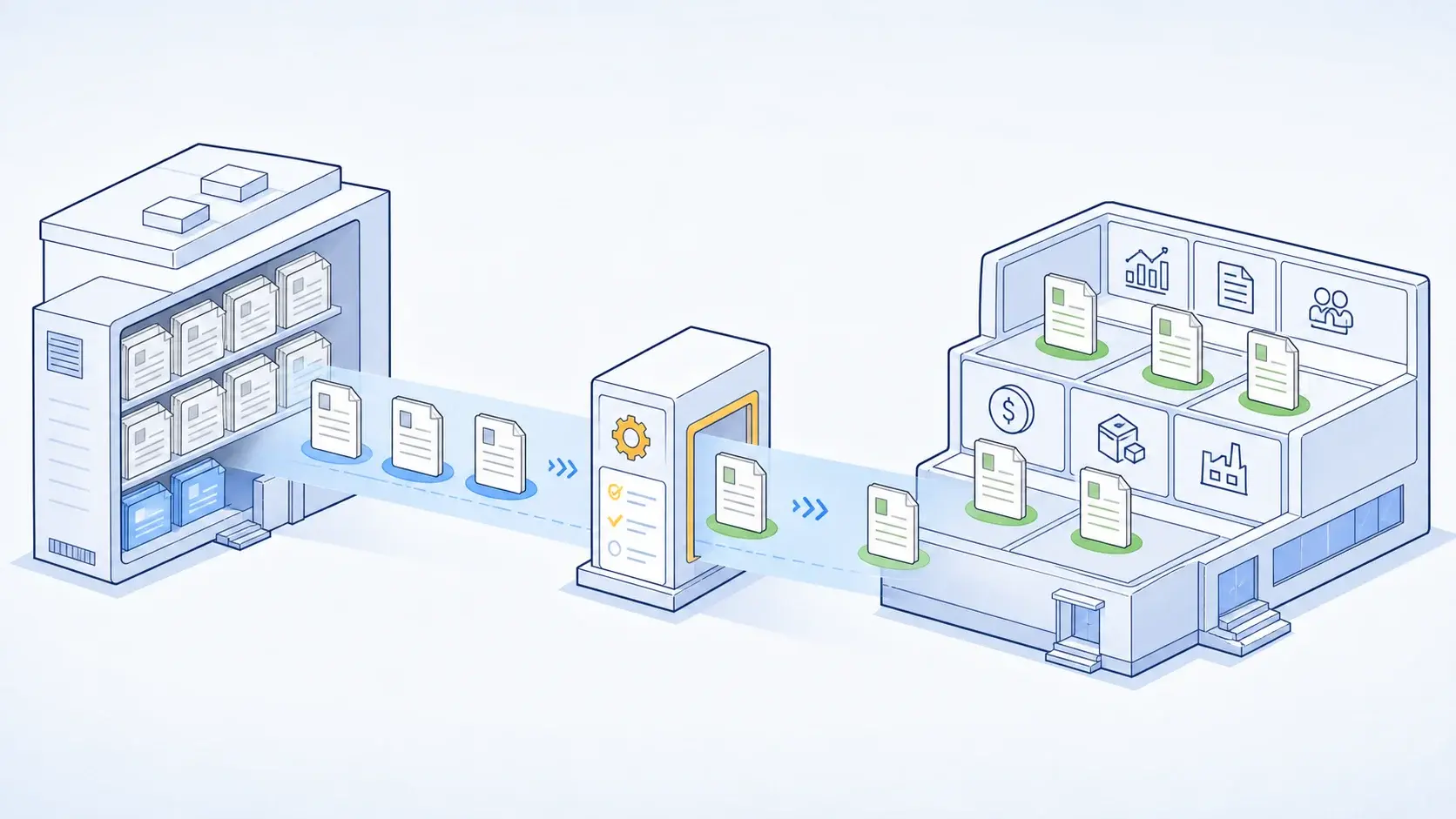
Deploying SAP Extended Warehouse Management (SAP EWM) is not simply a technical system upgrade or a software replacement. Rather, it represents an end-to-end transformation of physical warehouse operations. Replacing fragmented manual workflows, paper-based pick lists, and legacy inventory tools with an automated, intelligent logistics platform bridges the gap between high-level enterprise resource planning (ERP) and physical shop-floor activities.
Achieving high operational value requires strategic alignment across four core pillars: standardizing warehouse processes around SAP Best Practices, aligning solution architecture with your SAP S/4HANA strategy, cleansing operational master data early, and preparing floor personnel for digital execution.
This guide provides an end-to-end blueprint for SAP EWM, covering functional capabilities, deployment options, UK compliance and operational considerations, integration architectures, master data frameworks, cost drivers, and step-by-step delivery methodologies.
Executive Summary: What Makes SAP EWM Implementation Successful?
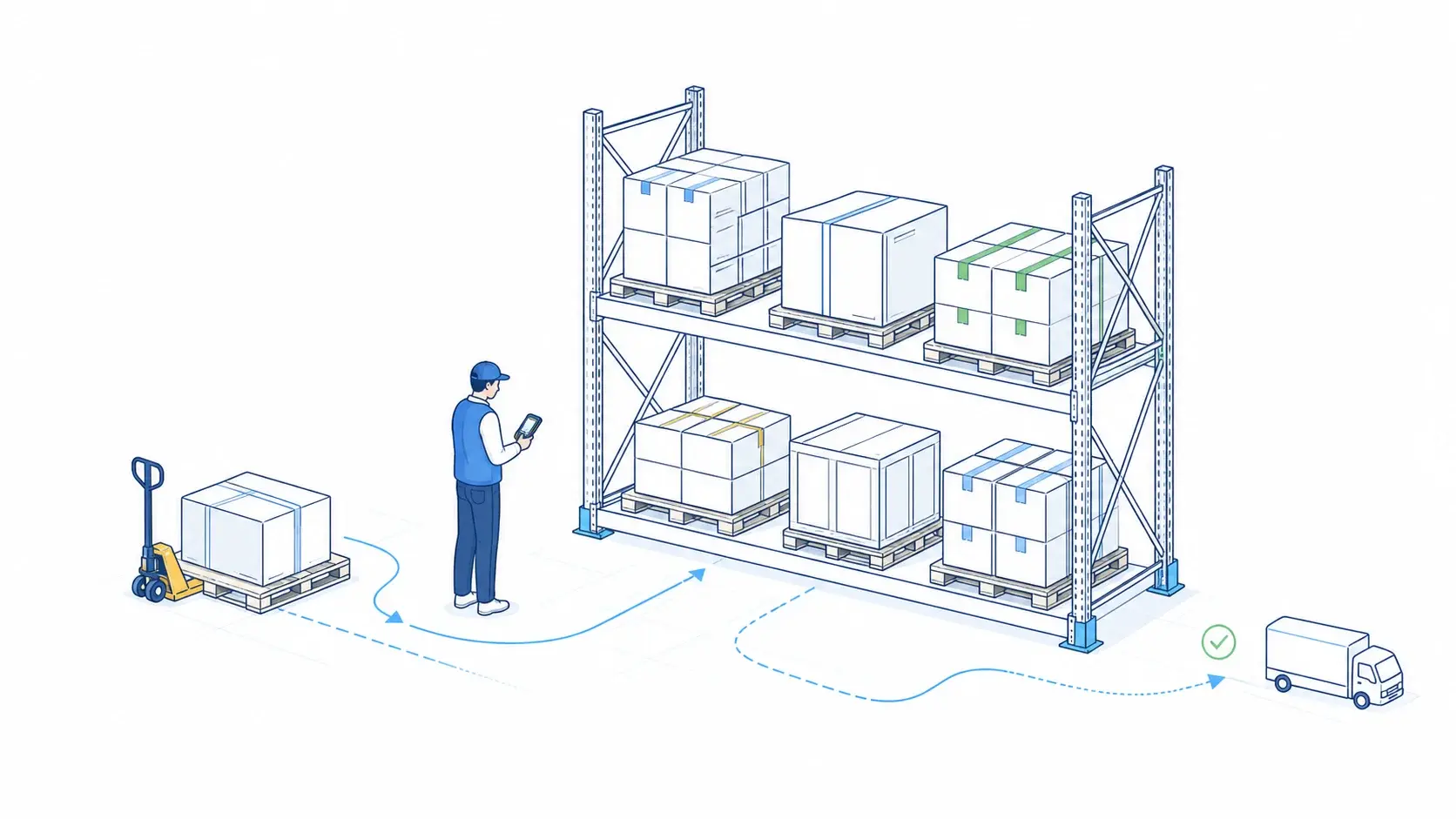
SAP EWM transforms warehouse operations from basic inventory tracking into an integrated execution platform covering receiving, putaway, picking, packing, internal movements, and shipping.
For enterprises planning SAP EWM implementation, the key decisions are:
-
Choose the right architecture. Embedded EWM is typically the preferred starting point for S/4HANA organizations because it simplifies the landscape and reduces integration overhead. Decentralized EWM is better suited to high-volume warehouses or environments requiring greater operational independence.
-
Prepare warehouse master data early. Materials, storage bins, locations, packaging specifications, handling units, and warehouse resources directly affect execution accuracy and implementation timelines.
-
Plan automation integration upfront. Integration with conveyors, AS/RS, AMRs, PLCs, and warehouse control systems can significantly influence the EWM architecture and technical design.
-
Keep the S/4HANA core clean. Use standard EWM capabilities wherever possible and develop genuine extensions side-by-side on SAP BTP rather than modifying the core.
-
Integrate EWM with the wider supply chain. Connecting EWM with S/4HANA, SAP TM, SAP GTS, BTP, carrier systems, and warehouse automation creates a continuous flow from inbound receipt through warehouse execution to outbound shipping.
-
Prioritize user adoption. RF workflows, system-guided processes, shift-based simulations, and operator training are essential to ensure the warehouse can maintain throughput after go-live.
In practice, implementation scope drives both cost and timeline. The main factors are warehouse size and complexity, automation, integration requirements, master data quality, geographic scope, and the number of processes being standardized.
SAP EWM should therefore be treated as an operational warehouse transformation, not simply an inventory-system replacement. The strongest outcomes come from combining the right architecture with clean master data, integrated automation, standardized processes, and strong user adoption.
What Is SAP Extended Warehouse Management (SAP EWM)?
SAP EWM is SAP’s flagship warehouse execution platform within the SAP Digital Supply Chain suite. It manages, controls, and optimizes physical logistics execution across complex manufacturing plants, regional distribution centers, and high-volume fulfillment hubs.
Unlike basic inventory tracking systems that record stock at a high-level plant or storage location level, SAP EWM provides precise control over physical stock locations (X, Y, Z bin coordinates), multi-level Handling Units (pallets, totes, cartons), packaging specifications, product batches, and serial numbers.
| Architecture Layer | System Component | Operational Responsibilities |
| Enterprise Core | SAP S/4HANA | Purchasing, Sales Orders, Production Planning, and Financial Ledgers. |
| Warehouse Execution | SAP EWM | Inbound processing, Replenishment, Slotting, Wave Planning, Picking, Packing, Staging, and Goods Issue. |
| Automation and Hardware | MFS / APIs | Direct control of Conveyors, AS/RS, AGVs, Robotics, and RF/RFID Scanners. |
Core Functional Capabilities
-
Inbound warehouse processing: Captures incoming shipments against purchase orders or inbound delivery notifications, manages gate check-ins, directs unloading, executes deconsolidation of mixed pallets, automates quality inspection routing via SAP QM, and executes dynamic putaway strategies.
-
Internal warehouse operations: Manages bin-level stock visibility, replenishment triggers from reserve to active pick zones, physical inventory counting (continuous, cycle counting, ad-hoc), posting changes, value-added services (VAS), and automated slotting optimizations.
-
Outbound execution: Processes sales orders and stock transport orders (STOs), executes dynamic wave planning, optimizes pick paths for RF operators, controls packing work centers, guides shipping staging, verifies vehicle loading sequences, and posts goods issues directly to core financial ledgers.
-
Warehouse automation control: Connects directly to automated material handling systems via an embedded Material Flow System (MFS), exchanging TCP/IP telegrams directly with programmable logic controllers (PLCs) without requiring intermediate Warehouse Control System (WCS) middleware.
Why Enterprises Implement SAP EWM
Enterprise organizations transition to SAP EWM to solve structural logistics challenges that limit operational growth, degrade inventory accuracy, and increase fulfillment costs.
| Legacy Business Challenge | SAP EWM Capability | Realized Business Outcome |
| Limited Inventory Visibility | Real-time bin, batch, and Handling Unit (HU) tracking | Eliminates ghost inventory; achieves 99%+ inventory accuracy. |
| Manual Paper-Based Processes | RF-guided workflows and system-directed tasks | Higher worker productivity and reduced error rates. |
| Increasing Order Complexity | Dynamic wave management and pick-path optimization | Faster order cycle times and higher on-time fulfillment rates. |
| Warehouse Labor Shortages | Labor and Resource Management (LRM) | Optimized task allocation and calculated engineered labor standards. |
| Fragmented Automation Systems | Embedded Material Flow System (MFS) | Native PLC integration for high-bay AS/RS, conveyors, and sorters. |
| Multi-Site Logistics Fragmentation | Standardized global warehouse template | Unified global operational processes across all distribution centers. |
Common Transformation Triggers
-
Deprecation of legacy SAP WM: Legacy SAP Warehouse Management (SAP WM) is deprecated in SAP S/4HANA. Organizations migrating from legacy SAP ECC instances must modernize their warehouse execution layer.
-
SAP S/4HANA enterprise migration: Migrating to SAP S/4HANA provides an ideal opportunity to align warehouse execution with digital core finance, sales, and procurement processes.
-
Investments in warehouse automation: Capital investments in high-bay AS/RS cranes, high-speed parcel sorters, or AGV fleets require direct software-to-hardware orchestration through native MFS.
-
Mergers and Acquisitions (M&A): Acquired distribution hubs running disparate legacy systems are consolidated onto a single enterprise SAP EWM platform.
-
Omnichannel and E-Commerce growth: Shift toward smaller, higher-frequency customer orders requires wave picking, automated packing, dynamic parcel labeling, and rapid carrier dispatch.
SAP EWM Architecture Options: Embedded vs. Decentralized
SAP EWM can be deployed in two main ways, and the choice depends on how tightly warehouse operations need to be connected to the SAP S/4HANA core:
-
Embedded EWM - runs directly within the SAP S/4HANA system, providing a simpler, tightly integrated architecture.
-
Decentralized EWM - runs as a separate SAP environment, providing greater operational independence, scalability, and support for complex or multi-ERP landscapes.
The right option depends primarily on warehouse scale, uptime requirements, automation intensity, and the complexity of the ERP landscape.
| Deployment Dimension | Embedded EWM | Decentralized EWM |
| Deployment Model | Runs natively within the SAP S/4HANA digital core. | Operates as a separate, standalone SAP database instance. |
| Target Best Fit | Ideal for most standard enterprise and manufacturing warehouses. | Best for high-volume, highly automated distribution hubs and multi-ERP environments. |
| Data Replication | Zero Data Replication: Directly accesses core master and transactional data. | Data is continuously synchronized and exchanged between independent systems. |
| IT Complexity | Lower overall infrastructure, maintenance, and administrative complexity. | Higher technical complexity due to separate landscape management and interface queues. |
| ERP Coupling | Closely coupled to the central SAP S/4HANA application and database. | Operationally independent from the main ERP engine. |
| 24/7 Availability | Operational uptime is tied to SAP S/4HANA system maintenance windows. | Strong operational independence; runs 24/7 during central ERP maintenance or downtime. |
| Multi-ERP Support | Restricted to its host SAP S/4HANA environment. | Strongly supports connecting to multiple SAP and non-SAP legacy ERP systems. |
| Automation and MFS | Automation capabilities depend on the licensed tier (Basic vs. Advanced EWM). | Highly suited for extreme transaction volumes and complex Material Flow System (MFS) automation. |
Embedded SAP EWM
In an Embedded EWM architecture, the warehouse management application runs natively on the same SAP S/4HANA database instance as core ERP transactions.
Key Characteristics and Benefits
-
Zero data replication: Directly accesses master data (Business Partners, Materials, Plants) and transactional documents without requiring intermediate queues or data transfer tools.
-
Simplified IT footprint: Reduces system administration overhead, server maintenance, hosting costs, and system landscape complexity.
-
Real-time analytics: Enables immediate operational reporting using native S/4HANA Core Data Services (CDS) views and Fiori user dashboards.
Typical Best Fit
Manufacturing companies, retail organizations, mid-market enterprises, and companies deploying SAP S/4HANA Cloud Private Edition where warehouse execution is tightly coupled with manufacturing or sales operations.
Embedded Basic vs. Embedded Advanced Warehouse Management
When utilizing Embedded EWM within SAP S/4HANA, SAP offers two licensing and capability tiers:
| Functional Feature Scope | Embedded Basic EWM | Embedded Advanced EWM |
| Storage Bin and HU Management | ✓ | ✓ |
| Inbound, Outbound and Internal Tasks | ✓ | ✓ |
| Basic Wave Management and RF Support | ✓ | ✓ |
| Physical Inventory Processing | ✓ | ✓ |
| Material Flow System (MFS / Automation) | ✓ | |
| Labor and Resource Management (LRM) | ✓ | |
| Slotting and Rearrangement | ✓ | |
| Yard Management (YM) | ✓ | |
| Value-Added Services (VAS) and Kitting | ✓ |
Decentralized SAP EWM
In a Decentralized EWM architecture, SAP EWM runs on a dedicated, standalone SAP S/4HANA database instance, physically separated from the primary ERP engine. Communication occurs asynchronously via qRFC (queued Remote Function Calls) or web services.
Key Characteristics and Benefits
-
Operational independence and uptime: Warehouse operations run 24/7/365 without disruption, remaining completely isolated from core ERP maintenance windows, upgrades, or network outages.
-
High transaction scaling: Isolates high-frequency RF scanner traffic and MFS telegram queues from core financial and sales transaction processing.
-
Multi-ERP connectivity: Connects a central distribution facility to multiple distinct ERP instances (e.g., legacy SAP ECC, SAP S/4HANA, or non-SAP systems).
Typical Best Fit
High-volume 24/7 distribution hubs, automated facilities managing heavy MFS throughput, global logistics service providers (3PLs), and multi-ERP corporate environments.
Architecture Decision Matrix
| Decision Parameter | Embedded EWM | Decentralized EWM |
| ERP Landscape | Single S/4HANA system | Multiple SAP / non-SAP ERP systems |
| Warehouse Scale | Standard / medium-scale warehouse operations | Large, high-volume distribution hubs |
| Operational Availability | Warehouse downtime can follow S/4HANA maintenance windows | Warehouse must operate independently 24/7 |
| Automation Intensity | Manual, RF, and moderate automation | Heavy automation, MFS, AS/RS, conveyors, sorters, AGVs |
| Transaction Volume | Normal warehouse transaction volumes | Very high-frequency warehouse transactions |
| Integration Complexity | Limited number of external systems | Multiple ERP, warehouse, automation, and external systems |
| Master Data Management | Direct access to S/4HANA master data | Master data must be synchronized between systems |
| IT Landscape Complexity | Lower - one core system to operate | Higher - separate EWM landscape and interfaces |
| Implementation Effort | Generally lower | Generally higher |
| TCO | Generally lower | Generally higher |
| Best-Fit Scenario | Warehouse tightly integrated with one S/4HANA environment | Independent, highly automated, or multi-ERP warehouse network |
SAP EWM Functional Scope and Implementation Workstreams
A comprehensive SAP EWM deployment organizes physical operations into five standardized execution workstreams.
1. Warehouse Structure Mapping
Defines the physical layout of the warehouse digitally within SAP EWM:
-
Warehouse number: The highest organizational unit in EWM, mapping to a physical plant or distribution hub.
-
Storage type: Represents distinct physical or logical zones (e.g., High-Bay Racks, Cold Storage, Bulk Storage, Staging Bays).
-
Storage section: Sub-divides storage types by physical characteristics (e.g., Heavy Goods, Fast Movers, Small Parts).
-
Storage bins: The precise physical location where stock resides, defined by exact spatial coordinates (X, Y, Z).
-
Activity areas: Logical groupings of storage bins used to assign and optimize specific warehouse tasks (e.g., Picking, Putaway, Physical Inventory).
-
Work centers: Physical locations designated for specialized execution tasks (e.g., Packing, Deconsolidation, Quality Sampling, Kitting).
2. Inbound Warehouse Processes
Manages material flows from arrival at dock gates to final storage bin putaway:
-
Integration with SAP Purchase Orders and Inbound Deliveries.
-
Dock door appointment scheduling and yard truck check-in.
-
Goods receipt posting and handling unit (HU) creation at receiving work centers.
-
Deconsolidation of mixed pallets into single-SKU storage containers.
-
Quality Inspection integration with SAP QM for automated sampling and quarantine holds.
-
Automated putaway strategies (e.g., fixed bin, empty bin, addition to existing stock) using storage type search sequences.
3. Outbound Warehouse Processes
Orchestrates order picking, packing, staging, and dispatch:
-
Ingestion of Sales Orders and Stock Transport Orders (STOs) as Outbound Delivery Orders.
-
Dynamic wave creation based on carrier departure times, shipping routes, or order priorities.
-
System-directed picking via optimized travel paths assigned to RF handheld devices or voice-picking systems.
-
Packing work center execution, including cartonization, multi-level HU building, and shipping label printing.
-
Staging bay assignment and vehicle loading verification.
-
Goods issue posting, updating inventory ledgers and notifying sales channels synchronously.
4. Internal Warehouse Operations
Controls internal material health, space optimization, and component availability:
-
Replenishment algorithms that automatically move stock from reserve storage to active pick bins based on minimum thresholds.
-
Rearrangement tasks generated during slow operational shifts to relocate stock to optimal storage zones based on velocity.
-
Physical inventory counting methodologies (annual, continuous, cycle counting, zero-stock checks).
-
Production supply replenishment, executing Just-In-Time (JIT) and Just-In-Sequence (JIS) component delivery to shop-floor Production Supply Areas (PSAs).
5. Warehouse Automation Integration (MFS)
Integrates physical hardware automated systems directly into software execution workflows:
-
Native Material Flow System (MFS) routing logic for high-bay AS/RS stacker cranes, conveyor loops, and parcel sorters.
-
Direct TCP/IP socket telegram communication with programmable logic controllers (PLCs).
-
Dynamic exception handling (e.g., full-bin re-routing, conveyor jam notifications).
SAP EWM Implementation Methodology
Deploying SAP EWM follows the milestone-driven SAP Activate methodology, combining structured phase governance with iterative configuration and testing cycles.
| Methodology Phase | Focus Area | Core Deliverables |
| Prepare | Readiness and Governance | Project charter, architecture blueprint, implementation roadmap. |
| Explore | Fit-to-Standard and Process Blueprint | Business Process Descriptions (BPDs), solution design, gap register. |
| Realize | Configuration, Integration and Build | Configured build environment, technical interface specs, tested scripts. |
| Deploy | Testing, Data Migration and Cutover | Signed-off UAT logs, audited stock migration balances, production go-live. |
| Run | Hypercare and Operational Stabilization | Operational hypercare sign-off, steady-state AMS hand-over. |
Phase 1: Prepare (Readiness and Project Governance)
-
Conduct executive alignment workshops to define business targets, core KPIs, and scope boundaries.
-
Select deployment architecture (Embedded Basic, Embedded Advanced, or Decentralized EWM).
-
Establish project governance, technical sandbox environments, and initial delivery team structures.
-
Deliverables: Project charter, architecture blueprint, and detailed implementation roadmap.
Phase 2: Explore (Fit-to-Standard and Process Blueprinting)
-
Execute Fit-to-Standard workshops using pre-configured SAP Best Practices building blocks.
-
Map physical warehouse operational scenarios against standard SAP EWM capability sets.
-
Identify genuine functional gaps and design side-by-side extensions on SAP Business Technology Platform (SAP BTP) to protect a Clean Core.
-
Deliverables: Business Process Description (BPD) documents, solution design sign-offs, and functional gap registers.
Phase 3: Realize (Configuration, Integration and Build)
-
Configure core EWM parameters: storage types, wave rules, putaway/picking search strategies, and packaging specifications.
-
Build MFS telegram mapping, configure RF framework screens, and establish BTP integration flows.
-
Build interfaces connecting EWM to S/4HANA core, Transportation Management (SAP TM), Quality Management (SAP QM), and external automation PLCs.
-
Deliverables: Configured build environment, technical interface specs, and validated test scripts.
Phase 4: Deploy (Testing, Data Migration and Cutover)
-
Execute multi-tiered testing: System Integration Testing (SIT), User Acceptance Testing (UAT), and MFS simulation testing.
-
Profile, clean, and load master data (Storage Bins, Packaging Specifications, Material Master attributes).
-
Execute mock cutover rehearsals, perform physical inventory cutover counting, load initial stock balances, and transition to live production execution.
-
Deliverables: Signed-off UAT logs, audited stock migration balances, and production system go-live.
Phase 5: Run (Hypercare and Operational Stabilization)
-
Deploy 24/7 hypercare support teams across all operational warehouse shifts to assist operators, clear interface queues, and fine-tune process parameters.
-
Hand system management over to steady-state SAP Application Management Services (AMS) teams.
-
Deliverables: Operational hypercare sign-off and steady-state hand-over.
SAP EWM Master Data Requirements
Master data deficiencies represent one of the most common causes of SAP EWM testing failures, putaway errors, and project delays. Unlike high-level ERP modules, SAP EWM algorithms depend directly on precise dimensional, packaging, and spatial data.
| Master Data Object | Importance to EWM Execution | Common Data Risks & Pitfalls |
| Material Master (EWM Views) | Controls putaway strategies, picking rules, handling unit requirements, and storage type assignments. | Missing weight, volume, or dimensional data; unassigned hazardous material profiles. |
| Storage Bins | Establishes the precise physical location grid (X, Y, Z coordinates, max weight, max volume). | Incorrect bin capacities leading to bin overfill during putaway. |
| Packaging Specifications | Instructs system how materials are packed into HUs (e.g., 10 cartons per layer, 4 layers per pallet). | Incomplete packaging specs preventing automated Handling Unit creation. |
| Business Partners | Represents carriers, suppliers, customers, and external logistics service providers. | Missing identification roles or unaligned address/vendor data. |
| Resource Equipment | Defines physical forklifts, operators, and qualifications for system task assignment. | Unmapped operator certifications leading to safety compliance risks during execution. |
| Fixed Bin Assignments | Links specific fast-moving SKUs to primary picking locations. | Outdated bin assignments causing picker travel delays. |
Expert Data Insight: Initiate master data profiling and cleansing 3 to 6 months prior to technical system configuration. Validate physical bin dimensions and packaging specifications on the warehouse floor before importing records into test sandbox environments.
SAP EWM Integration Landscape
An enterprise warehouse management system must communicate reliably across the broader software and hardware ecosystem. SAP EWM provides native integration frameworks across several key domains.
| Connected System | Primary Integration Purpose | Technical Mechanism |
| SAP S/4HANA Core | Synchronizes sales orders, purchase orders, deliveries, and financial ledgers. | Native Memory Access (Embedded) or qRFC / Web Services (Decentralized). |
| SAP Transportation Management (TM) | Synchronizes truck arrival schedules, dock door appointments, and carrier staging requirements. | Direct S/4HANA Integration or Advanced TM-EWM interface objects. |
| SAP Quality Management (QM) | Controls quality sampling, inspection lot generation, and quarantine hold/release status updates. | Native QM-EWM inspection process integration. |
| SAP Global Trade Services (GTS) | Enforces international customs holds, export screening, and bonded warehouse compliance. | Native GTS RFC interface calls. |
| Automation Hardware (PLCs) | Direct telegram communication with high-bay cranes, conveyors, AGVs, and sorters. | Native Material Flow System (MFS) via TCP/IP sockets. |
| SAP Business Technology Platform (SAP BTP) | Hosts custom mobile RF apps, specialized worker web portals, and side-by-side extensions. | REST / OData APIs managed via BTP Integration Suite. |
These integrations can be split into two layers: the first connects EWM with enterprise business systems such as S/4HANA, TM, QM, and GTS, while the second connects EWM with the physical warehouse and custom applications. This separation helps define which processes should remain standard and where extensions or automation interfaces are actually required.
| Architecture Layer | Core Software Strategy | Implementation Approach |
| S/4HANA Core | Pristine Digital Core | Keep core ABAP standard; utilize standard APIs and pre-configured flows. |
| Extensibility Fabric | SAP BTP Integration Suite | Build custom RF screens, mobile worker apps, and specialized APIs side-by-side. |
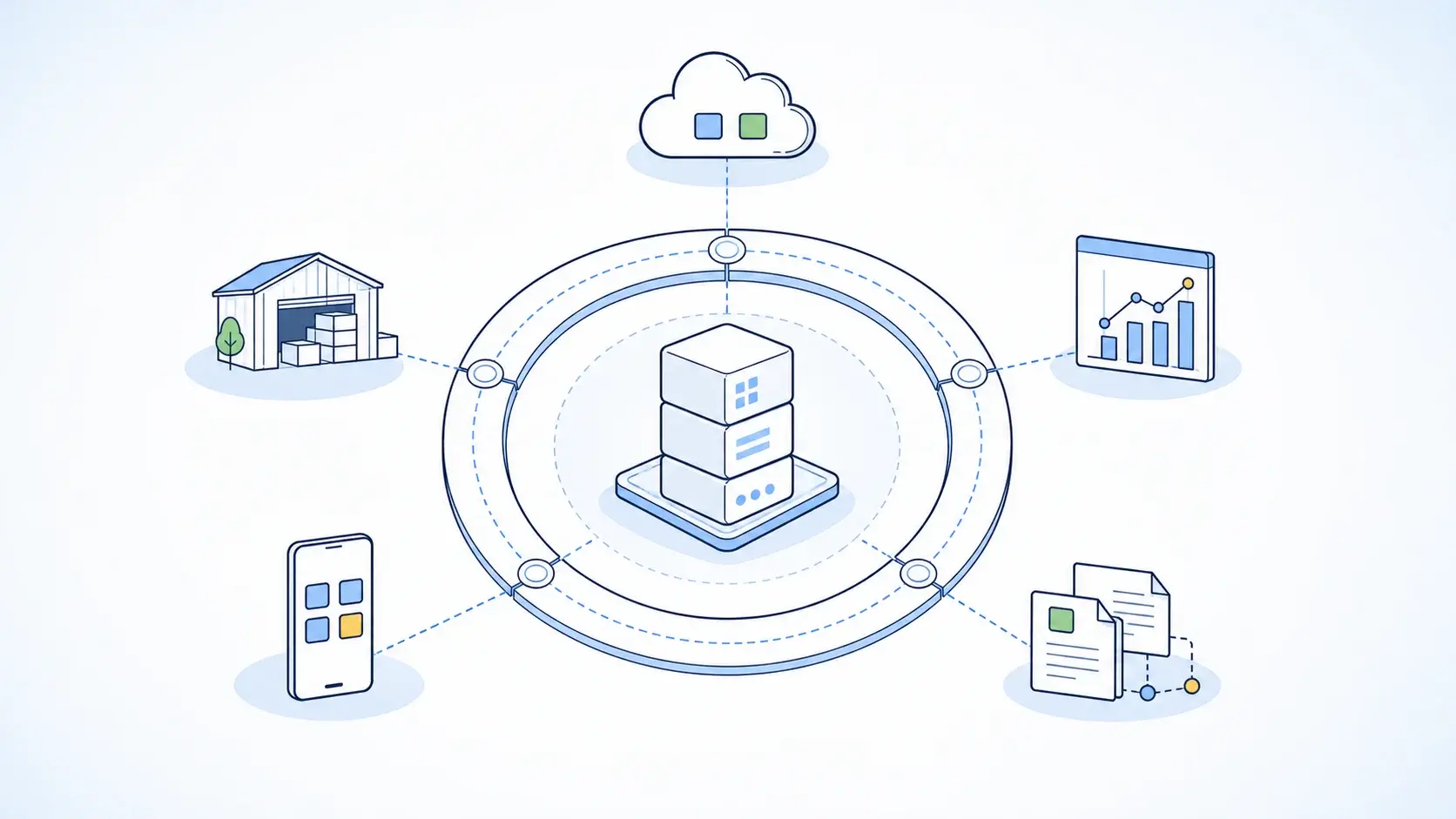
How this works in practice: SAP EWM sits between the business processes in S/4HANA and the physical warehouse. S/4HANA provides the business demand and inventory context, while EWM translates that demand into warehouse tasks such as receiving, putaway, picking, packing, staging, and loading. TM can coordinate transportation requirements, QM and GTS add quality and trade-compliance controls, and MFS connects EWM directly to automated equipment.
The integration architecture should therefore be designed end-to-end rather than system by system. For example, an outbound order can flow from S/4HANA → EWM → warehouse automation → TM/carrier execution → goods issue, with the relevant status and financial information flowing back into the enterprise systems. This is also where the Embedded vs. Decentralized EWM decision becomes important: Embedded EWM minimizes cross-system integration, while Decentralized EWM introduces additional interfaces but provides greater operational independence.
SAP EWM Implementation Timeline Benchmarks
Project delivery schedules vary based on physical warehouse size, automation footprint, integration density, and deployment architecture.
| Scope Profile Tier | Indicative Timeline | Key Project Characteristics |
| Single Warehouse Rollout (Manual / RF) | 6 to 9 Months | Standard inbound/outbound processes, RF scanning, manual storage, single site. |
| Multi-Site Enterprise Rollout | 9 to 18 Months | Multi-plant footprint, advanced picking/packing, Slotting, Labor Management, EWM-TM integration. |
| Automated Global Warehouse Transformation | 12 to 24+ Months | Complex multi-site template, native MFS integration, AS/RS cranes, conveyors, AGVs, high transaction volume. |
The biggest timeline accelerator is standardization. A warehouse with standard processes, clean master data, limited integrations, and minimal automation can be delivered relatively quickly. By contrast, automation commissioning, PLC/MFS integration, multi-site template design, and extensive testing can add significant time.
For Embedded EWM, the timeline may be shorter when EWM is implemented as part of an existing S/4HANA transformation because ERP integration and master data are already part of the program. Decentralized EWM generally requires additional time for system setup, data synchronization, interfaces, integration testing, and cutover planning.
Automation projects also require a separate commissioning and hardware-testing track. MFS, PLCs, conveyors, cranes, and AGVs need to be tested with real warehouse scenarios before go-live, which can become one of the critical-path activities.
SAP EWM Implementation Cost Factors
Estimating an SAP EWM budget requires evaluating direct software expenses, professional consulting fees, integration engineering, and physical site readiness costs. Software licensing represents only a portion of the total investment; consulting, data engineering, and automation integration constitute the majority of capital spend.
| Implementation Scope | Indicative Budget* | Typical Profile |
| Single Warehouse / Standard EWM | £300k–£600k | One warehouse, manual/RF operations, standard inbound/outbound, limited integrations. |
| Multi-Site Enterprise EWM | £600k–£1.5m | Multiple warehouses, advanced picking/packing, slotting, labor management, TM integration. |
| Automated Warehouse Transformation | £1.5m–£3m+ | MFS, AS/RS, conveyors, PLCs, high-volume automation and extensive testing. |
| Global EWM Program | £3m–£6m+ | Multiple countries/sites, global template, complex automation, multiple ERP integrations and phased rollout. |
Main cost drivers:
-
Warehouse complexity and scale - number of facilities, storage types, processes, transaction volumes, and countries.
-
Automation and MFS integration - AS/RS cranes, conveyors, sorters, AGVs, PLC interfaces, and MFS configuration can significantly increase costs.
-
Integration - S/4HANA, TM, QM, GTS, BTP, carrier systems, and warehouse automation platforms.
-
Master data remediation - cleansing and preparing storage bins, materials, packaging specifications, handling units, and warehouse master data.
-
Embedded vs. Decentralized EWM - Embedded EWM generally has lower implementation overhead, while Decentralized EWM requires additional system infrastructure, interfaces, data synchronization, monitoring, and multi-system testing.
-
Custom extensibility - custom RF applications, worker portals, dashboards, and BTP extensions increase implementation and long-term support costs.
-
Change management - large warehouse organizations require more operator training, onboarding, simulation, and hypercare.
Embedded vs. Decentralized SAP EWM: Implementation Cost Impact
| Architecture | Indicative Impact on Implementation Cost | Why |
| Embedded SAP EWM | Baseline | Single S/4HANA landscape, native ERP integration, no separate EWM infrastructure, and less cross-system data synchronization. |
| Decentralized / Standalone SAP EWM | ~20–50% higher | Requires a separate EWM landscape, additional integration and data synchronization, interface monitoring, multi-system testing, and independent infrastructure/operations. |
For budgeting purposes, Embedded EWM is generally the lower-cost implementation option, provided the warehouse requirements can be supported within the S/4HANA landscape. Decentralized EWM carries a higher implementation premium because the project must establish and operate an additional system landscape.
The final budget, however, is usually driven more by warehouse complexity, automation/MFS integration, number of sites, master data remediation, and integration requirements than by the deployment architecture alone.
Common SAP EWM Implementation Risks and Risk Mitigation
Enterprise warehouse transformations involve operational change and technical dependencies. Proactively managing common risk vectors protects project timelines and budgets:
| Implementation Risk Vector | Operational Impact | Proven Mitigation Strategy |
| 1. Poor Master Data Quality | Incorrect bin dimensions or missing material weights corrupt automated putaway and slotting logic. | Initiate automated master data profiling 3 to 6 months early. Validate bin dimensions on the floor. |
| 2. Excessive In-Core Customization | Modifying core ABAP code creates technical debt, inflates TCO, and breaks cloud upgrade paths. | Enforce a strict Clean Core policy. Build custom logic side-by-side on SAP BTP. |
| 3. Weak Automation & MFS Planning | On-site hardware testing bottlenecks delay production cutover readiness. | Utilize PLC emulation tools early in testing phases to validate telegram exchanges virtually. |
| 4. Low Floor-User Adoption | Warehouse operators resist new RF scanner workflows and system-guided task assignments. | Involve shift supervisors early in UAT testing. Conduct shift-by-shift simulation training before go-live. |
| 5. Unreconciled Cutover Balances | Discrepancies between physical stock counts and ERP ledgers stall cutover execution. | Conduct multiple mock cutover data conversions and practice physical stock reconciliation in sandboxes. |
SAP EWM Change Management and User Adoption
A technical system build is only as successful as the floor operators who interact with it daily. Driving user adoption requires an operational change management framework tailored to warehouse environments:
-
Role-based training: Deliver role-tailored training sessions focused on specific floor functions (e.g., Goods Receipt Clerk, Forklift Driver, Packing Operator, Inventory Controller) using actual RF handheld devices.
-
Warehouse operational simulations: Conduct full-scale "day-in-the-life" simulations in test sandbox environments, processing real material handling units through inbound, internal, and outbound paths.
-
Super-user network: Involve experienced warehouse supervisors early during User Acceptance Testing (UAT) to build a network of floor champions available to assist shift workers during cutover.
-
Floor-level shift support: Deploy dedicated hypercare consultants directly on the warehouse floor across all operational shifts (including night shifts) during the initial 4 to 8 weeks post-go-live.
How to Choose an SAP EWM Implementation Partner
The right partner should be evaluated not only on SAP EWM configuration experience, but also on warehouse operations, automation, integration, data migration, and long-term support capabilities.
1. Proven SAP EWM Delivery Experience
Look for successful EWM projects in your industry, warehouse type, and operational environment. Ask for verifiable client references and comparable project examples.
2. Embedded vs. Decentralized EWM Expertise
The partner should be able to explain which architecture fits your warehouse volume, uptime requirements, automation intensity, and ERP landscape - rather than recommending one model by default.
3. MFS and Warehouse Automation Experience
For automated facilities, verify hands-on experience with SAP MFS, PLC communication, AS/RS, conveyors, sorters, AGVs, and high-volume warehouse environments.
4. Clean Core and SAP BTP Strategy
The partner should demonstrate how custom RF screens, worker applications, dashboards, and extensions can be delivered through standard APIs and SAP BTP without unnecessary S/4HANA core modifications.
5. End-to-End Supply Chain Integration
Evaluate experience integrating EWM with SAP S/4HANA, SAP TM, SAP QM, SAP GTS, SAP BTP, and external warehouse or automation systems.
6. Data Migration and Warehouse Master Data
Confirm that the partner has a structured approach to cleansing and migrating materials, storage bins, packaging specifications, Handling Units, resources, and other warehouse-specific master data.
7. Testing and Cutover Capability
Ask how the partner handles integration testing, RF testing, automation testing, peak-volume scenarios, cutover rehearsals, and go-live at operational warehouses.
8. Post-Go-Live AMS & Hypercare
For critical warehouses, evaluate whether the partner can provide ongoing application support, monitoring, incident management, and optimization after the initial hypercare period.
Key procurement question: Can the partner demonstrate that it has successfully delivered an SAP EWM environment similar to ours - in terms of warehouse complexity, automation, integration landscape, and operational scale - rather than simply having SAP EWM consultants on staff?
SAP EWM Implementation Best Practices
A successful SAP EWM implementation depends not only on system configuration, but also on how well the solution reflects the physical warehouse, automation landscape, data quality, and day-to-day work of warehouse operators. The following practices help reduce implementation risk and improve the quality of the go-live.
Start with a Thorough Warehouse Assessment
Audit physical layouts, material flows, equipment, storage types, and inventory accuracy before finalizing the solution design.
Commit to an SAP Fit-to-Standard Approach
Use SAP Best Practices as the baseline and avoid custom backend development unless it provides clear business differentiation.
Cleanse Master Data Early
Validate material dimensions, packaging specifications, storage bins, Handling Units, and warehouse master data months before configuration begins.
Design Automation Integrations Early
Involve automation vendors and PLC engineers during the Explore phase to define MFS communication, telegram mapping, interfaces, and testing requirements.
Maintain a Clean Core with SAP BTP
Keep the S/4HANA core standard. Build custom RF screens, worker portals, dashboards, and specialized extensions side-by-side on SAP BTP.
Prioritize Operational Change Management
Involve warehouse supervisors and lead operators early. Test real RF workflows with end users rather than relying only on classroom training.
Test Real Warehouse Scenarios
Run comprehensive SIT, UAT, RF, integration, and MFS simulation testing, including peak-volume scenarios and realistic shift operations.
Plan Dedicated Hypercare Across All Shifts
Budget for 4–8 weeks of 24/7 hypercare to resolve interface issues, support operators, monitor automation, and fine-tune warehouse processes after go-live.
Conclusion
Implementing SAP Extended Warehouse Management (SAP EWM) is a transformative investment that turns complex physical warehouse execution into a durable competitive advantage. By establishing precise bin-level inventory visibility, automating material flow handling, and integrating warehouse operations directly with core enterprise financial ledgers, organizations can significantly lower handling costs, maximize space utilization, and accelerate order fulfillment.
Achieving success requires combining a clear operational warehouse strategy, disciplined Fit-to-Standard execution, early master data cleansing, and an experienced SAP implementation partner.
Ready to Transform Your Enterprise Warehouse Operations?
Accelerate your SAP EWM journey, optimize warehouse throughput, and achieve complete inventory control with LeverX. As an official SAP Gold Partner and Global System Integrator with over 20 years of technical supply chain expertise, LeverX helps mid-market and enterprise organizations evaluate system readiness, design Clean Core architectures, and execute seamless implementations. Schedule a strategic SAP EWM assessment with LeverX.
Frequently Asked Questions (FAQ)
What is SAP Extended Warehouse Management (SAP EWM)?
SAP EWM is an enterprise warehouse management platform designed to manage, control, and optimize physical logistics execution. It provides precise control over storage bin inventory, multi-level handling units, complex picking/packing workflows, and direct material flow automation.
Why do companies implement SAP EWM?
Companies implement SAP EWM to improve inventory accuracy, increase picking throughput, optimize warehouse space, integrate warehouse automation hardware (AS/RS, conveyors), and replace legacy or paper-based systems with digital execution workflows.
What is the primary difference between legacy SAP WM and SAP EWM?
Legacy SAP WM provided basic storage bin tracking and simple picking logic but is deprecated in S/4HANA. Modern SAP EWM is SAP's strategic warehouse system, featuring native automation control (MFS), Labor Management, dynamic Slotting, Yard Management, and multi-level Handling Unit management.
Is SAP EWM part of SAP S/4HANA?
Yes. Embedded SAP EWM is natively included within the SAP S/4HANA digital core database. For ultra-high transaction volume environments or multi-ERP landscapes, SAP EWM can also be deployed as a standalone decentralized system.
Should organizations choose Embedded or Decentralized SAP EWM?
Most SAP S/4HANA customers should choose Embedded SAP EWM because it eliminates data replication, simplifies IT administration, and lowers TCO. Decentralized EWM is recommended for 24/7 high-volume distribution centers requiring continuous operational uptime independent of ERP maintenance windows, or facilities with extreme MFS transaction volumes.
How long does an SAP EWM implementation take?
Implementation timelines range from 6 to 9 months for a single manual/RF warehouse rollout, 9 to 18 months for a multi-site enterprise deployment, and 12 to 24+ months for a complex automated global warehouse transformation.
How much does an SAP EWM implementation cost?
Implementation budgets vary based on physical warehouse complexity, automation integration volume (MFS), master data cleansing needs, and deployment model. Consulting, integration engineering, data engineering, and change management constitute the majority of capital spend.
What master data is required for SAP EWM?
Core master data objects include Material Master EWM Views (dimensions, weight, storage strategies), Storage Bins (coordinates, weight limits), Packaging Specifications (handling unit structures), Business Partners (suppliers, carriers), and Resource Equipment (forklifts, operator profiles).
Can SAP EWM control warehouse automation without third-party middleware?
Yes. Through its embedded Material Flow System (MFS), SAP EWM communicates directly with PLCs managing conveyors, AS/RS cranes, sorters, and AGVs via TCP/IP socket telegrams, eliminating the need for intermediate Warehouse Control System (WCS) middleware.
How does SAP EWM integrate with SAP Transportation Management (SAP TM)?
SAP EWM integrates natively with SAP TM to align physical picking, packing, and yard staging activities directly with carrier arrival schedules, vehicle capacities, and planned shipping departure times.
What are the biggest SAP EWM implementation risks?
Primary risk vectors include poor master data quality, excessive in-core ABAP customization, delayed automation/MFS PLC testing, unreconciled cutover stock balances, and low floor-user adoption.
How do organizations choose an SAP EWM implementation partner?
Evaluate potential partners on verifiable SAP EWM implementation experience in your industry, Embedded vs. Decentralized architecture expertise, native MFS automation integration capabilities, Clean Core BTP development strategy, and post-go-live SAP Managed Services (AMS) support coverage.